9
c
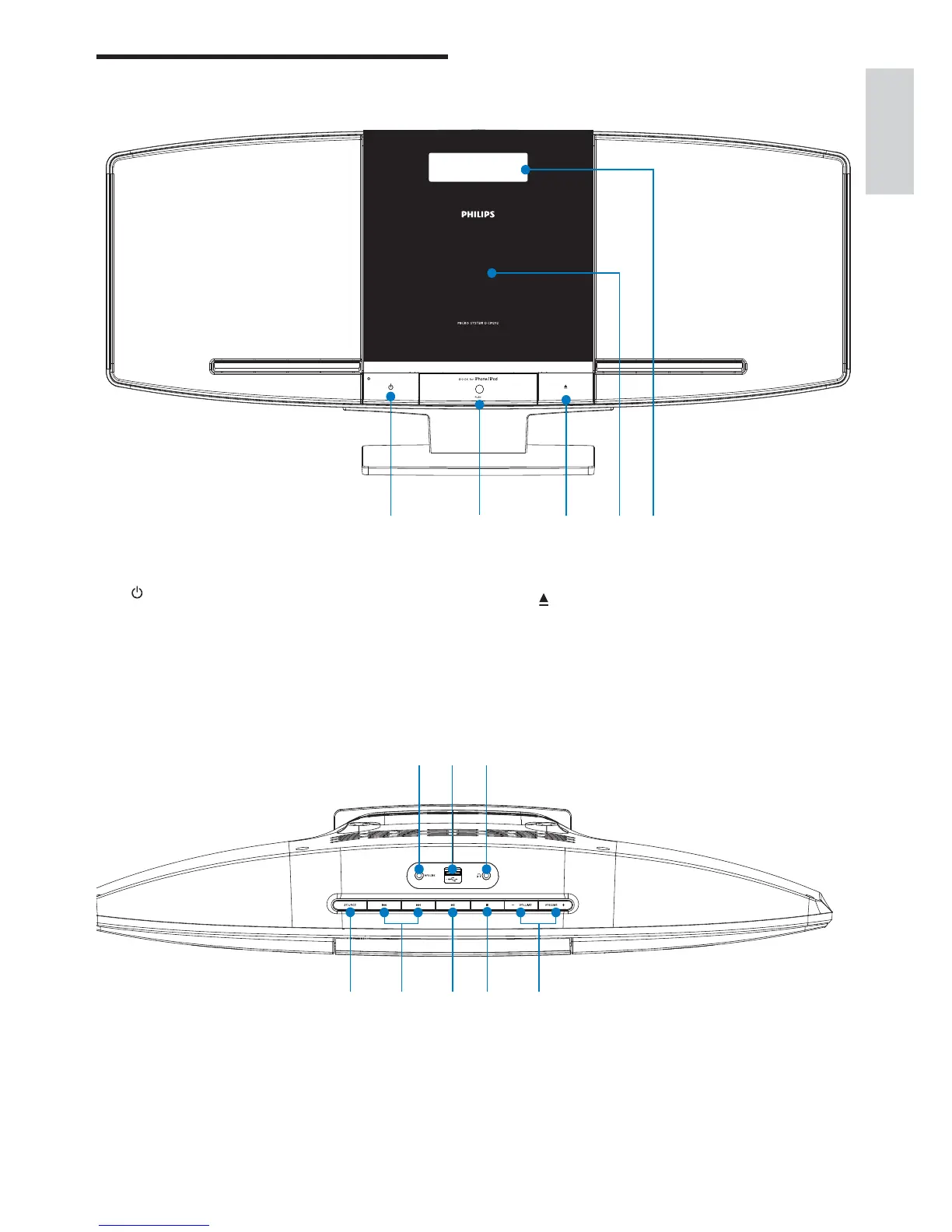
Open/close the disc compartment.•
d Disc compartment
e Display panel
Show current status.•
Overview of the main unit
a
Turn on the unit, or switch to •
standby mode, or switch to Eco
Power standby.
b Dock for iPod/iPhone
a cb d e
English
EN
f SOURCE
Select a source: CD, FM tuner, USB, •
iPod, or MP3 link.
m l k



 To Next Page