11
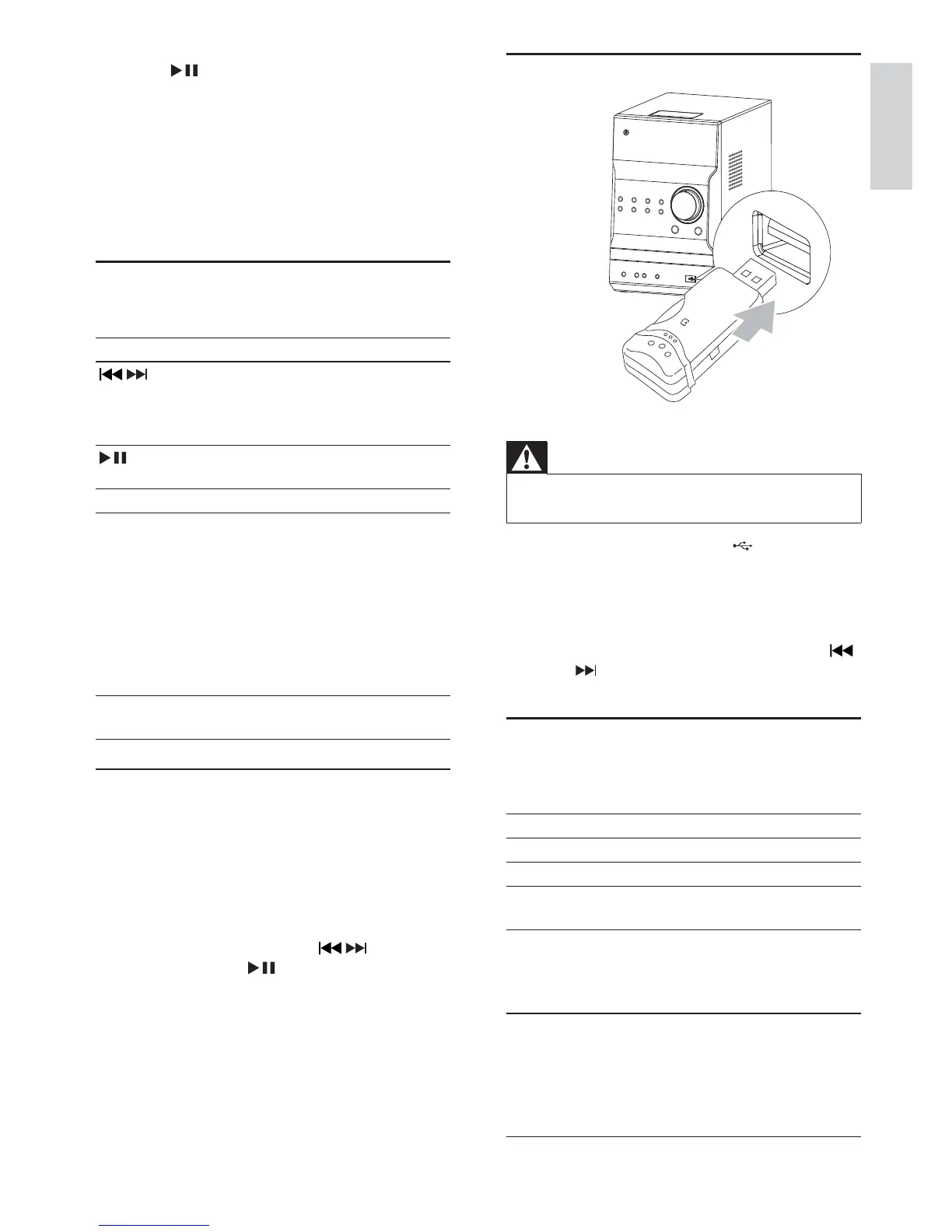
Play from USB
Warning
Ensure that the USB device contains playable audio •
contents for supported formats.
1 Flip open the cover marked on the front
panel.
2 Insert the USB device into the USB socket.
3 Press USB to select the USB source.
Play starts automatically. If not, press »
ALBUM/PRESET to select a folder and
/ to select a file. Then press OK to start
play.
Adjust sound
During play, you can adjust volume through following
operations.
Key Function
VOL +/- To increase/decrease the volume.
MUTE To mute/restore sound.
LOUDNESS To turn on/off automatic loudness
control.
DBB To turn on or off dynamic bass
enhancement.
If DBB is activated, [DBB] is
displayed.
DSC To select your desired sound effect:
[POP] (pop)
[JAZZ] (jazz)
[ROCK] (rock)
[FLAT] (flat)
[CLASSIC] (classic)
2 Press to start storing.
The unit automatically stores radio stations »
with sufficient signal strength.
When all the available radio stations are »
stored, the first preset radio station is
broadcast automatically.
4 Play
Basic play operations
You can control play through following operations.
Key Function
/
To select a track or file.
Press and hold to fast-forward/fast-
reverse the track during playback,
then release to resume play.
To pause/resume play during
playback.
DISPLAY To select different play information.
REPEAT To select a repeat play mode:
[REP] (repeat): play current track
repeatedly.
[REP ALL] (repeat all): play all tracks
repeatedly.
[REP] (repeat) and [ALB] (album) (for
MP3 and USB only): play the current
album repeatedly.
Press again to return to normal play.
SHUFFLE To play tracks randomly.
Press again to return to normal play.
Play from disc
1 Press CD to select the CD source.
2 Press OPEN/CLOSE.
The disc compartment opens. »
3 Place a disc with the printed side facing up,
then press OPEN/CLOSE.
4 Play starts automatically.
If play does not start, press • / to select a
track, then press .
English
EN



 To Next Page