12
4 Play
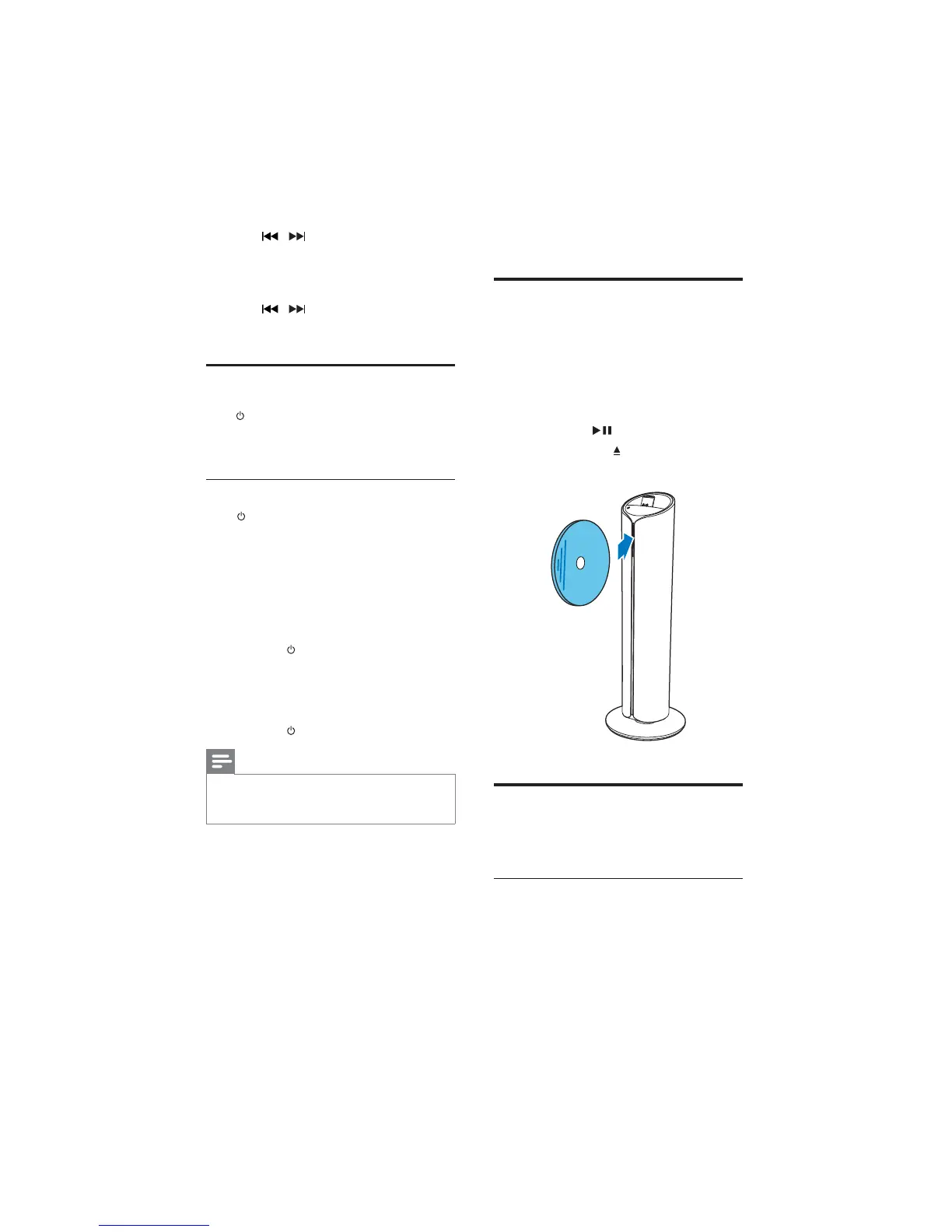
Play from disc
1 Press CD on the remote control or press
SRC repeatedly on the main unit to select
CD source.
2 Insert a disc into the disc compartment
with the printed side facing right.
»
not, press
.
Press EJECT
to take the disc out of
the disc tray.
Play iPod/iPhone/iPad
You can enjoy audio from iPod/iPhone/iPad
through this docking system.
Compatible iPod/iPhone/iPad
The unit supports the following iPod/iPhone/
iPad models.
Made for
iPad 2
3 Press / to set the hour, and then
press .
» The minute digits are displayed and
begin to blink.
4 Press / to set the minute.
5 Press
Turn on
Press .
» The unit switches to the last selected
source.
Switch to standby
Press again to switch the unit to standby
mode.
» The backlight on the display panel is
reduced.
»
panel.
To switch to Eco power standby mode:
Press and hold
for more than two seconds.
» The backlight on the display panel turns off.
To switch between normal standby mode
and Eco power standby mode:
Press and hold
for more than two seconds.
Note
If no button is pressed over 15 minutes in
standby mode, this device goes to Eco power
standby mode automatically.
EN



 To Next Page