8
g
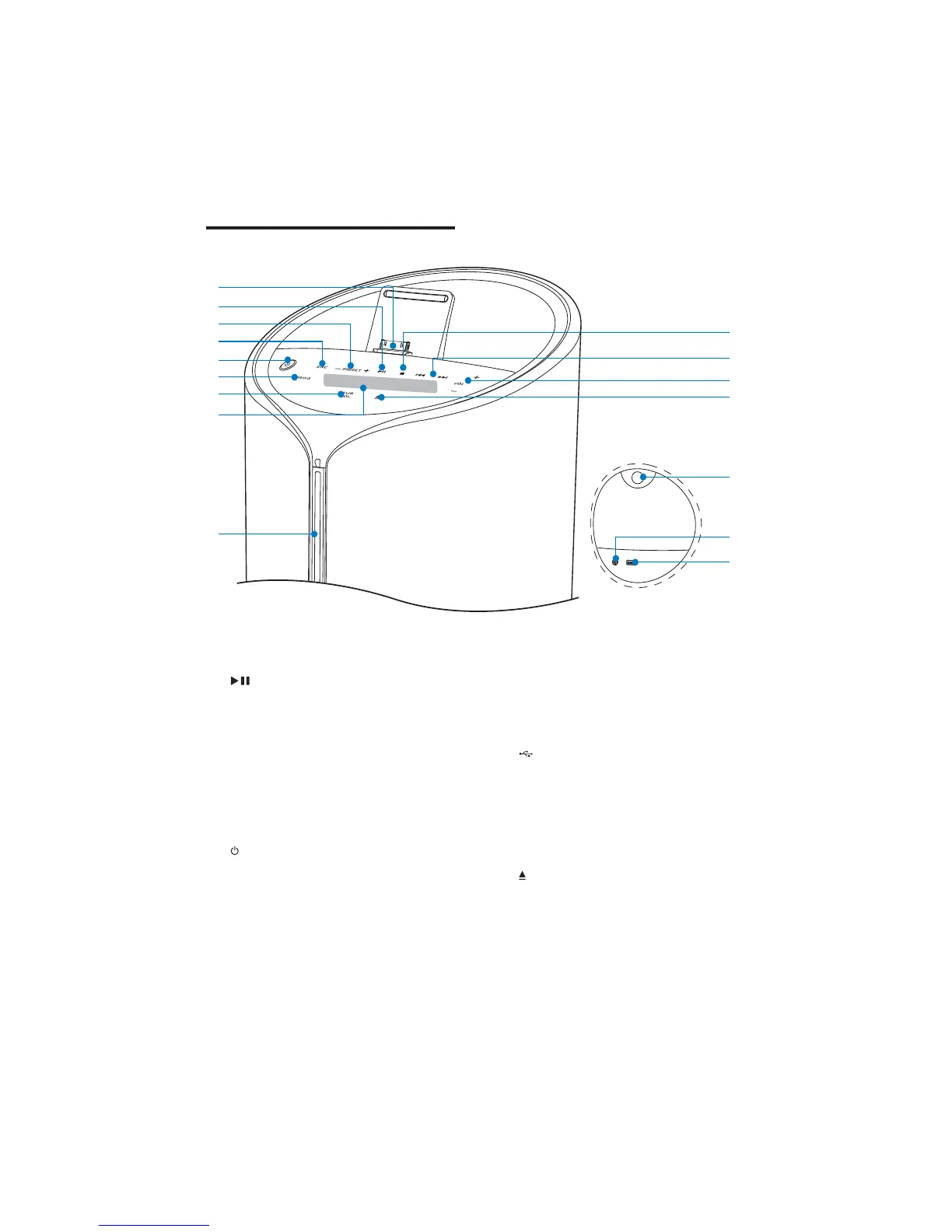
Adjust subwoofer volume.
h Display panel
Show current status.
i Disc compartment
j
USB socket.
k
Connect an external audio device.
l
Pull to open the protective panel.
m
Eject the disc.
n
Adjust volume.
Overview of the main unit
a DOCK
Dock for iPod/iPhone/iPad.
b
Start or pause play.
c
Select a preset radio station.
Skip to the previous/next album.
d SRC
Select a source: CD, FM TUNER,
iPod/iPhone/iPad, USB, or MP3
LINK.
e
Turn the unit on.
Switch to standby mode or Eco
power standby mode.
f PROG
Program tracks.
Program radio stations.
Set the clock.



 To Next Page