8
g /
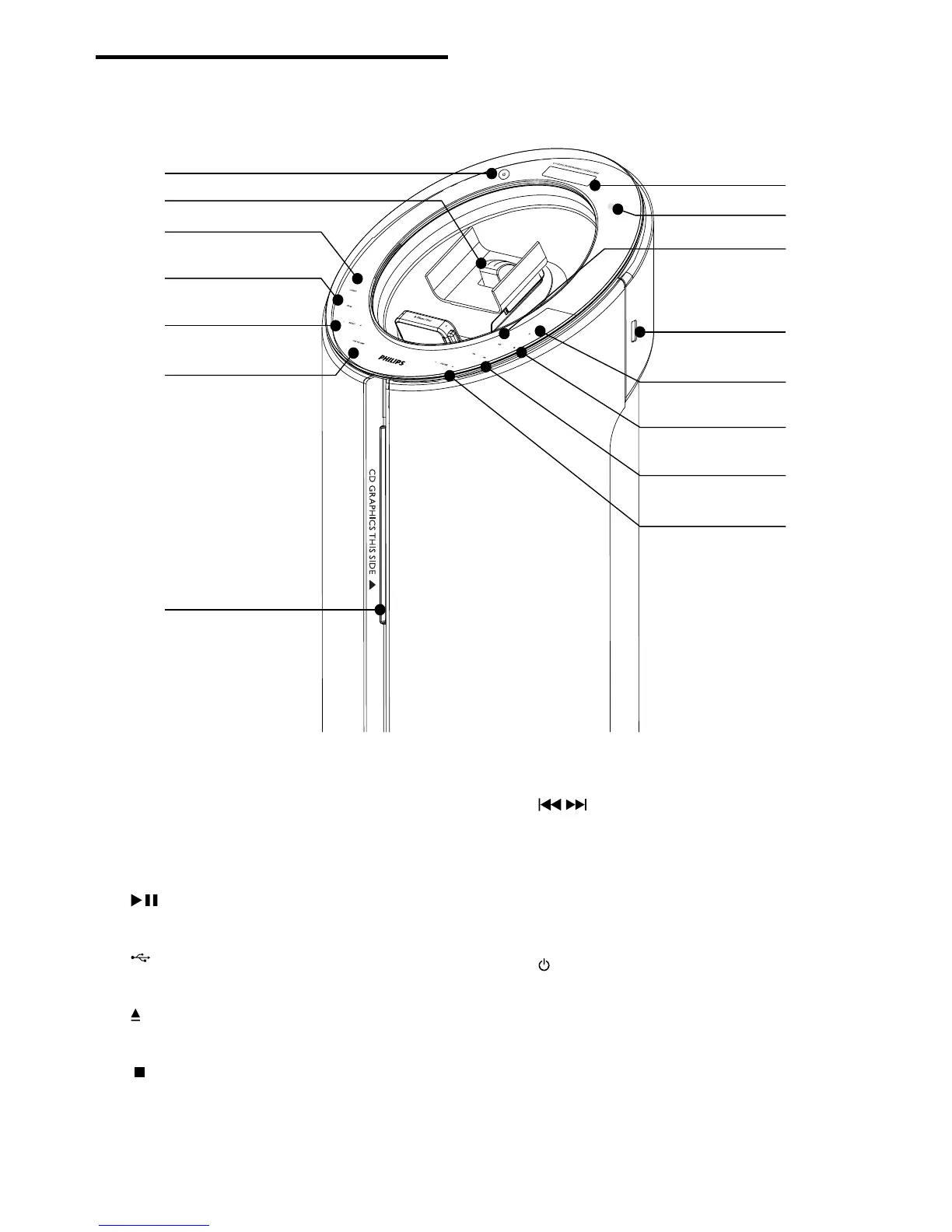
Skip to the previous/next track.•
Search within a track/ disc/USB.•
Tune to a radio station.•
h VOLUME +/-
Adjust volume.•
i
Turn on the apparatus or switch to •
standby mode.
j Dock for iPod/iPhone
Overview of the main unit
a Display panel
Show current status.•
b IR sensor
c
Start or pause play.•
d
Jack for a USB mass storage device. •
e
Eject the disc.•
f
Stop play or erase a program.•
a
i
j
o
m
n
k
l
d
b
c
e
f
g
h
EN



 To Next Page