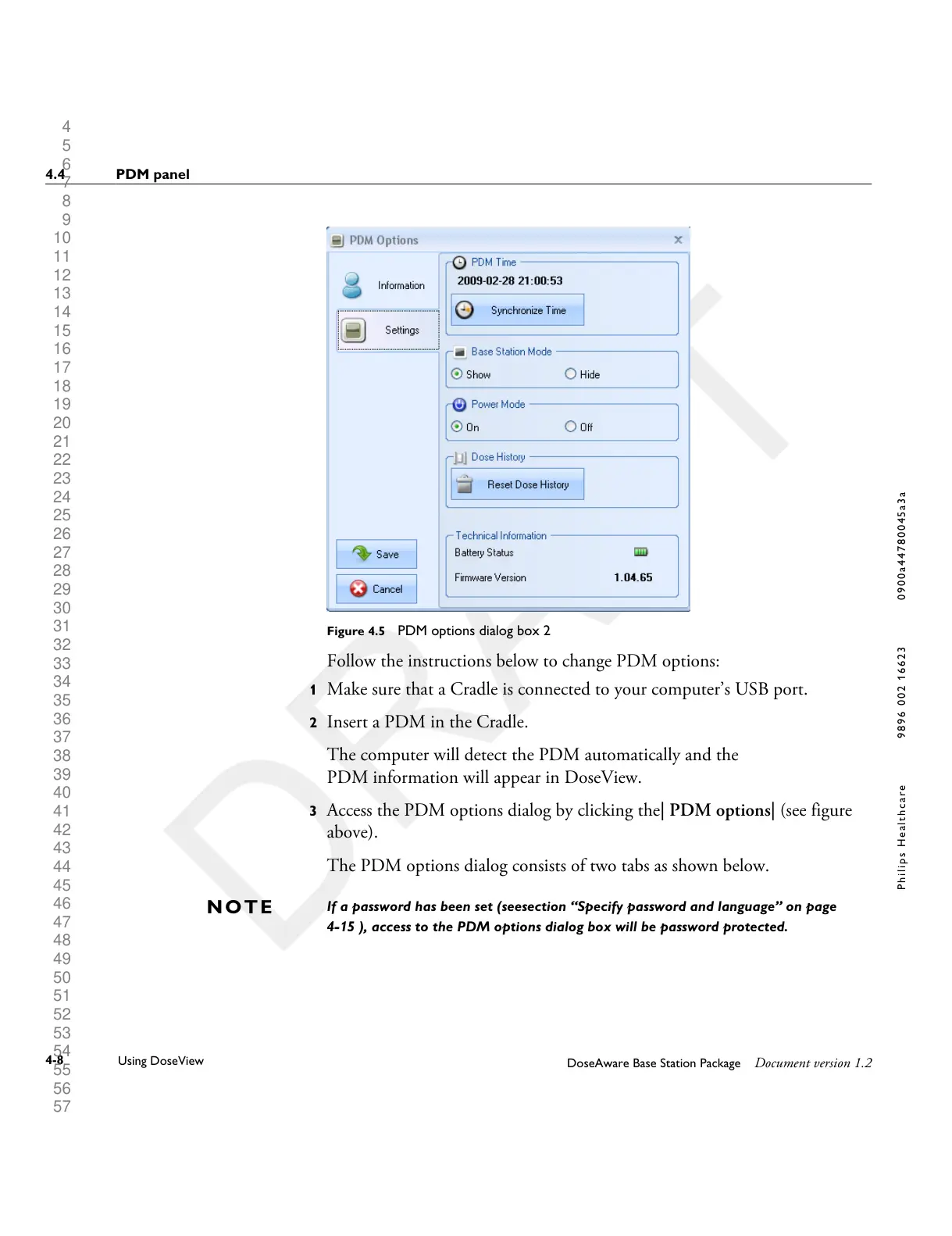
Figure 4.5 PDM options dialog box 2
Follow the instructions below to change PDM options:
1 Make sure that a Cradle is connected to your computer’s USB port.
2 Insert a PDM in the Cradle.
The computer will detect the PDM automatically and the
PDM information will appear in DoseView.
3 Access the PDM options dialog by clicking the| PDM options| (see figure
above).
The PDM options dialog consists of two tabs as shown below.
If a password has been set (seesection “Specify password and language” on page
4-15 ), access to the PDM options dialog box will be password protected.
N O T E
4.4 PDM panel
4-8
Using DoseView
DoseAware Base Station Package Document version 1.2
P h i l i p s H e a l t h c a r e 9 8 9 6 0 0 2 1 6 6 2 3 0 9 0 0 a 4 4 7 8 0 0 4 5 a 3 a











 To Next Page