9
English
Functional Overview
FUNCTIONAL OVERVIEW
Front and Rear Panels
Caution: Do not touch the inner pins of the jacks on the rear panel. Electrostatic discharge may cause
permanent damage to the unit.
DVD
962SA
DVD-VIDEO/SACD PLAYER
VIDEO
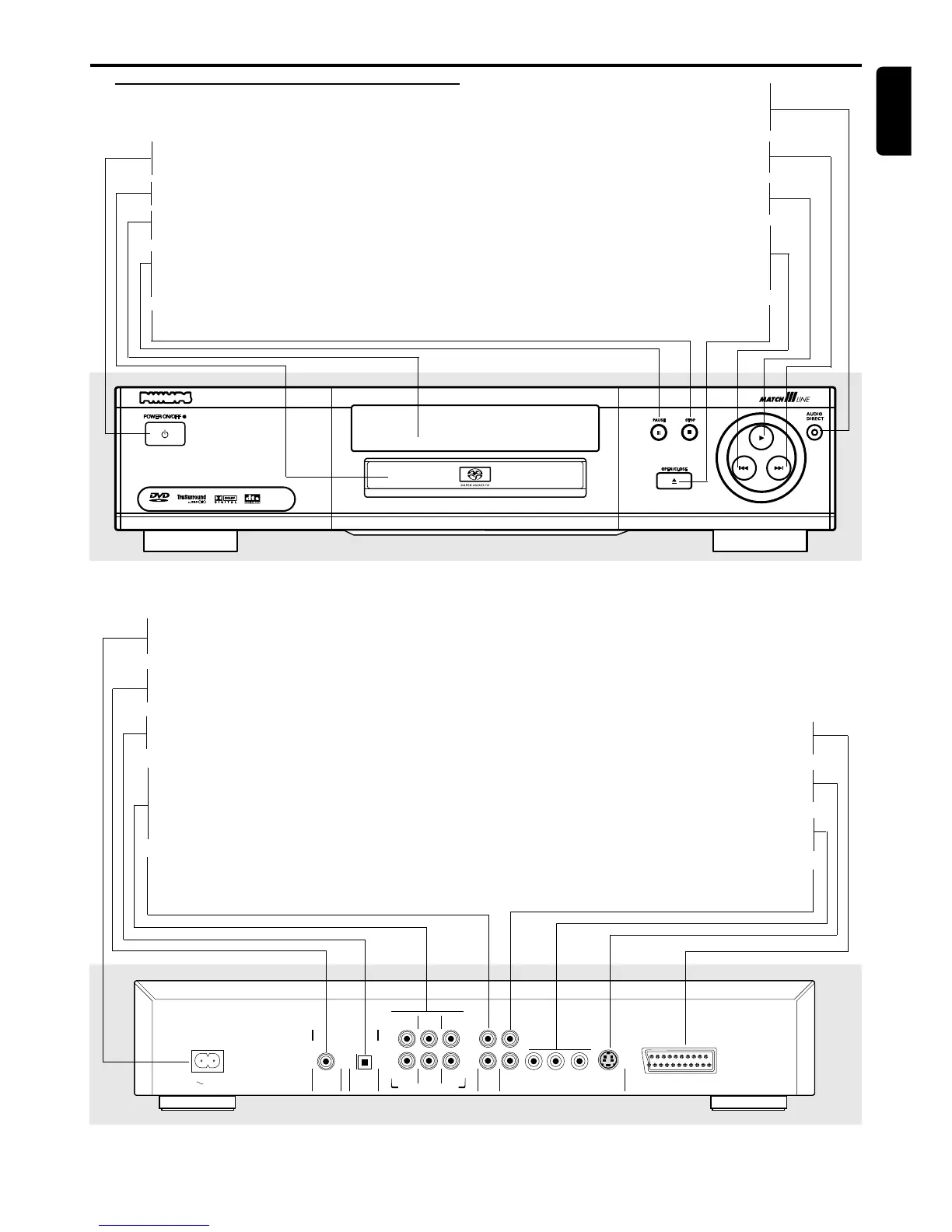
POWER ON/OFF
– switches the player on/off
Disc Loading Tray
DISPLAY
– display the current status of the player
; PAUSE
– interrupts audio/video playback or moves to
the next frame
9 STOP
– stops audio/video playback
AUDIO DIRECT
– shut down video circuity to have better
audio quality
T NEXT
– selects next track/title/chapter/index
B PLAY
– starts audio/video playback
S PREV
– selects previous track/title/chapter/index
or return to beginning of current track/
title/chapter/index
/ OPEN/CLOSE
– opens/closes the disc tray
COAXIAL
OPTICAL
DIGITAL AUDIO OUT
PCM/MPEG2/AC-3/DTS
TV OUT
MAINS
FRONT
MULTICHANNEL AUDIO OUT
FRONT
CVBS
VIDEO OUT
AUDIO
OUT
S-VIDEO
Y
P
b
/C
b
P
r
/C
r
SURROUND
SURROUND
L
R
CENTER
SUB WF
L
R
1
2
MAINS (AC Power)
– connect to power source
COAXIAL (Digital audio out)
– connect to digital (coaxial) audio equipment
OPTICAL (Digital audio out)
– connect to digital (optical) audio equipment
MULTICHANNEL AUDIO OUT
(For connection to a multichannel receiver)
– center speaker, subwoofer, front and
surround speakers connection
AUDIO OUT (Left/Right)
– connect to an amplifier, receiver or stereo
system
TV OUT (SCART)
– connect to a TV with SCART
S-VIDEO OUT
– connect to a TV with S-Video inputs
Pr/Cr Pb/Cb Y VIDEO OUT
– connect to a TV with Pr/Cr Pb/Cb Y inputs
CVBS VIDEO OUT
– connect to a TV with CVBS video inputs



 To Next Page