English
12
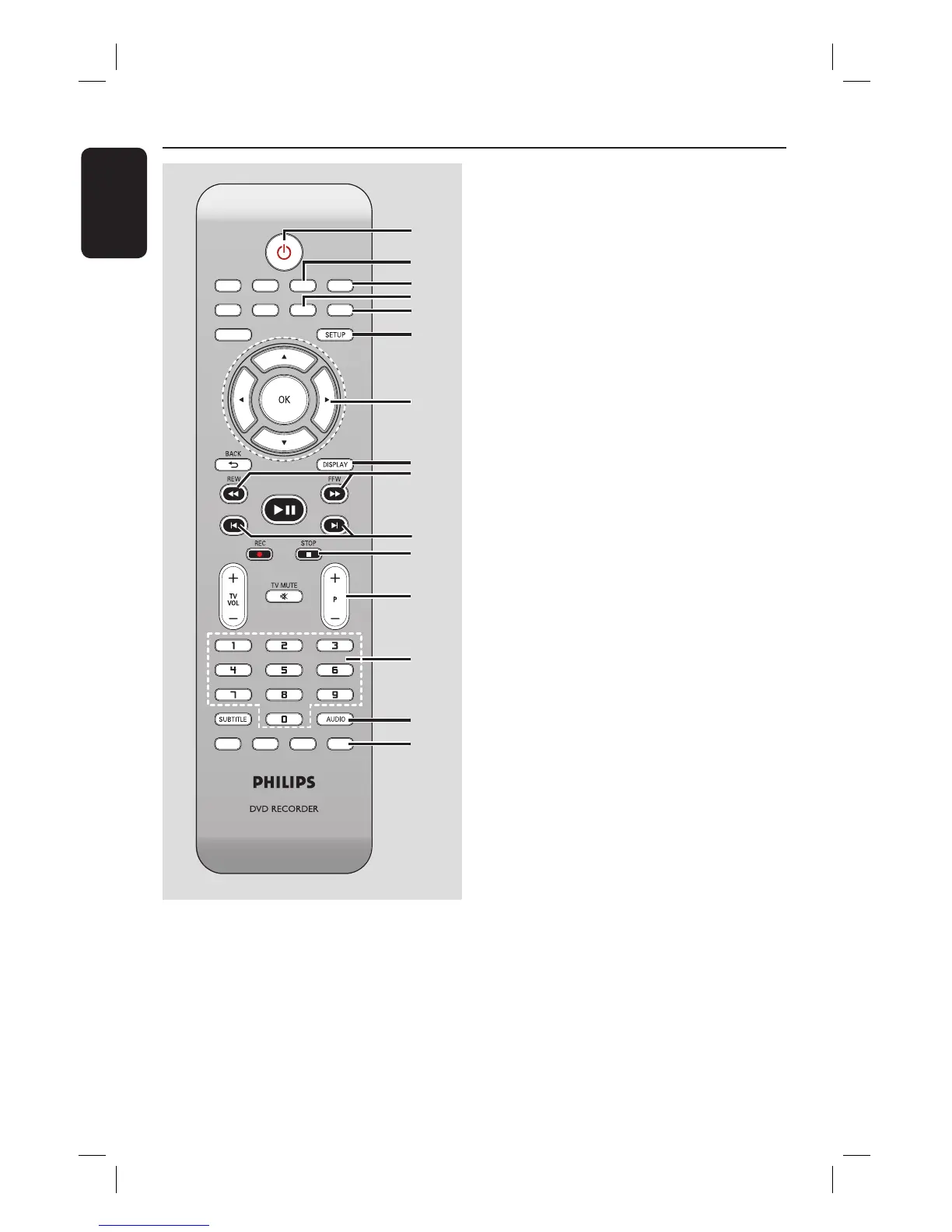
Remote Control
a
2
– Turns on the recorder or switch to
standby mode.
b
TV/DVD
– Switch between playback from the
additional devices (connected via EXT2
AUX I/O socket) and playback from the
recorder.
SOURCE
a
b
c
d
e
f
g
h
i
j
k
l
m
n
o
c
OPEN/CLOSE
ç
– Opens/closes the disc tray.
d
CLEAR
– Clears a track/ le in the selection playlist/
copylist.
– Clears a timer entry.
e
REPEAT
– Repeat playback of title, chapter, track or
disc in DVD mode.
f
SETUP
– Enters/exits the setup menu.
g
W X : Cursor buttons for moving to the
left or right, do a forward/reverse search.
ST : Cursor buttons for moving
up/down or changing the recorder’s TV
tuner channel.
h
DISPLAY
– Displays/removes the status bar.
i
REW à/ FFW á
– Fast reverse or fast forward search.
j
PREVí/ NEXTë
– Skips to previous or next chapter/track.
k
STOP
– Stops playback/recording.
l
P +/-
– While in tuner, selects the next or
previous TV channel.
m
Numeric keypad
– Selects a chapter/track number to play.
– Selects the recorder’s preset TV tuner
channel.
n
AUDIO
– Selects an audio language (DVD, VCD) or
an audio channel.
o
VIDEO Plus+
– Enters/exits the VIDEO Plus+® menu.





 To Next Page