RECORD Record: Record the current TV channel
RECORD LED Recording in progress: Red light on the RECORD button to
indicate recording in progress
OPEN/CLOSE Open/close disc tray: Open/close disc tray
N Select previous title/search backwards
O Select next title/search forwards
hSTOP Stop: Interrupt playback/recording
GPLAY/PAUSE Playback/pause: Play back recorded disc, interrupt playback, still
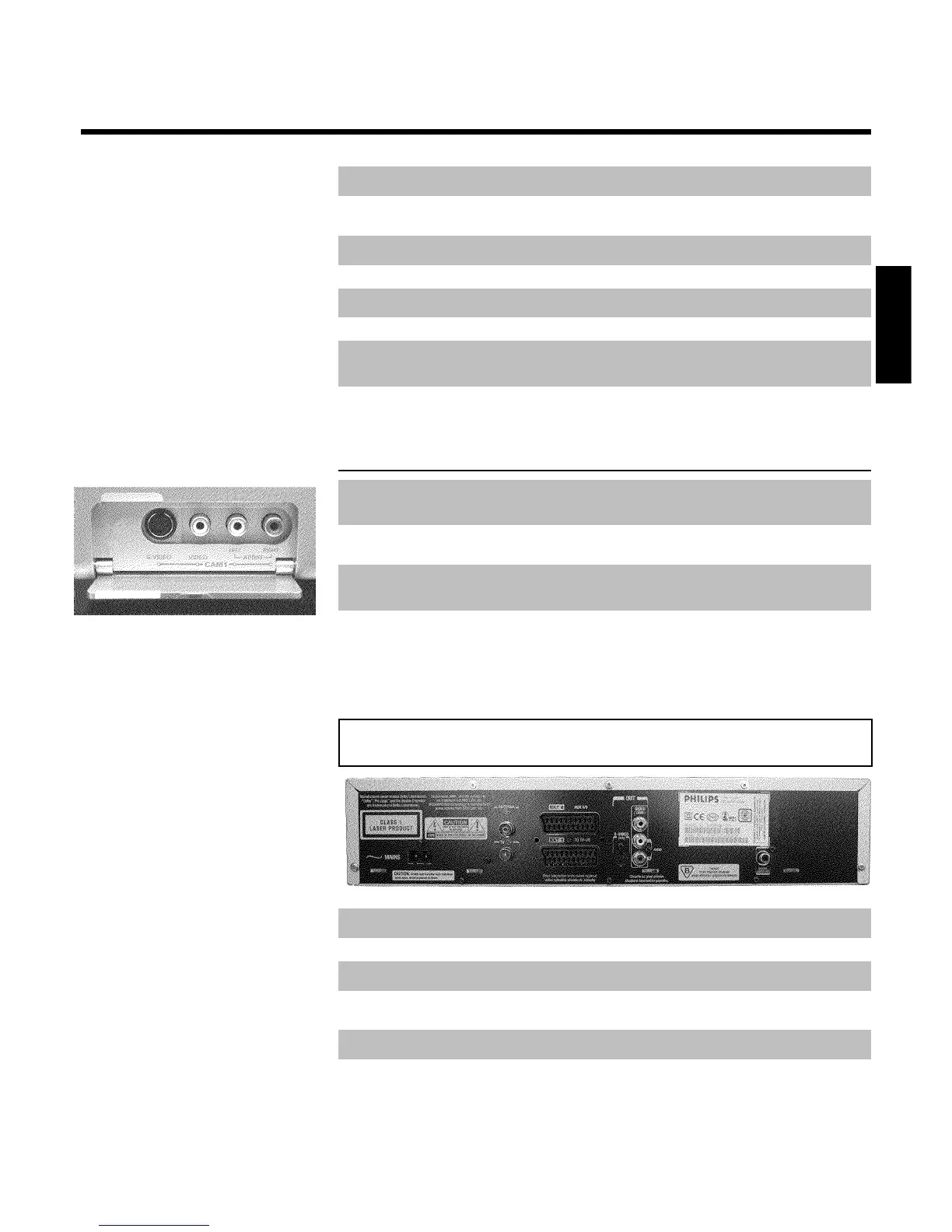
picture
Behind the flap at the lefthand corner on
the front
S-VIDEO SVideo socket: Connection of SVHS/Hi8 camcorders or SVHS/Hi8
video recorders (programme number 'CAM1')
Yellow socket
VIDEO
Video input socket: Connection of camcorders or video recorders
(programme number 'CAM1')
White/red socket
left AUDIO right
Audio input socket left/right: Connection of camcorders or video
recorders (programme number 'CAM1')
Switching between sockets S-VIDEO and VIDEO is done automatically. In case both sockets
are used, the signal received at socket S-VIDEO is treated with priority.
Back of the unit
4MAINS Mains socket: Connection to the mains supply (230V/50Hz)
ANTENNA Aerial input: Connection of the aerial
TV Aerial output: Connection of the TV set
EXT 2 AUX I/O Scart socket 2: Connection of an additional device (satellite receiver,
set-top box, video recorder, camcorder, etc.)
EXT 1 TO TV-I/O Scart socket 1: Connection of a TV set. RGB- output
OUT S-VIDEO (Y/C) SVideo output: Connection of an S-Video compatible TV set
ENGLISH



 To Next Page