EasyManua.ls Logo

Philips DVP3055V/01 - User Manual

Philips DVP3055V/01
37 pages
Print Icon
To Next Page IconTo Next Page
Loading...
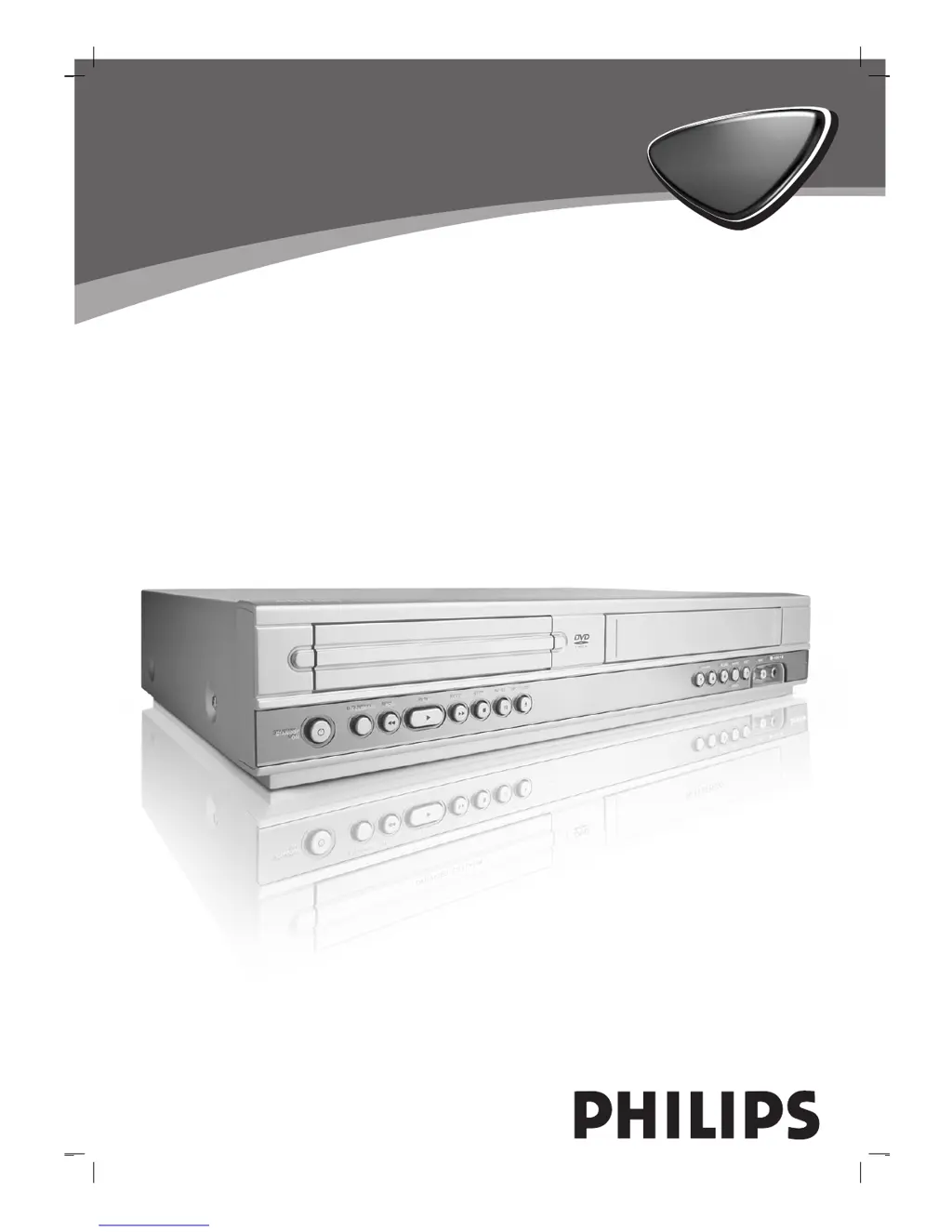
DVD VIDEO PLAYER /
VIDEO CASSETTE RECORDER
DVP 3055V
DVP 3055V
Owner’s Manual
Manuel de l’utilisateur
Bedienungsanleitung
Gebruiksaanwijzingen
Istruzioni per l’uso
Manual del usuario
 
Manual proprietário

Table of Contents

Questions and Answers

  • K
    karen83Aug 12, 2025
    How to fix no sound on Philips DVP3055V/01 DVD VCR Combo?
    • V
      Victoria JohnsonAug 12, 2025
      If your Philips DVD VCR Combo has no sound, make sure the equipment connected with the audio cable is set to receive the DVD signal output by selecting the correct input mode on the audio receiver. Check that the audio cables are securely connected. Ensure that the equipment connected with the audio cable is turned on. Verify that the Digital Audio Output is correctly set, then turn the DVD player on again. Clean the disc if it is dirty.
  • R
    Robert KhanAug 16, 2025
    How to troubleshoot Philips DVD VCR Combo remote control?
    • O
      ogutierrezAug 16, 2025
      If the remote control for your Philips DVD VCR Combo isn't working properly, first remove any obstacles between the remote and the unit. If that doesn't work, replace the batteries in the remote with new ones.
  • R
    Robert McdanielAug 19, 2025
    What to do if there is no picture on my Philips DVP3055V/01?
    • M
      Mark White DVMAug 20, 2025
      If you're not getting any picture on your Philips DVD VCR Combo, ensure that your TV is set to receive the DVD signal output. Select the appropriate video input mode on your TV to view the DVD player's picture. Also, check that the video cable is securely connected to the jacks.
  • W
    William FosterAug 25, 2025
    Why Philips DVD VCR Combo DVD player does not start playback?
    • S
      stephen53Aug 25, 2025
      If your Philips DVD VCR Combo DVD player isn't starting playback, try these steps: 1. Make sure you've inserted a playable disc, checking the disc type and regional code. 2. Ensure the disc is placed with the playback side down. 3. Confirm the disc is correctly placed within the guide on the disc tray. 4. Clean the disc if it's dirty. 5. Cancel the Rating function or change the rating level if it is set.
  • L
    Leslie WhiteheadAug 27, 2025
    Why my Philips DVP3055V/01 has no power?
    • J
      Jennifer ThomasAug 27, 2025
      If your Philips DVD VCR Combo has no power, plug the power cord into the wall outlet securely.
  • V
    vanessapenaAug 31, 2025
    What to do if video tape cannot be inserted into Philips DVD VCR Combo?
    • C
      Carolyn AlexanderAug 31, 2025
      If you cannot insert a video tape into your Philips DVD VCR Combo, eject the tape that is currently inside.
  • V
    Victor MorganSep 4, 2025
    How to enable Hi-Fi sound on Philips DVP3055V/01 DVD VCR Combo?
    • D
      Dr. Michelle Hill DVMSep 4, 2025
      To get Hi-Fi sound on your Philips DVD VCR Combo, switch ‘AUDIO’ in the main menu to ‘STEREO’.
  • D
    David PhillipsSep 8, 2025
    How to set up NICAM sound on Philips DVP3055V/01?
    • J
      Jason KochSep 8, 2025
      To ensure NICAM sound on your Philips DVD VCR Combo, make sure NICAM in the menu is set to AUTO for the station to be recorded.

Summary

Safety Precautions

CAUTION: RISK OF ELECTRIC SHOCK

Essential safety warnings and cautions for operating the device.

Product Features

Highlights the main capabilities and functions of the DVD+VCR unit.

Before Use and Connections

Playable Discs and Precautions

Information on compatible disc types and handling guidelines.

Connecting the Unit

Details on connecting the DVD+VCR to TVs, decoders, and other equipment.

VCR Operations and Setup

Initial VCR Setup (Tuning, Clock)

Guide to setting up VCR channels, clock, and initial system preferences.

Instant Timer Recording (ITR)

Instructions for recording TV programs automatically using timers.

DVD, Video CD, and Media Playback

Playing DVDs and Video CDs

Steps for inserting and playing DVD and VCD discs, including menu navigation.

Audio, MP3, and JPEG Playback

How to play audio CDs, MP3 files, and view JPEG images.

Additional Operations, Troubleshooting, and Reference

Additional Operations (Child Lock)

Advanced features like Child Lock, screen display, and remote operation.

Troubleshooting Guide

Common issues and solutions for DVD+VCR problems.

Specifications and Code Lists

Technical details, language codes, and country codes for setup.

Philips DVP3055V/01 Specifications

Power IconPower
power requirementsAC 220-230V, 50Hz
power consumption17W
Operating Environment IconOperating Environment
operating temperature5˚C to 35˚C (41˚F to 95˚F)
operating humidity5% to 90%
timer24 hours display type
System Specifications IconSystem Specifications
laser wavelength650 nm
frequency response DVD (PCM 96 kHz)8 Hz to 44 kHz
frequency response DVD (PCM 48 kHz)8 Hz to 22 kHz
Audio and Video Outputs IconAudio and Video Outputs
video out1 Vp-p 75 ohms, sync. negative
s-video out (Y)1 Vp-p 75 ohms, negative sync.
component video out (Y)1 Vp-p 75 ohms, negative sync.
Weight and Dimensions IconWeight and Dimensions
dimensions430 X 78.5 X 265 mm
mass4.06 kg

Related product manuals