EasyManua.ls Logo

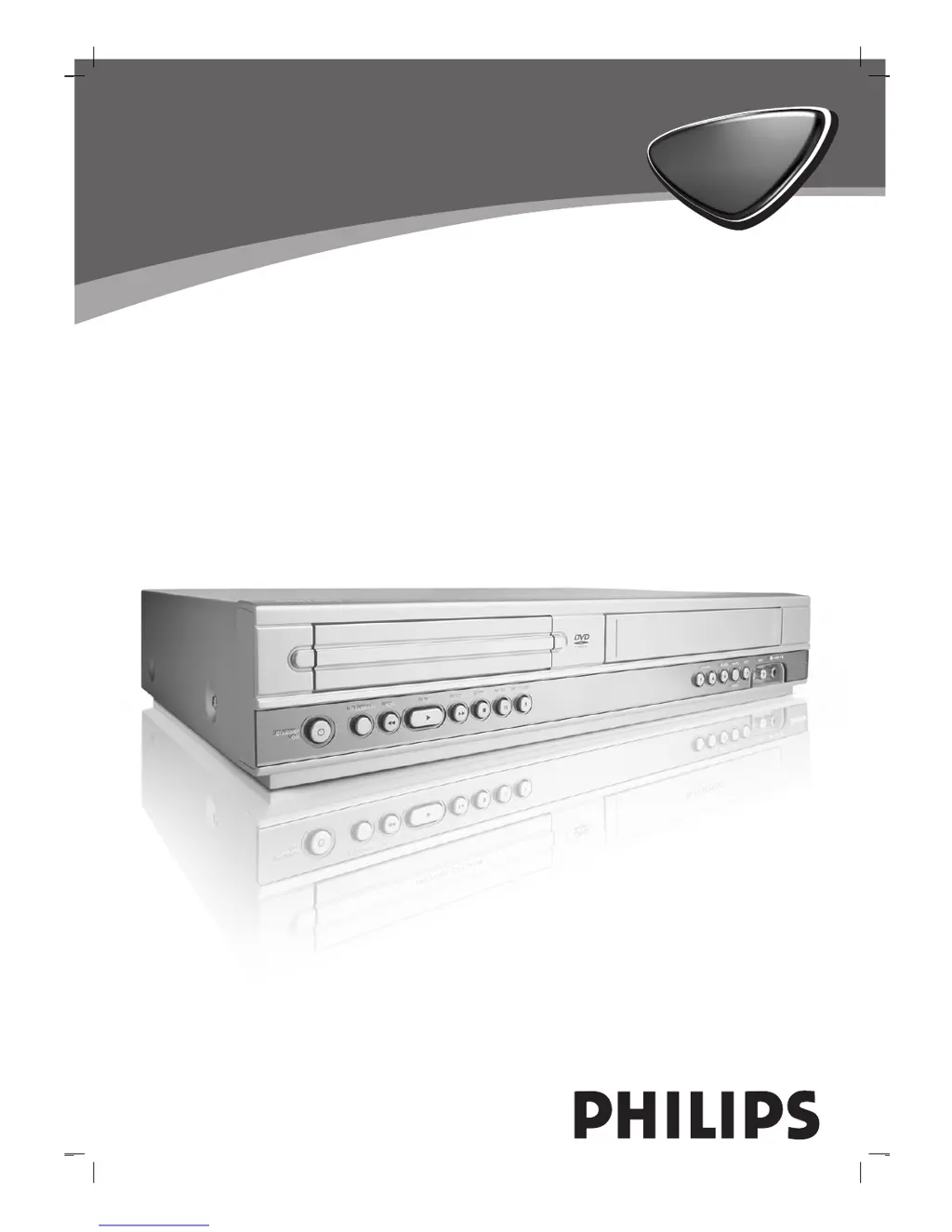
Philips DVP3055V/19 - User Manual

Philips DVP3055V/19
37 pages
Print Icon
To Next Page IconTo Next Page
Loading...
DVD VIDEO PLAYER /
VIDEO CASSETTE RECORDER
DVP 3055V
DVP 3055V
Owner’s Manual
Manuel de l’utilisateur
Bedienungsanleitung
Gebruiksaanwijzingen
Istruzioni per l’uso

Table of Contents

Other manuals for Philips DVP3055V/19

Questions and Answers

Summary

Safety Precautions

CAUTION: RISK OF ELECTRIC SHOCK

Warning about not opening the unit to reduce the risk of electric shock.

WARNING: DO NOT EXPOSE TO RAIN OR MOISTURE

Warning against exposing the product to rain or moisture to prevent fire or electric shock.

CAUTION: CLASS 1 LASER PRODUCT

Information about the laser system and preventing direct exposure to the laser beam.

Before Use

Playable Discs

Lists the types of discs that can be played on the unit, including DVD, VCD, Audio CD, MP3, and JPEG.

Disc-Related Terms

Explains terms like Title, Chapter, Track, and Scene related to disc content.

Remote Control Operation Range

Specifies the optimal distance and angle for effective remote control operation.

Before Use (Contd)

Precautions

General precautions for handling, cleaning the unit, and disc care.

Notes on Discs

Guidelines for handling and storing discs to prevent damage and ensure playback.

Selecting the Viewing Source

Instructions on how to select the desired output source (DVD or VCR) on the TV screen.

Front Panel and Display Window

Remote Control

DVD;VCR Select Button

Button to select the output source (DVD or VCR) to view on the TV.

DISC MENU; SYSTEM MENU

Buttons to access DVD disc menus and system setup menus.

Navigation Buttons (Skip, Rewind, Forward)

Buttons for skipping tracks, chapters, and fast rewinding/forwarding tape.

Playback and Recording Control Buttons

Buttons for recording, repeating playback, programming, and clearing settings.

Rear Panel

Connections

Connecting to a TV & Decoder

Instructions for basic AV and RF connections to a TV and external decoder.

DVD Exclusive Out Connections

Details component, S-Video, and progressive scan connections for DVD output.

Connecting to Optional Equipment

Before Operation - VCR Part

Using Your DVD+VCR for the Very First Time

Step-by-step guide for initial setup, including auto-tuning and country selection.

Before Operation - VCR Part

Setting the Clock Manually

Instructions for manually setting the date and time if auto-tuning fails.

To Set the Colour System

Guide to setting the correct colour system (e.g., PAL, SECAM) for video output.

Before Operation - VCR Part

How to Use the Main Menu

Explains how to navigate and use the VCR's on-screen menus for various settings.

Tuning in TV Stations Automatically

Guide to using the Automatic Channel Memory System (ACMS) for tuning TV stations.

Tuning in TV Stations Manually

Before Operation - VCR Part

Changing the Order of TV Stations

Instructions on how to reorder stored TV stations in the VCR's memory.

Deleting TV Stations

Instructions on how to easily delete unwanted TV stations from the VCR's memory.

Before Operation - DVD Part

General Explanation

Explains basic operation, on-screen display symbols, and feedback icons.

On-Screen Display Operation

Describes how to display and use the on-screen playback status information.

Before Operation (Continued) - DVD Part

Initial Settings

How to set personal preferences including Menu Language, Disc Audio, Subtitle, and Disc Menu options.

Progressive Scan

Instructions on enabling progressive scan for higher video quality.

Video Output

How to set video output based on TV connection type (YPbPr, RGB).

Before Operation (Continued) - DVD Part

Audio Settings

How to set audio output options like Dolby Digital, MPEG, Sample Freq., and DRC.

Other Settings (PBC & Auto Play)

How to set PBC for VCDs and Auto Play for DVDs.

Before Operation (Continued) - DVD Part

LOCK (Parental Control)

How to set parental control, password, and area code for disc playback.

If You Forget Your Security Code

Steps to clear the security code if forgotten, allowing access to features.

Operation with Tape

Playing a Tape

Instructions on how to load, play, and eject video cassettes.

Getting a Better Picture

How to manually adjust tracking for optimal picture quality.

Slow Motion Playback and Shuttle

How to use slow motion and shuttle functions during tape playback.

OPR (Optimum Picture Response)

How to activate OPR for automatic picture quality improvement.

Operation with Tape (Continued)

Instant Timer Recording (ITR)

How to set up instant timer recording for a set period or until the cassette ends.

Timer Recording Using On Screen Display

Operation with DVD and Video CD

Playing a DVD and Video CD

Steps to play DVDs and Video CDs, including disc loading and menu navigation.

Moving to Another Title; Chapter;Track

How to navigate between titles, chapters, and tracks on discs.

Still Picture and Frame-by-frame Playback

How to pause and advance playback frame-by-frame.

General Features (Continued)

Slow Motion

How to use the slow motion playback function.

Repeat (Chapter;Title;Track;All)

How to repeat chapters, titles, tracks, or the entire disc.

Repeat A-B

How to set and cancel a specific repeat sequence for audio discs.

Time Search

How to start playback from a specific time on the disc.

Operation with DVD and Video CD

Zoom Function

How to enlarge and move through the video image during playback.

Marker Search

How to set and recall marked playback points on a disc.

Special DVD Features

Accessing DVD menus, titles, camera angles, audio languages, and subtitle options.

Operation with Audio and MP3;Windows Media Audio Disc

Playing an Audio CD and MP3;WMA Disc

Instructions on how to play audio CDs and MP3/WMA discs.

Notes on MP3;WMA Audio Recordings

Compatibility notes and technical requirements for MP3/WMA discs.

Operation with Audio and MP3;Windows Media Audio Disc (Continued)

Moving to Another Track

How to skip to the next or previous track, or input a track number.

Repeat Track;All;Off

How to repeat tracks or the entire disc for audio playback.

Shuffle

How to activate and deactivate random playback for audio discs.

Repeat A-B

How to set and cancel a specific repeat sequence for audio discs.

Operation with JPEG Disc

Viewing a JPEG Disc

Instructions on how to insert and view JPEG files on a disc.

Zoom and Rotate Picture

How to enlarge, move, and rotate JPEG images.

Notes on JPEG Recordings

Important notes regarding JPEG file size, naming, and compatibility.

Programmed Playback

Programmed Playback with Audio CD and MP3;WMA Disc

How to create and play programmed track lists from Audio CD and MP3/WMA discs.

Repeat Programmed Tracks

How to repeat tracks or the entire programmed list.

Erasing Tracks from Program List

How to remove individual tracks or the complete programmed list.

Additional Operation

On Screen Display

How to display various information like time, tape counter, and status.

Child Lock

How to enable/disable the child lock feature to restrict front panel operation.

Video Doctor (Self-Diagnosis)

How to use the self-diagnosis feature to check for VCR problems.

Additional Operation (Continued)

Hi-Fi Stereo Sound System

How to record and playback Hi-Fi stereo and NICAM sound.

Wide Screen Compatibility 16:9

How to record and play wide screen 16:9 programmes.

To Set the Decoder

How to connect and set up an external decoder for pay-TV.

Special Recording

Copying from DVD to VCR

Instructions on how to copy content from a DVD to a VHS tape.

Recording from Another Video Recorder

Instructions on how to record from external sources like other VCRs or camcorders.

Troubleshooting

Language Code List

Country;Area Code List

Specification

Summary

Safety Precautions

CAUTION: RISK OF ELECTRIC SHOCK

Warning about not opening the unit to reduce the risk of electric shock.

WARNING: DO NOT EXPOSE TO RAIN OR MOISTURE

Warning against exposing the product to rain or moisture to prevent fire or electric shock.

CAUTION: CLASS 1 LASER PRODUCT

Information about the laser system and preventing direct exposure to the laser beam.

Before Use

Playable Discs

Lists the types of discs that can be played on the unit, including DVD, VCD, Audio CD, MP3, and JPEG.

Disc-Related Terms

Explains terms like Title, Chapter, Track, and Scene related to disc content.

Remote Control Operation Range

Specifies the optimal distance and angle for effective remote control operation.

Before Use (Contd)

Precautions

General precautions for handling, cleaning the unit, and disc care.

Notes on Discs

Guidelines for handling and storing discs to prevent damage and ensure playback.

Selecting the Viewing Source

Instructions on how to select the desired output source (DVD or VCR) on the TV screen.

Front Panel and Display Window

Remote Control

DVD;VCR Select Button

Button to select the output source (DVD or VCR) to view on the TV.

DISC MENU; SYSTEM MENU

Buttons to access DVD disc menus and system setup menus.

Navigation Buttons (Skip, Rewind, Forward)

Buttons for skipping tracks, chapters, and fast rewinding/forwarding tape.

Playback and Recording Control Buttons

Buttons for recording, repeating playback, programming, and clearing settings.

Rear Panel

Connections

Connecting to a TV & Decoder

Instructions for basic AV and RF connections to a TV and external decoder.

DVD Exclusive Out Connections

Details component, S-Video, and progressive scan connections for DVD output.

Connecting to Optional Equipment

Before Operation - VCR Part

Using Your DVD+VCR for the Very First Time

Step-by-step guide for initial setup, including auto-tuning and country selection.

Before Operation - VCR Part

Setting the Clock Manually

Instructions for manually setting the date and time if auto-tuning fails.

To Set the Colour System

Guide to setting the correct colour system (e.g., PAL, SECAM) for video output.

Before Operation - VCR Part

How to Use the Main Menu

Explains how to navigate and use the VCR's on-screen menus for various settings.

Tuning in TV Stations Automatically

Guide to using the Automatic Channel Memory System (ACMS) for tuning TV stations.

Tuning in TV Stations Manually

Before Operation - VCR Part

Changing the Order of TV Stations

Instructions on how to reorder stored TV stations in the VCR's memory.

Deleting TV Stations

Instructions on how to easily delete unwanted TV stations from the VCR's memory.

Before Operation - DVD Part

General Explanation

Explains basic operation, on-screen display symbols, and feedback icons.

On-Screen Display Operation

Describes how to display and use the on-screen playback status information.

Before Operation (Continued) - DVD Part

Initial Settings

How to set personal preferences including Menu Language, Disc Audio, Subtitle, and Disc Menu options.

Progressive Scan

Instructions on enabling progressive scan for higher video quality.

Video Output

How to set video output based on TV connection type (YPbPr, RGB).

Before Operation (Continued) - DVD Part

Audio Settings

How to set audio output options like Dolby Digital, MPEG, Sample Freq., and DRC.

Other Settings (PBC & Auto Play)

How to set PBC for VCDs and Auto Play for DVDs.

Before Operation (Continued) - DVD Part

LOCK (Parental Control)

How to set parental control, password, and area code for disc playback.

If You Forget Your Security Code

Steps to clear the security code if forgotten, allowing access to features.

Operation with Tape

Playing a Tape

Instructions on how to load, play, and eject video cassettes.

Getting a Better Picture

How to manually adjust tracking for optimal picture quality.

Slow Motion Playback and Shuttle

How to use slow motion and shuttle functions during tape playback.

OPR (Optimum Picture Response)

How to activate OPR for automatic picture quality improvement.

Operation with Tape (Continued)

Instant Timer Recording (ITR)

How to set up instant timer recording for a set period or until the cassette ends.

Timer Recording Using On Screen Display

Operation with DVD and Video CD

Playing a DVD and Video CD

Steps to play DVDs and Video CDs, including disc loading and menu navigation.

Moving to Another Title; Chapter;Track

How to navigate between titles, chapters, and tracks on discs.

Still Picture and Frame-by-frame Playback

How to pause and advance playback frame-by-frame.

General Features (Continued)

Slow Motion

How to use the slow motion playback function.

Repeat (Chapter;Title;Track;All)

How to repeat chapters, titles, tracks, or the entire disc.

Repeat A-B

How to set and cancel a specific repeat sequence for audio discs.

Time Search

How to start playback from a specific time on the disc.

Operation with DVD and Video CD

Zoom Function

How to enlarge and move through the video image during playback.

Marker Search

How to set and recall marked playback points on a disc.

Special DVD Features

Accessing DVD menus, titles, camera angles, audio languages, and subtitle options.

Operation with Audio and MP3;Windows Media Audio Disc

Playing an Audio CD and MP3;WMA Disc

Instructions on how to play audio CDs and MP3/WMA discs.

Notes on MP3;WMA Audio Recordings

Compatibility notes and technical requirements for MP3/WMA discs.

Operation with Audio and MP3;Windows Media Audio Disc (Continued)

Moving to Another Track

How to skip to the next or previous track, or input a track number.

Repeat Track;All;Off

How to repeat tracks or the entire disc for audio playback.

Shuffle

How to activate and deactivate random playback for audio discs.

Repeat A-B

How to set and cancel a specific repeat sequence for audio discs.

Operation with JPEG Disc

Viewing a JPEG Disc

Instructions on how to insert and view JPEG files on a disc.

Zoom and Rotate Picture

How to enlarge, move, and rotate JPEG images.

Notes on JPEG Recordings

Important notes regarding JPEG file size, naming, and compatibility.

Programmed Playback

Programmed Playback with Audio CD and MP3;WMA Disc

How to create and play programmed track lists from Audio CD and MP3/WMA discs.

Repeat Programmed Tracks

How to repeat tracks or the entire programmed list.

Erasing Tracks from Program List

How to remove individual tracks or the complete programmed list.

Additional Operation

On Screen Display

How to display various information like time, tape counter, and status.

Child Lock

How to enable/disable the child lock feature to restrict front panel operation.

Video Doctor (Self-Diagnosis)

How to use the self-diagnosis feature to check for VCR problems.

Additional Operation (Continued)

Hi-Fi Stereo Sound System

How to record and playback Hi-Fi stereo and NICAM sound.

Wide Screen Compatibility 16:9

How to record and play wide screen 16:9 programmes.

To Set the Decoder

How to connect and set up an external decoder for pay-TV.

Special Recording

Copying from DVD to VCR

Instructions on how to copy content from a DVD to a VHS tape.

Recording from Another Video Recorder

Instructions on how to record from external sources like other VCRs or camcorders.

Troubleshooting

Language Code List

Country;Area Code List

Specification

Philips DVP3055V/19 Specifications

Operating Environment IconOperating Environment
operating temperature5˚C to 35˚C
operating humidity5 % to 90 %
timer display type24 hours
Power IconPower
power requirementsAC 220-230V, 50Hz
power consumption17W
System Specifications IconSystem Specifications
laser wavelength650 nm
signal-to-noise ratioMore than 100dB
dynamic range DVDMore than 100 dB
Inputs & Outputs IconInputs & Outputs
video input1.0 Vp-p, 75 ohms, unbalanced
audio output (digital audio)0.5 V (p-p), 75 ohms
RGB output0.7 Vp-p 75 ohms
Weight and Dimensions IconWeight and Dimensions
dimensions430 X 78.5 X 265 mm
mass4.06 kg

Related product manuals