30 EN
[ TV System ]
If the video does not appear correctly,
change the setting. By default, this setting
matches the most common setting for TVs
in your country.
[ PAL ]• – for PAL-system TV.
[ Multi ]• – for TV that is compatible
with both PAL and NTSC.
[ NTSC ]• – for NTSC-system TV.
[ TV Display ]
Select the screen format according to how
you want the picture to appear on the TV.
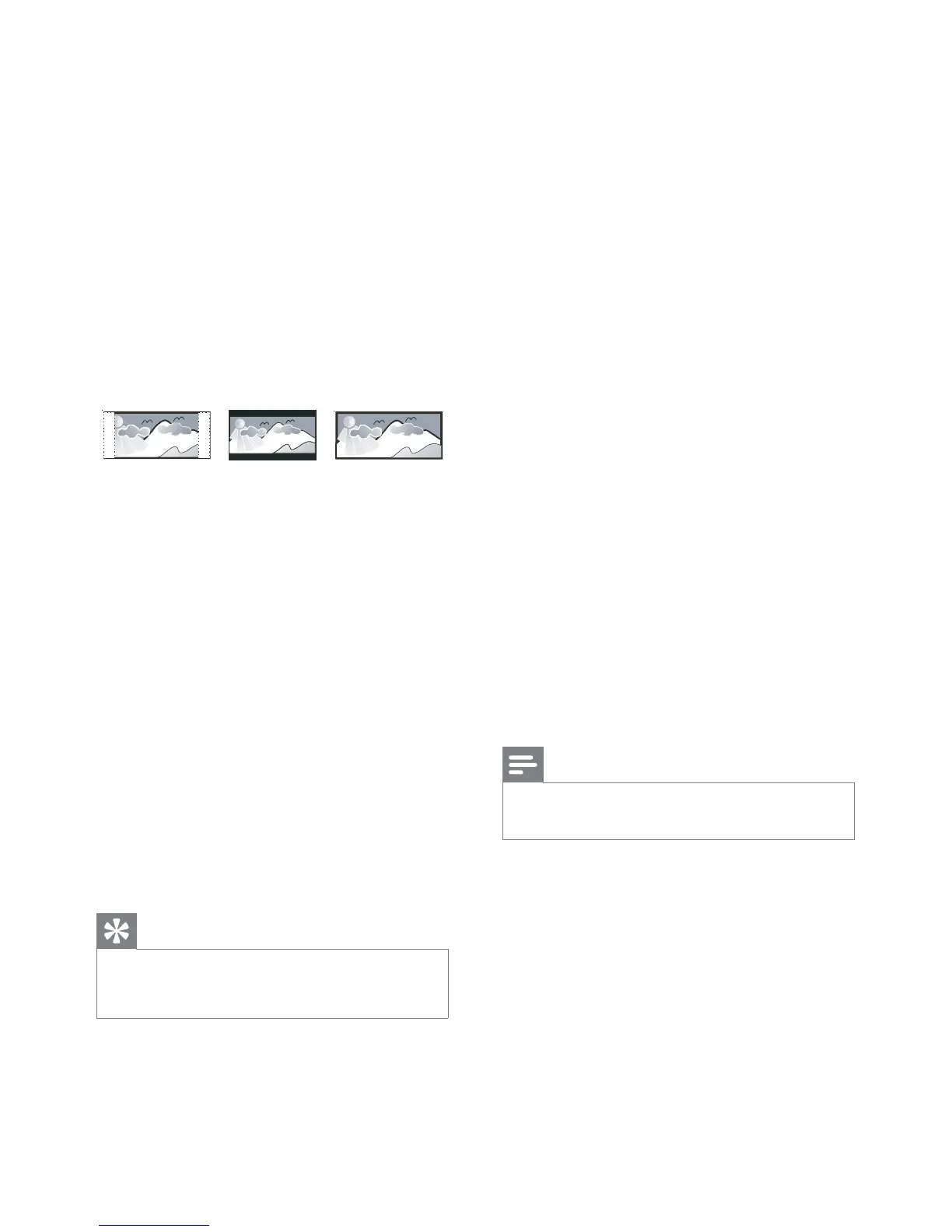
4:3 Letter Box (LB)
4:3 Pan Scan (PS)
16:9 (Wide Screen)
[ 4:3 Pan Scan ]• – for standard TV, a
full-height screen display with the sides
trimmed.
[ 4:3 Letter Box ]• – for standard TV, a
‘wide-screen’ display with black bars on
the top and bottom.
[ 16:9 ]• – for wide-screen TV (frame
ratio 16:9).
[ Progressive ]
If a progressive scan TV is not connected
through HDMI cable, turn on progressive
scan mode.
[ On ]• – turn on progressive scan
mode.
[ Off ]• – disable progressive scan mode.
Tip
There is more detailed description available. See •
chapter ‘Get Started - Turn on Progressive Scan’ for
details.
[ Picture Setting ]
Select a prede ned set of picture colour
settings or customise the personal setting.
[ Standard ]• – original colour setting.
[ Bright ]• – vibrant colour setting.
[ Soft ]• – warm colour setting.
[ Personal ]• – customise the colour
setting. Set the level of brightness,
contrast, sharpness and colour
saturation, then press OK.
[ Component Video ]
Select the video output that matches the
video connection between this DVD
player and the TV.
[ Interlaced ]• – for component video
(Y Pb Pr) connection.
[ RGB ]• – for scart (TV OUT)
connection.
[ HD JPEG ]
Enjoy untouched and uncompressed JPEG
pictures at it’s original resolution when you
connect this DVD video player and the TV
with a HDMI cable.
[ On ] • – display high de nition picture.
[ Off ] • – display standard picture.
Note
This DVD video player supports the resolution •
display of 720p and above.



 To Next Page