EasyManua.ls Logo

Philips DVP5992/37X - User Manual

Philips DVP5992/37X
58 pages
Print Icon
To Next Page IconTo Next Page
Loading...
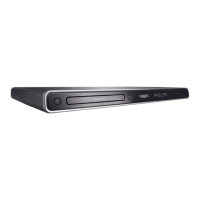
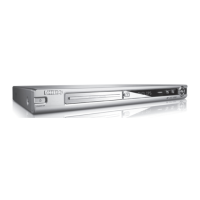
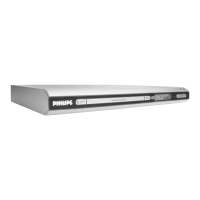
DVP5990
DVP5992
Thank you for choosing Philips.
Need help fast?
Read your Quick Start Guide and/or
User Manual first for quick tips
that make using your Philips product
more enjoyable.
Register your product and
get support at
www.philips.com/welcome
or call
1-888-PHILIPS (744-5477)
while with your product
(and Model / Serial number)
S
T
O
P
Philips vous remercie de
votre confiance.
Besoin d'une aide
rapide?
Le Guide rapide de début et
Manuel de l'utilisateur regorgent
d'astuces destinées à simplifier
l'utilisation de votre produit Philips.
ou formez le
1-800-661-6162 (Francophone)
1-888-PHILIPS (744-5477)
(English speaking)
Veillez à avoir votre produit à
portée de main
(et model / serial nombre)
A
R
R
Ê
T
Gracias por escoger Philips
Necesita ayuda
inmediata?
Lea primero la Guía rápida del
comienzo o el Manual del usuario,
en donde encontrará consejos que
le ayudarán a disfrutar plenamente
de su producto Philips.
o llame al teléfono
1-888-PHILIPS (744-5477)
y tenga a mano el producto
(y número de model / serial)
A
L
T
O
Enregistrez votre produit et
accédez à l'assistance sur
www.philips.com/welcome
Visite
www.philips.com/welcome
para registrar su producto y
obtener información de
contacto y asistencia.
Register your product and get support at
www.philips.com/welcome
EN DVD Video Player 6
FR_CA Lecteur de DVD 58
ES_LA Reproductor de video DVD 112

Table of Contents

Question and Answer IconNeed help?

Do you have a question about the Philips DVP5992/37X and is the answer not in the manual?

Overview

This document describes the Philips DVP5990 and DVP5992 DVD players, which are designed for home entertainment.

Function Description

The Philips DVP5990/DVP5992 is a DVD player that supports playback of various disc formats including DVD, VCD, SVCD, CD audio, MP3, WMA, WMV, and DivX. It offers features for enhanced video and audio quality, as well as connectivity options for different TV and audio systems. The device also includes a USB port for playing media from flash drives and digital cameras, and the ability to create MP3 files from audio CDs.

Important Technical Specifications

TV Standard:

  • Number of lines: 625 (PAL/50Hz), 525 (NTSC/60Hz)
  • Playback: Multistandard (PAL/NTSC)

Video Performance:

  • Video DAC: 12 bit, 108 MHz
  • Y Pb Pr: 0.7 Vpp ~ 75 ohm
  • Video Output: 1 Vpp ~ 75 ohm
  • Signal-Noise (1kHz): > 90 dB
  • Dynamic range (1kHz): > 80 dB
  • Crosstalk (1kHz): > 70 dB
  • Distortion/noise (1kHz): > 65 dB

Video Format:

  • Digital Compression: MPEG 2 for DVD, SVCD; MPEG 1 for VCD; DivX®
  • DVD (50 Hz/60 Hz):
    • Horiz. resolution: 720 pixels (50Hz), 720 pixels (60Hz)
    • Vertical resolution: 576 lines (50Hz), 480 lines (60Hz)
  • VCD (50 Hz/60 Hz):
    • Horiz. resolution: 352 pixels (50Hz), 352 pixels (60Hz)
    • Vertical resolution: 288 lines (50Hz), 240 lines (60Hz)

Audio Performance:

  • DA Converter: 24 bit, 192 kHz
  • DVD (fs 96 kHz): 4 Hz - 44 kHz
  • DVD (fs 48 kHz): 4 Hz - 22 kHz
  • SVCD (fs 48 kHz): 4 Hz - 22 kHz
  • SVCD (fs 44.1 kHz): 4 Hz - 20 kHz
  • CD/VCD (fs 44.1 kHz): 4 Hz - 20 kHz
  • MPEG MP3: MPEG Audio L3

Audio Format:

  • Digital: MPEG/AC-3/PCM (compressed Digital 16, 20, 24 bits; fs, 44.1, 48, 96 kHz)
  • MP3 (ISO 9660): 96, 112, 128, 256 kbps & variable bit rate (fs, 32, 44.1, 48 kHz)
  • Analog Sound Stereo: Dolby Surround compatible downmix from Dolby Digital multi-channel sound

Connections:

  • Y Pb Pr Output: Cinch 3x
  • Video Output: Cinch (yellow)
  • Audio Output (L+R): Cinch (red/white)
  • Digital Output: 1 coaxial, IEC60958 for CDDA / LPCM IEC61937 for MPEG 1/2, Dolby Digital
  • HDMI Output: Yes

Cabinet:

  • Dimensions (w x h x d): 435 x 35 x 209 mm
  • Weight: Approximately 1.4 kg

Power Consumption:

  • Power Supply Rating: 120 V; 60 Hz
  • Power consumption: < 12 W
  • Power consumption in Standby mode: < 1 W

Laser Type: Semiconductor laser (InGaAIP for DVD, AlGaAs for CD)

  • Wave length: 658 nm (DVD), 790 nm (CD)
  • Output Power: 7.0 mW (DVD), 10.0 mW (VCD/CD)
  • Beam divergence: 60 degrees

Usage Features

Disc Playback:

  • Supports DVD, VCD, SVCD, CD audio, MP3, WMA, WMV, and DivX discs.
  • Basic Playback Controls: Play/Pause, Stop, Fast backward/forward search, Skip track/chapter/title.
  • Repeat Modes: Chapter, Title, All (entire disc), Shuffle (random playback), Off (exit repeat mode) for DVD. Track, All (entire disc), Shuffle (random playback), Off (exit repeat mode) for VCD/SVCD/CD. Single (current file once), Repeat One (repeat current file), Repeat All (Repeat Folder), Repeat Off/Folder (all files in a folder) for JPEG/WMA/WMV/MP3/DivX®.
  • Repeating a Specific Section (A-B): Mark a start and end point to continuously repeat a section.
  • Zooming: Magnify the picture on the TV during playback.
  • Playback Control (VCD/SVCD): Turn on/off PBC mode for interactive VCD/SVCDs.
  • Changing Sound Track Language: Select available audio languages for DVDs, VCDs, and SVCDs.
  • Changing Subtitle Language: Select a DVD subtitle language.
  • Using Display Menu Options: View disc playback information (title, chapter, elapsed time) and perform operations like selecting specific titles/chapters/tracks or searching by time.
  • Viewing Playing Time: Display remaining/elapsed time of the current disc.
  • Preview Function (VCD/SVCD/DVD): Preview disc contents with thumbnail pictures.
  • Switching Camera Angles: Change viewing angles on DVDs that support this feature.
  • Special Audio CD Feature: Time search option for audio CD playback.
  • Playing a DivX® Disc: Supports DivX movie playback with advanced features like XSUB™ subtitles, interactive video menus, alternate audio tracks, and chapter points.
  • Playing a JPEG Photo Disc (Slide Show): Play JPEG images as a slide show, with zoom and flip/rotate functions.
  • Playing MP3/WMA/WMV Disc: Play audio files from recordable discs or commercial CDs.
  • Playing Music and Photo Files Simultaneously: Create a musical slide show with MP3/WMA music and JPEG pictures.

USB Operation:

  • Play JPEG, MP3, WMA, WMV, or DivX® files from a USB flash drive or digital camera.
  • Connects directly to the USB jack on the unit.

Create MP3 Files:

  • Convert audio CD tracks into MP3 files and save them to a USB flash drive.
  • Allows selection of speed (Normal/Fast) and bitrate (128kbps).

Setup Menu Options:

  • General Setup Page:
    • Disc Lock: Prevent playback of specific discs by setting a password.
    • OSD Language: Change the on-screen display menu language.
    • Sleep: Set a timer for the unit to switch to standby mode automatically.
    • Lip Sync: Adjust audio delay to synchronize with video playback.
    • Volume: Adjust the overall volume level.
    • Auto Standby: Automatically switch to low power standby mode when not in use.
    • DivX(R) VOD Code: View the registration code for DivX® VOD service.
  • Audio Setup Page:
    • Analog Output: Select Stereo or Virtual Surround (V SURR) output.
    • Digital Audio Setup: Select digital audio output format (Off, Digital Output, All, PCM Only) and sampling rate (48 K, 96 K).
    • HDMI Audio: Enable/disable audio output through HDMI.
    • Sound Mode: Select preset digital sound effects (3D, Movie Mode, Music Mode).
    • CD Upsampling: Convert music CD to higher sampling rates (88.2 kHz (X2), 176.4 kHz (X4)) for better sound quality.
    • Night Mode: Optimize sound playback at low volume for Dolby Digital mode.
  • Video Setup Page:
    • TV Type: Select color system (PAL or NTSC).
    • TV Display: Adjust picture shape (4:3 Pan Scan, 4:3 Letter Box, 16:9).
    • Progressive: Enable/disable progressive scan feature.
    • Picture Setting: Select predefined picture color settings (Standard, Vivid, Cool) or personalize (Personal) brightness, contrast, sharpness, and color.
    • Closed Caption: Enable/disable closed caption feature.
    • HD JPEG: Enable/disable high definition picture display for JPEG picture discs.
    • HDMI Setup: Set video resolution (Auto, 480p, 576p, 720p, 1080i, 1080p) and wide screen format (4:3 Pillar Box, Super Wide, Off).
    • EasyLink: Enable HDMI CEC compliant TV/devices for shared functionalities.
  • Preference Page:
    • Audio: Select preferred audio language for DVDs.
    • Subtitle: Select preferred subtitle language for DVDs.
    • Disc Menu: Select preferred disc menu language for DVDs.
    • Parental: Set parental control rating for disc playback.
    • PBC: Enable/disable Play Back Control for VCD/SVCD.
    • Mp3/Jpeg Nav: Select display menus for MP3/Picture disc navigation.
    • Password: Set/change password for Parental control and Disc Lock.
    • DivX Subtitle: Select font type for DivX subtitles.
    • Default: Reset all options and settings to factory defaults.

Maintenance Features

Software Upgrade:

  • The unit's software can be upgraded to ensure compatibility with the latest formats.
  • Upgrade involves downloading the latest software version from the Philips website, burning it to a CD-R, and loading it into the unit.

Cleaning Discs:

  • Use a micro fibre cleaning cloth from the center to the edge in a straight line movement.

Troubleshooting Guide:

  • Provides solutions for common issues such as no power, no picture, distorted picture, no sound, remote control not functioning, disc not starting playback, buttons not working, aspect ratio issues, and problems with specific features or file types.
  • Advises against self-repair to avoid invalidating the warranty and risk of electric shock.

Recycling:

  • The user manual is printed on non-polluting paper. The unit contains a large number of materials that can be recycled. Users are encouraged to dispose of the old equipment at a recycling center and observe local regulations regarding disposal of packaging materials, exhausted batteries, and old equipment.

Philips DVP5992/37X Specifications

General IconGeneral
BrandPhilips
ModelDVP5992/37X
CategoryDVD Player
LanguageEnglish

Related product manuals