:c\a^h]
25
Other playback features for
video discs
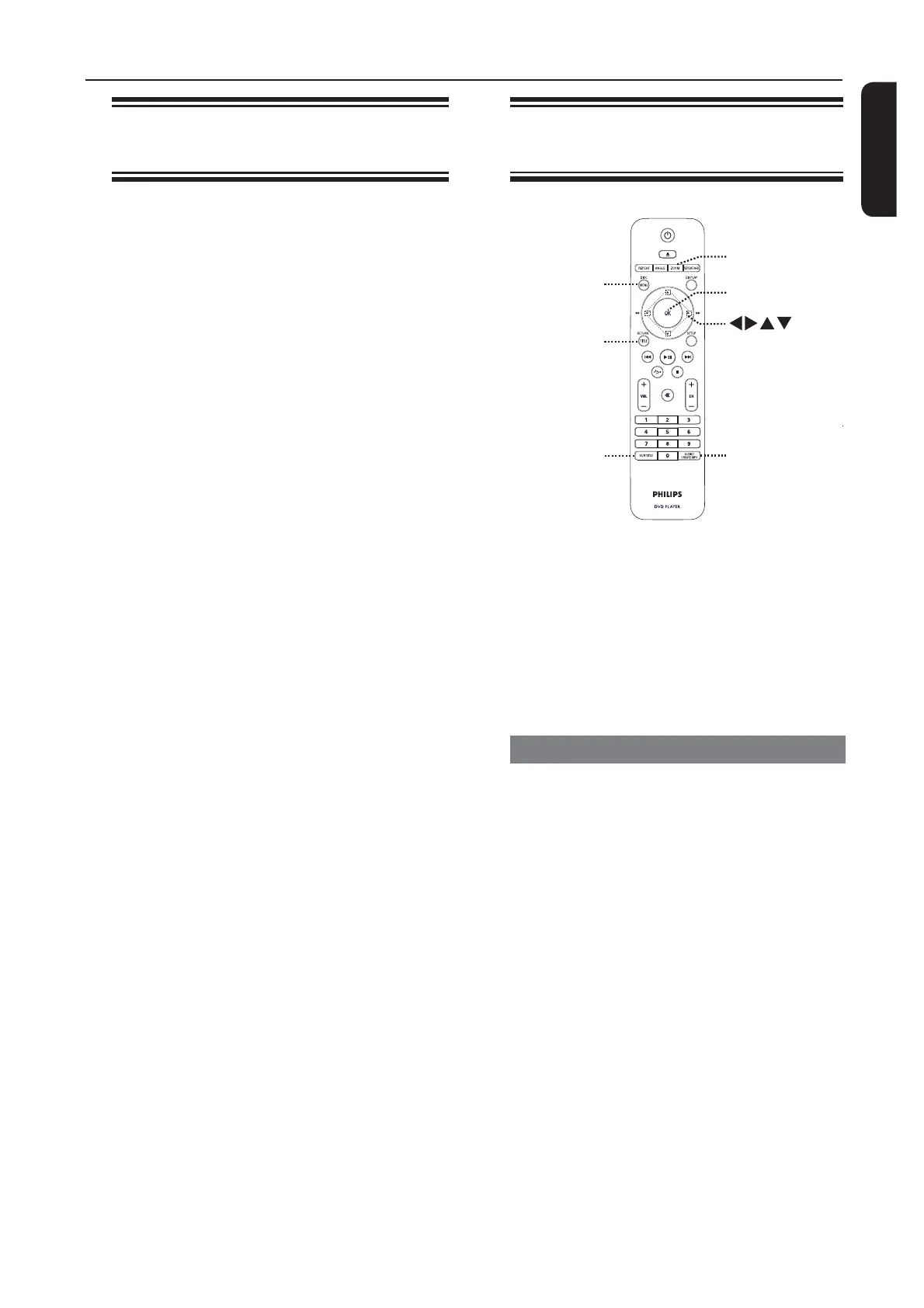
OK
RETURN/
TITLE
DISC MENU
SUBTITLE
ZOOM
AUDIO/
CREATE MP3
Note:
The operating features described here
might not be possible for certain discs.
Always refer to the instructions supplied
with the discs.
Using the Disc Menu
Depending on the disc, a menu may
appear on the TV once you load in the
disc.
To select a playback feature
Use keys or numeric keypad
0-9 on the remote control, then press
OK to start playback.
To access or exit the menu
Press DISC MENU on the remote
control.
Repeating a specic section
(A-B)
A While playing a disc, press
REPEAT A-B at the start point.
B Press REPEAT A-B again to end the
section.
The section will now repeat
continuously.
C Press REPEAT A-B again to resume
normal playback.
Helpful Hint:
– The marked section for repeat playback is
only possible within the same chapter/track.
Disc Operations (continued)


 To Next Page