9EN
Adjust volume
During music playback, press -/+ to
increase or decrease volume.
Tip
•
You can press and hold -/+ to increase or
decrease volume continuously.
• When the volume reaches the maximum,
the speaker beeps twice.
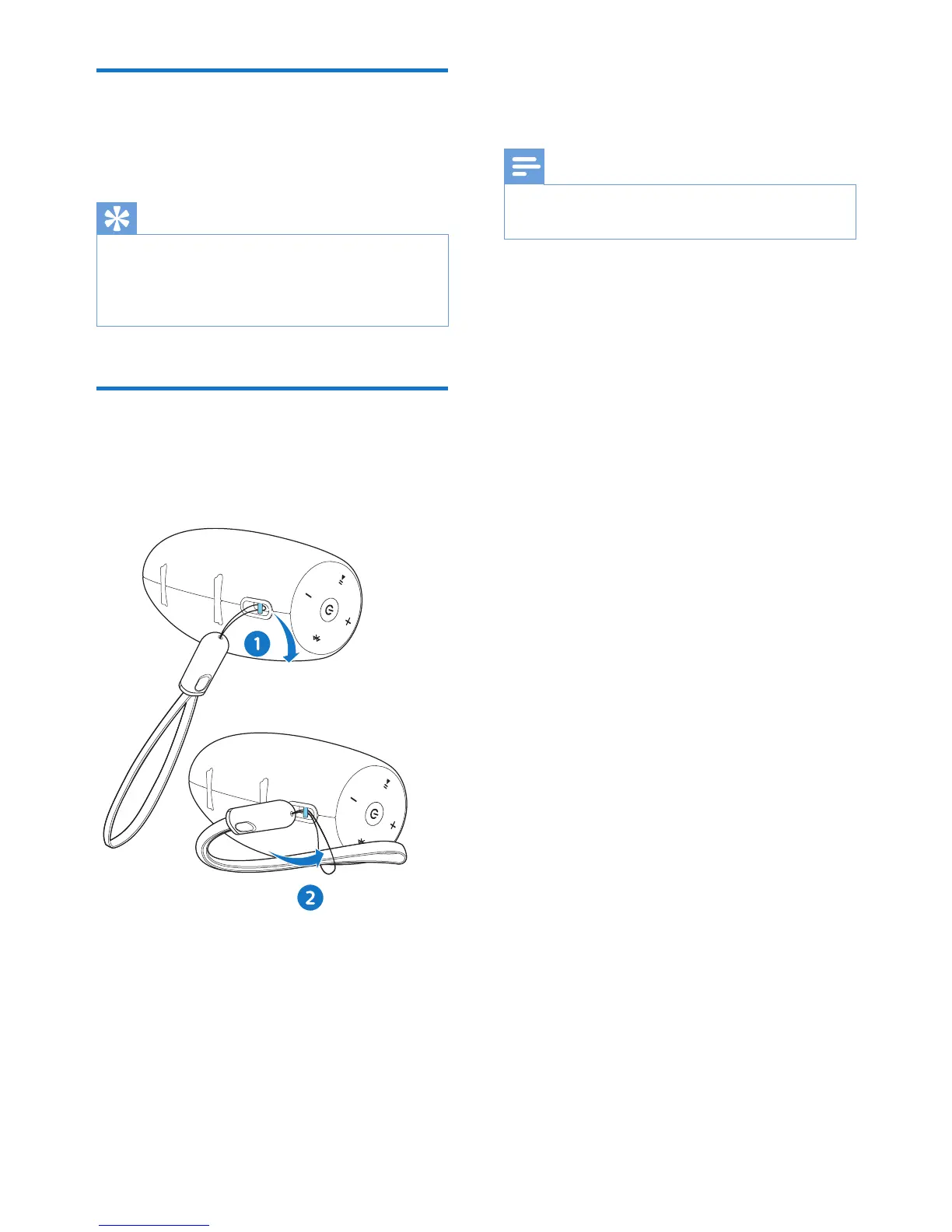
Attach the lanyard cable
For easy carrying, attach the supplied
USB lanyard cable to this speaker as
illustrated.
6 Specif ications
Note
•
Product information is subject to change
without prior notice.
• Rated output power (Amplier):
10W RMS ≤ 1% THD
• Acoustic frequency response:
85-20000 Hz
• Speaker driver: 1 x 2” full range, 4 Ω
• Bass enhancement: 2 x 2” passive
radiator
• Bluetooth version: V2.1 + EDR
• Bluetooth supported proles:
AVRCP V1.4, A2DP V1.2, HFP V1.5
• Bluetooth frequency band / Output
power:
2.400GHz ~ 2.483GHz ISM
Band / ≤ 4dBm (Class 2)
• AUX input level: 500mV±100mV
• Durability: IP57
• Built-in battery: Li-ion battery
• (3.6 V, 2200 mAh)
• Play time in battery mode:
Approx. 10 hours
• Charging time:
• Approx. 3 hours with 5V 2A
power adaptor
• Approx. 1.5 hours with Quick
Charge power adaptor
• USB charging: 5V, 2A / Micro-
USB socket / supporting Quick
Charge 3.0
• Dimensions (W x H x D):
160 x 71 x 72 mm (Main unit)
• Weight: 0.31 kg (Main unit)


 To Next Page