7EN
2 On your Bluetooth device, enable
Bluetooth and search for Bluetooth
devices that can be paired (see the
user manual of the device).
3 Select [Philips BT6900] displayed
on your device for pairing. If
necessary, input “0000” as the
pairing password.
» After successful connection, the
speaker beeps twice, and the
LED turns solid blue.
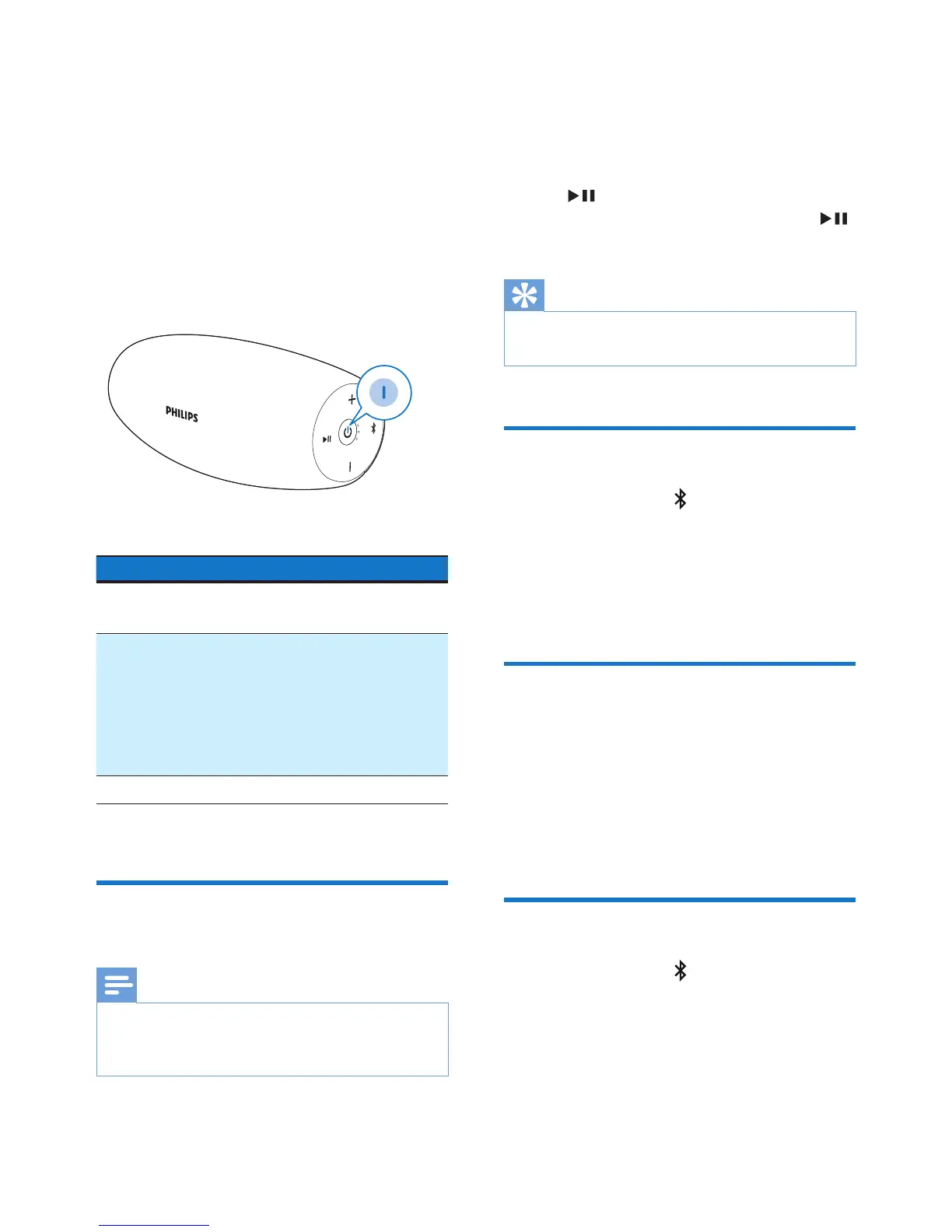
LED behavior Description
Flashing blue
quickly
Ready for pairing
Flashing blue
slowly
Reconnecting the
last connected
device;
Waiting for
connection from
the paired device
Solid blue Connected
Play from a connected
Bluetooth device
Note
•
Music play pauses when there is an
incoming call, and resumes when your
phone call ends.
After successful Bluetooth connection,
play audio on the connected device.
» Audio streams from your Bluetooth
device to the speaker.
• To pause or resume play, press
.
• To play the next track, press
twice.
Tip
•
You can also use your Bluetooth device to
control play.
Disconnect a device
• Press and hold for two seconds;
• Turn o the speaker;
• Disable Bluetooth on your device;
or
• Move the device beyond the
communication range.
Reconnect a device
• When you turn on the speaker,
it tries to reconnect the last
connected device automatically;
• If not successful, select [Philips
BT6900] on your Bluetooth menu
to start reconnection.
Clear pairing information
• Press and hold for 10 seconds.


 To Next Page