5 Reset the
earpieces
1
2
3
4
5
6
On your Bluetooth device, go to the
Bluetooth menu and remove Philips
Fidelio T2 from the device list.
your Bluetooth device.
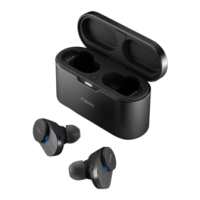
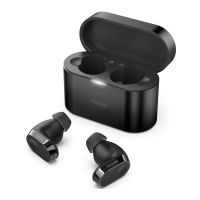
Return earpieces to charging box
and open the lid.
Press button on box twice.
Follow steps in “Use your earpieces-
connect the earpieces to your
Bluetooth device.”
Pair the earpieces with your
Bluetooth device, select Philips
Fidelio T2.
If you encounter any pairing or connection
issue, you can follow the following
procedure to reset your earpieces to
factory default settings.
If there is no response from the
earpieces, you can follow the below step
to reset the hardware of your earpieces.
12 EN
Tap and hold multi-function touch for
10 seconds.
6 Technical data
Music play time (ANC on) :
9 + 27 hours
10 + 30 hours
Standby time: 200 hours
Charging time: 2 hours
Lithium-ion battery 75 mAh on
each earpiece, Lithium-ion battery
650 mAh on charging box
Bluetooth version: 5.3
• A2DP (Advanced Audio
• AVRCP (Audio Video Remote
Supported audio codecs: LDAC, AAC,
SBC, LC3
Frequency range: 2.402-2.480 GHz
Transmitter power: < 10 dBm
Operation frequency: 110-205,000 Hz
(62.8 dBuV/m)
Operating range: Up to 10 meters
(33 feet)
USB-C port for charging
Qi wireless charging
Low battery warning: available
notice.
Note


 To Next Page