3 Get started
Charge the battery
Before you use your headphones, charge the
battery for 2 hours for optimum battery
capacity and lifetime.
Use only the original USB-C charging cable to
avoid any damage.
Finish your call before charging.
Note
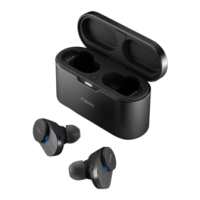
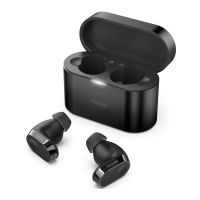
Charging Box
• The earpieces start charging and the
blue LED light goes on
• When the earpieces are fully charged,
Earpieces
Place the earpieces in the charging box.
Plug one end of the USB-C cable into the
charging box and the other end into the
power source.
Normally, a full charge takes 2 hours (for the
earpieces or charging box) by USB cable.
Tip
The charging box serves as a portable backup
battery for charging the earpieces. When the
charging box is fully charged, it will fully
recharge the earpieces 3 times.
Tip
6 EN
Charging the battery with a wireless
charger.
Wireless charging
The charging box has a built-in wireless
charging coil. You can charge the battery
by using a wireless charger or another
device that functions as a wireless charger.
Caution
Precautions for wireless charging
Do not place the charging box on the wireless
charger when conductive materials, such as
metal objects and magnets, are placed between
the charging box and the wireless charger.
Keep the charging box away from high
temperatures and water sources. The box may
get warm during charging, this is normal.
• Place the earpieces in the charging box
• Close the charging box cover
• Place the charging box on the center
of the wireless charger
• When fully charged, remove the
charging box from the wireless charger


 To Next Page