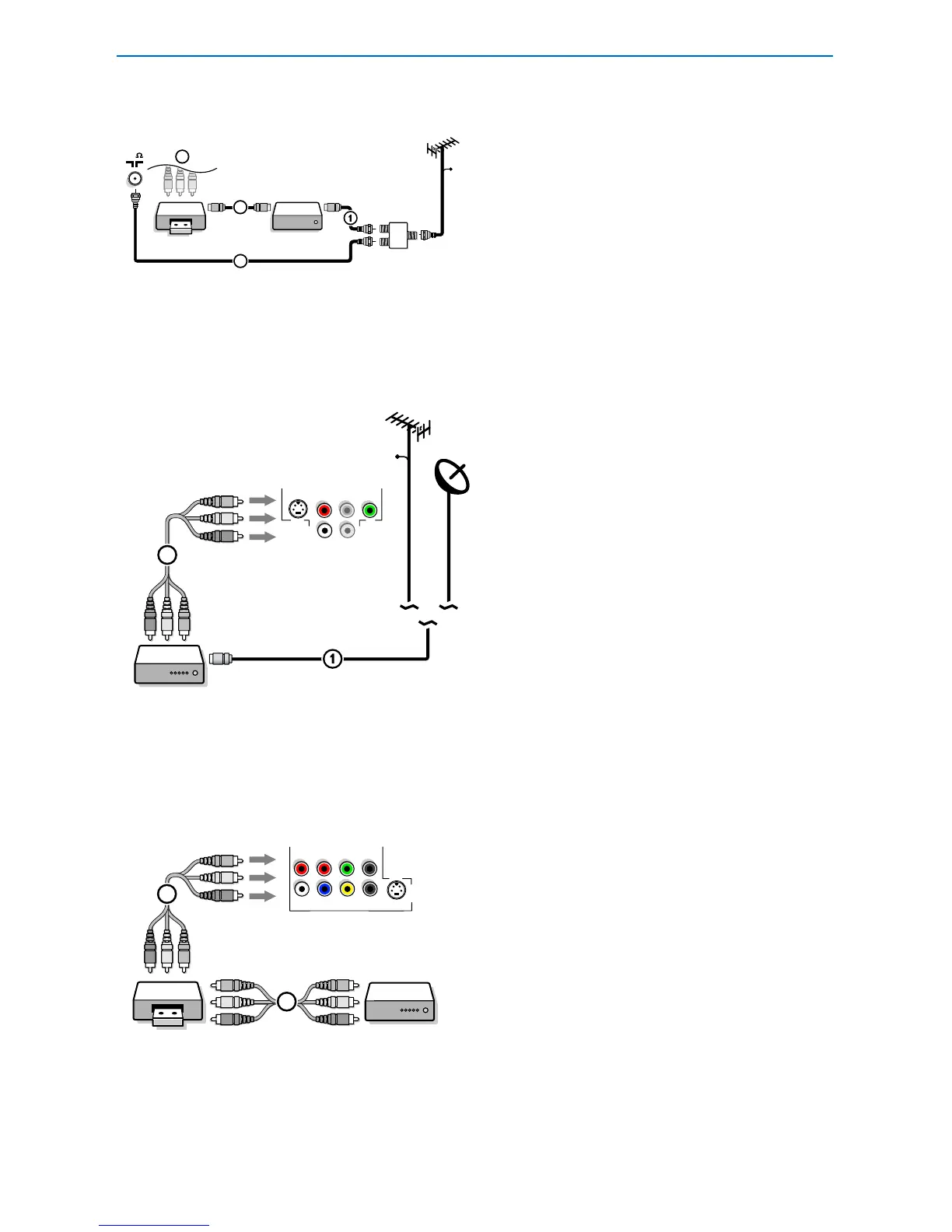
& Use an optional signal splitter.
é Connect one of the cable TV signal splitter
outputs 1 to the cable box’s
IN jack.
“ Connect the other cable TV signal splitter
output 2 to the 75 ø x plug on the bottom
of the TV.
‘ Connect the cable box’s OUT jack 3 to the
recorders
RF IN socket.
( Connect the Video, Audio Left and Right (only
for stereo sound) AV cables 4 to the
CVBS,
audio
L and R input AV2 jacks on the TV.
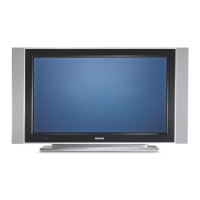
& Connect the satellite antenna cable or the Cable
TV cable 1 to the satellite receiver’s or cable
box’s
IN jack.
é Connect the Video,Audio left and right AV cables
2 to the
Y, L audio and R AUDIO input jacks
of
AV1.
If your satellite receiver or cable box has
an S-Video jack:
For improved picture quality, connect an S-Video
cable to the
S-VIDEO input instead of
connecting the satellite receiver or cable box to
the
Y jack.
Connect the audio cables to the device’s
AUDIO
L and R jacks and to the L and R audio AV1
jacks on the TV.
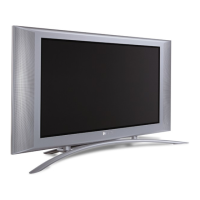
& Connect the RF Antenna or Cable TV cable as
described above.
é Connect the AV cables 1 to the satellite
receiver’s or cable box’s
AV OUT jacks and to
the recorder’s
AV IN jacks.
“ Connect the recorder’s AV OUT jacks 2 to
the TV’s
AV2 jacks as described above.












 To Next Page