5 FM20/30 Battery Option
112
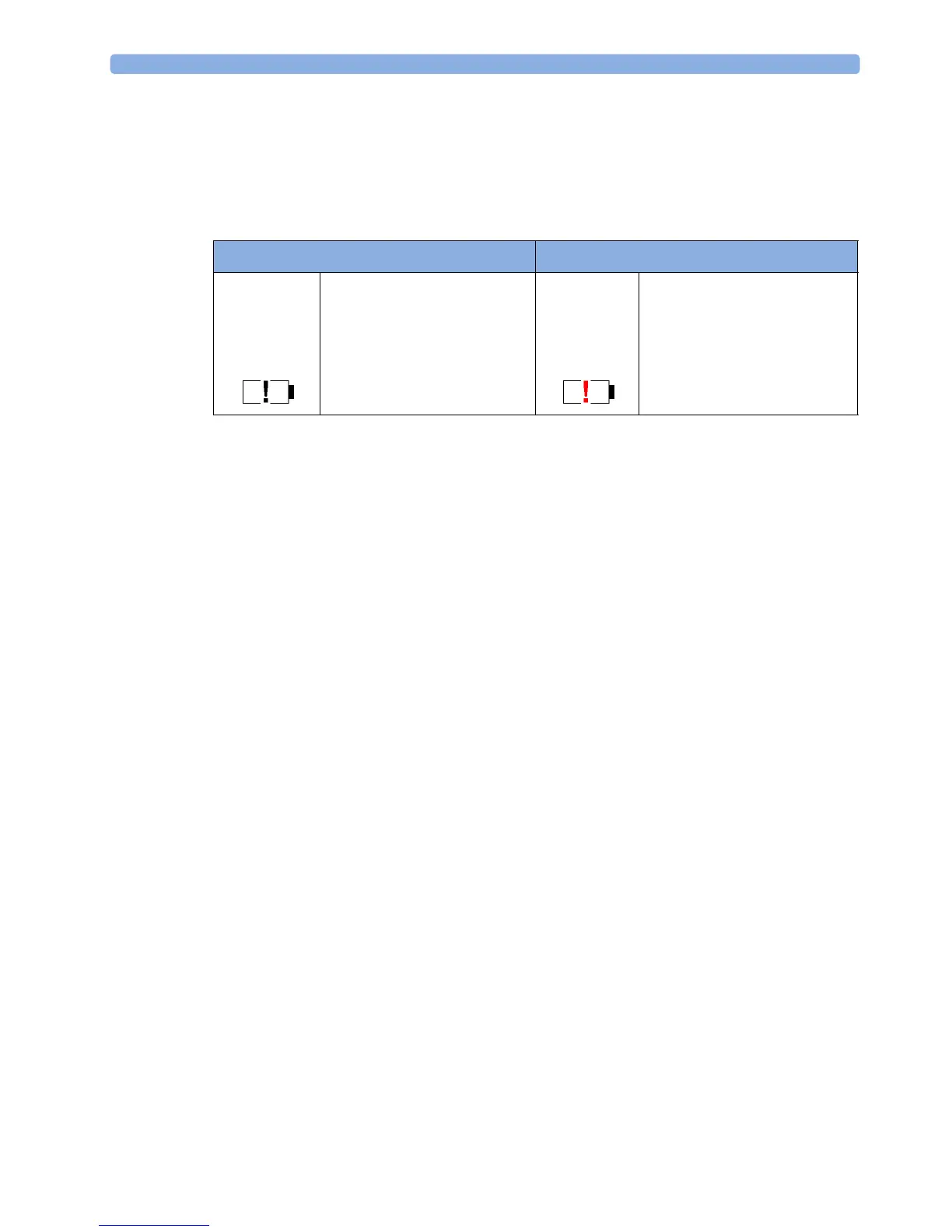
Battery malfunction symbols: Normal battery function is indicated by the battery power gauge,
together with the remaining operating time, on the main screen. You are informed of problems or
changes in the status of the battery by the battery status/malfunction indicator. This consists of a blank
battery gauge containing a "!" symbol. If the symbol is red, this indicates a critical situation. You can
check the specific cause of the problem by looking at the symbol(s) displayed in the
Battery Status
window.
Battery Status Window
1 To access the Battery Status window and its associated pop-up keys, select the battery status
information on the screen, or select
Main Setup, Battery.
–
Capacity, remaining tells you how much power is left in the battery.
–
Capacity, fullCharge tells you how much power the battery can hold when fully charged.
–
TimeToEmpty tells you approximately how long you can continue to use the monitor without
an AC connection. The time span fluctuates depending on the system load (the display
brightness and how many measurements you carry out), and the remaining capacity of the
battery.
–
TimeToFull is shown in place of TimeToEmpty if the monitor is connected to a power supply,
and tells you how much time is left until the battery is charged to 90%. If >10 hr is shown
here, the battery may not charge completely when the monitor is in use.
Battery status/malfunction symbols: If a problem is detected with the battery, an INOP may be
issued, and the following symbols are displayed in the
Battery Status window, where they may be
accompanied by a status message providing more details.
Battery Status Indicator Battery Malfunction Indicator
Alternates with the battery gauge
on the main screen.
Check in the
Battery Status
window to see which status
symbol is displayed to identify
the cause.
The red exclamation mark
flashes. Critical battery situation
or malfunction. Check in the
Battery Status window to see
which malfunction indicator is
displayed, or refer to the INOP,
to identify the cause.




 To Next Page