3 Basic Operation
62
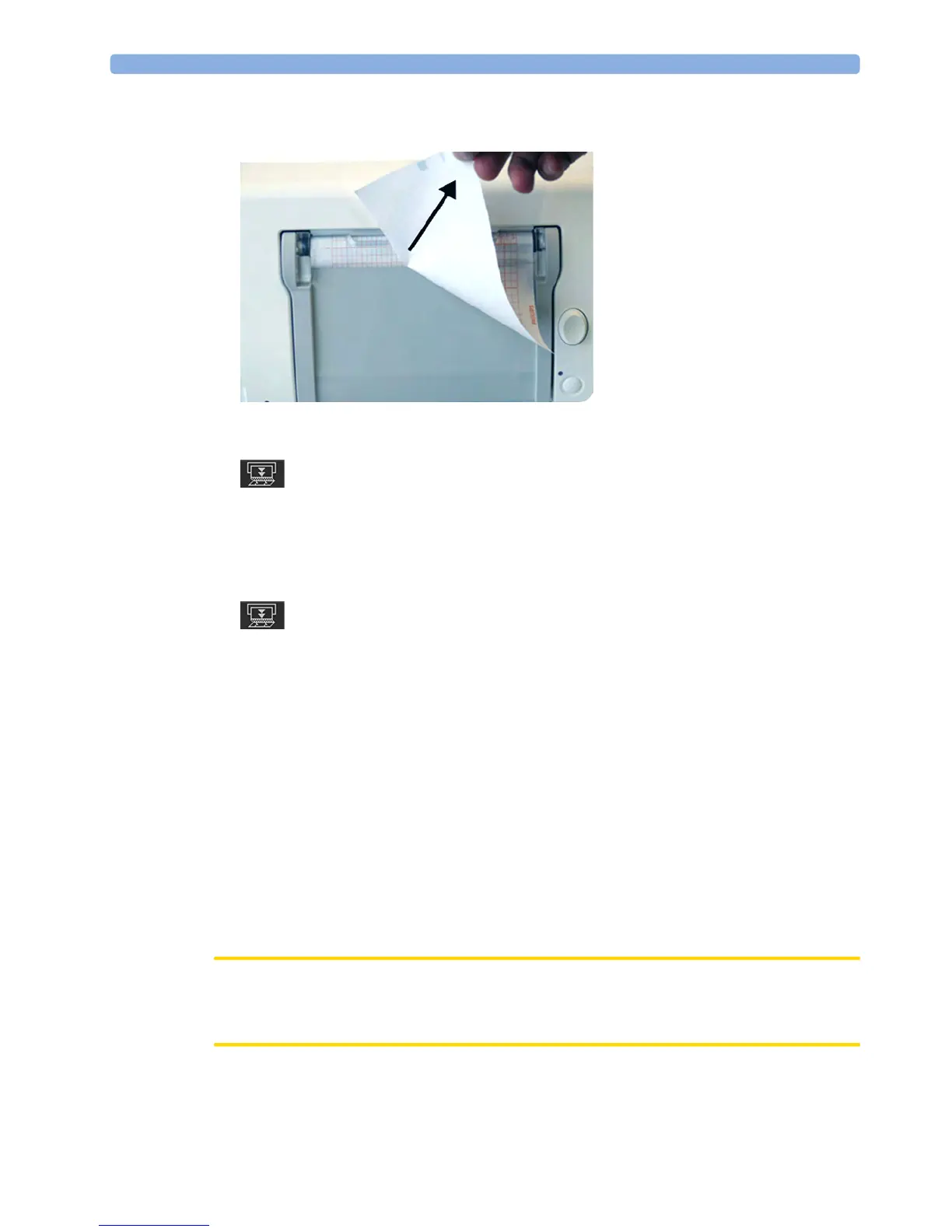
shown). You may want to use both hands to guarantee that the paper is not misaligned during the
tear off.
3 If you wish to tear off the paper at a fold, select the Paper Advance SmartKey, wait for the paper to
stop, then tear it off.
FM20/FM30 The FM20/FM30 does not have a paper guide. The procedure is the same as described for the FM40/
FM50 with the exception that you should advance the paper to a perforation.
If you wish to tear off the paper at a perforation, select the
Paper Advance SmartKey, wait for the paper
to stop, then tear it off.
Paper-Out Indication
Each pack of paper has 150 pages. The monitor issues a paper-out warning in the status line at the
bottom of the screen, when there are five pages to go. If you switch on the recorder or press the
Paper
Advance
key when there are fewer than five pages remaining, it may take two pages before the alarm is
activated. Load a new pack in time.
If the recorder runs out of paper, an audible paper-out alarm is sounded, if so configured. See
“Loading Paper FM40/FM50” on page 65, and “Loading Paper FM20/FM30” on page 62 to learn
how to reload paper.
Fetal traces continue to be recorded into the monitor's backup memory, and can be retrieved and
printed completely if new paper is loaded within one hour, when the
Bridge Paperout setting is enabled
in Configuration Mode. See “Recovering Traces on Paper” on page 257 for further information.
Loading Paper FM20/FM30
CAUTION
Using recorder paper that is not approved by Philips can result in accelerated paper fading and can
damage the thermal line printhead. This type of damage is not covered by warranty.




 To Next Page