3 Basic Operation
63
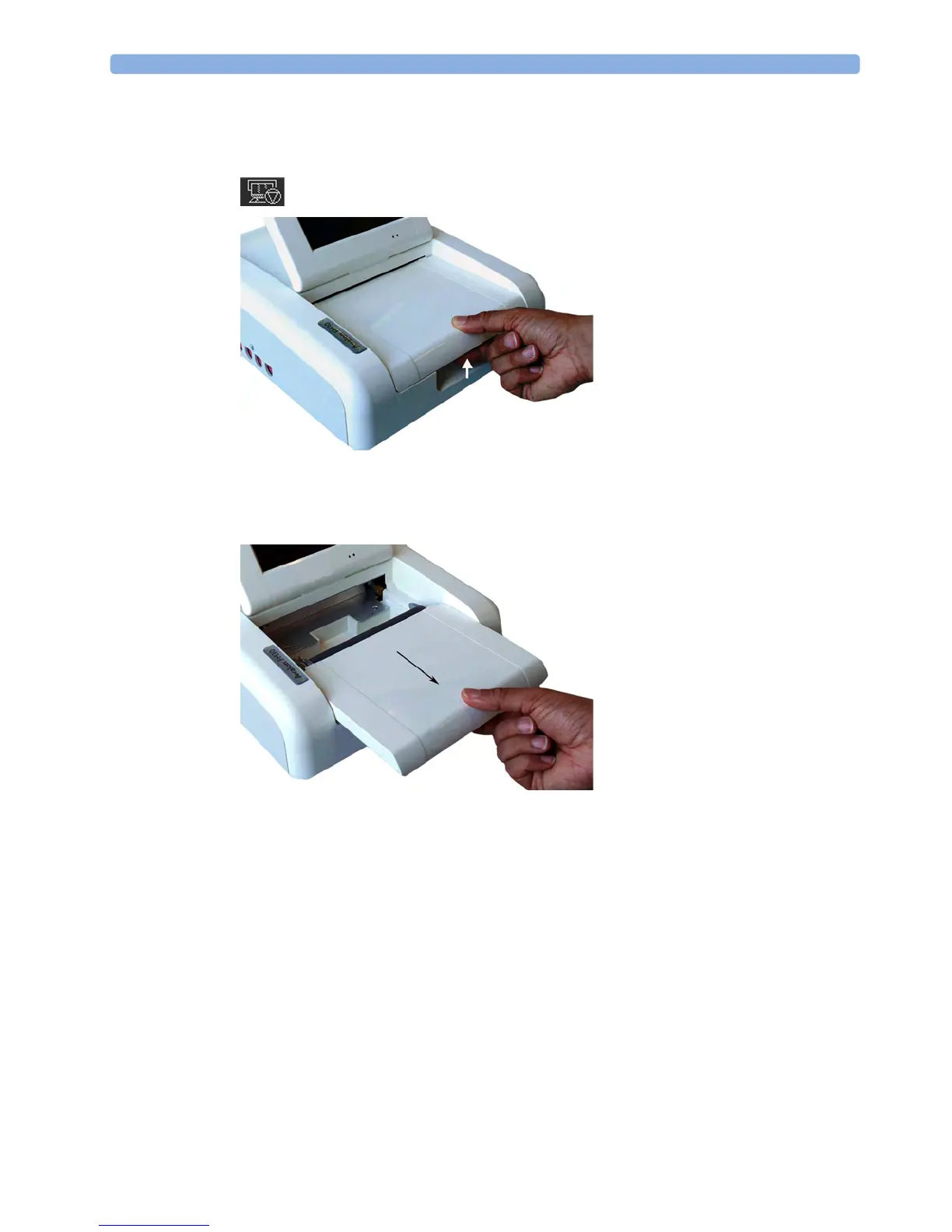
FM20/FM30 To load a pack of paper:
1 If the recorder is on, press the recorder Start/ Stop SmartKey or the Stop Recordng SmartKey to
turn it off before loading a new pack of paper.
2 Press the paper table release to unlock the paper drawer and then pull the table forward to open it
fully.
3 Lift out any remaining paper from the tray.
4 Prepare to place the new pack of paper in the tray with the bottom side down. The bottom side is
indicated by the word STOP printed on the final page of the new pack.




 To Next Page