EasyManua.ls Logo

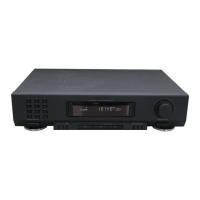
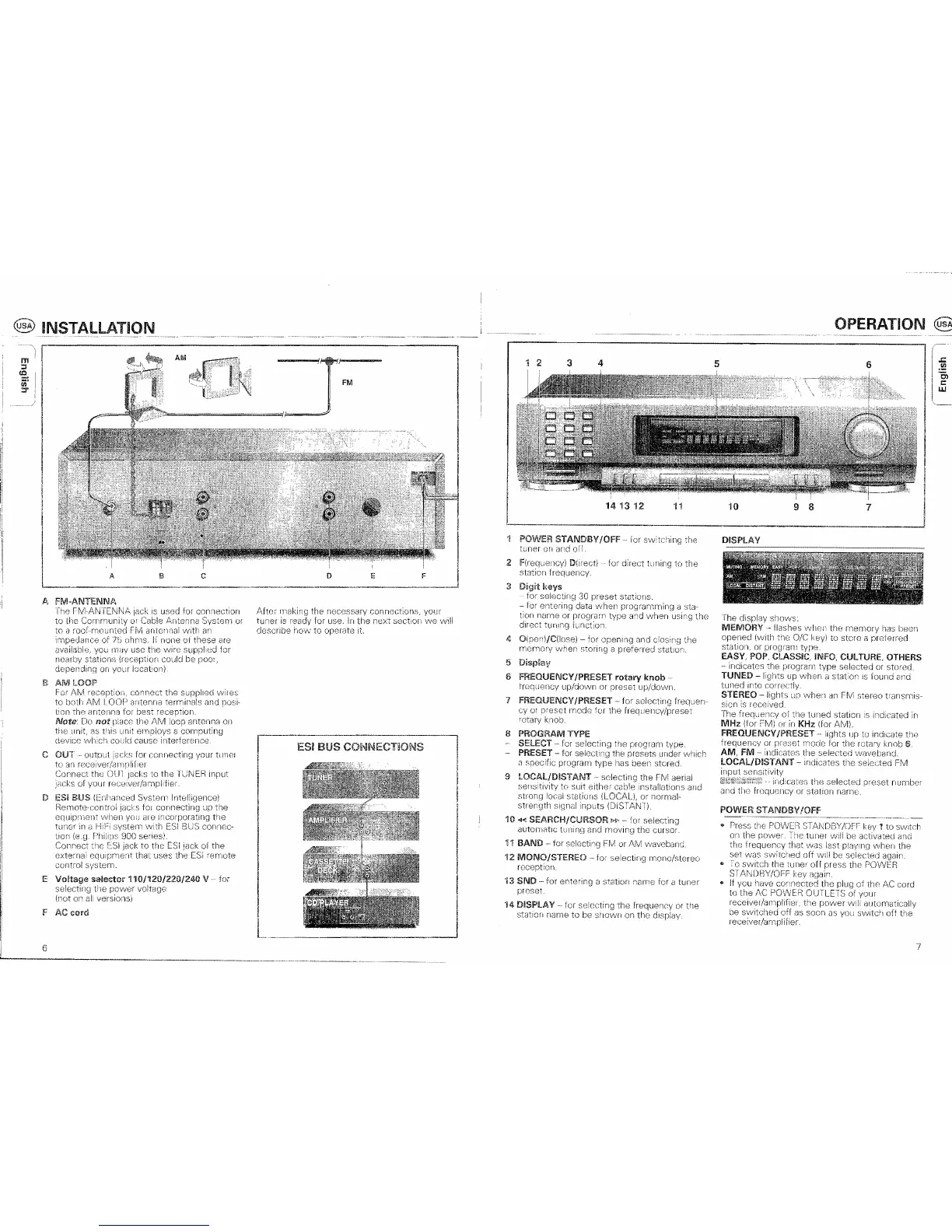
Philips FT 920 - Installation; FM Antenna Connection; AM Loop Antenna; Output Jacks

Philips FT 920
17 pages
Print Icon
To Next Page IconTo Next Page
To Previous Page IconTo Previous Page
Loading...
anTcnnai
with
of 7b ohms. If nOlle
01
these are
11l(IV
usc
wim
supplied
(reception could poor,
on
your locatron)
C
OUT
[)l
E V
for
1413
12
11
10
@ INSTALLATION
AM
FM
A
c
/J,
FM-ANTIENNA
I'he
fM·ANTENNA
jack used for connection
Lhe
CommunilV Cable Arltenna System
F
AC
cord
D E F
connections, your
sectlorl
we
will
ESIBUS
OPERATION (US
1 2
3 4
5
POWER
STANDBY
IOFF
lor
switching
on
all.
2
3
4
5 DispiaV
for
direct
tllning
the
memory
6
rotary
knob
or preset up/down.
FREQUENCY
/PRESET
for sel8cting frequen'
preset
mode
jor
the
knob.
S PROGRAM TYPE
-
-
9
SELECT for selecting
PRESET for selectrng the
a specifiC program
type
has
the
fM
aerial
strong stations
strength Signal inputs (DISTANi)
HI
<l<l
SEARCH/CURSOR
!>~
for selecting
autolTliltlC tUllinn moving
the
cursor.
11
BAND
- for FM
or
AM
waveband.
12
MONO/STEREO-
tor selecting mono/stereo
reception.
13
SNO
-
for
entering a :station name
tuner
'i4
DISPLAY
- for selocting the
the
station name
to
J::
6
.!!!
Cl
r::
1.1.1
DISPLAY
shows:
flashes
when
the
memory
has been
opened (with
ole
key)
to
store a prejerred
station, or
EASY,
INFO,CULTURE,OTHERS
indicatos the program
type
selected
or
stomd.
TUNED
-
when
a station
IS
found and
tuned
Into
STEREO
lights up
when
an
FM stereo transmis-
sion
is
roceived.
The
of
the
luned
station indicated
in
MHz
(1or
or
in
KHz
(for AM).
FREQUENCY
/PRESET
frequenoy
or
mode
AM,
FM
lOCAllDlSTANT
- indicates selected FM
lhH
seleoted
veset
numb",r
station name,
the
selected waveb,m
tim
fmquol1oy
POWER
5T
ANDBV
!OFF
--------,--'''--,
..
_
•.
After
o Press
POW[F1
STANDBY/OfT
on
the
nower".
illnnr
IAlili
tho .
"
6
7

Related product manuals