Need help?
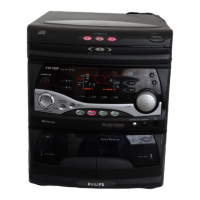
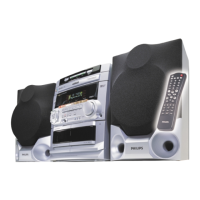
Do you have a question about the Philips FW 765P and is the answer not in the manual?
Instructions for changing the fuse in a 13 Amp mains plug and connecting wires based on color codes.
Information regarding consent for recording and playback of material in the United Kingdom.
Details about the system's typeplate, serial number, packaging disposal, and recycling guidelines.
Essential safety guidelines for operating the system, including voltage checks and environmental considerations.
Visual guides illustrating connection points on the rear panel for different system models.
Steps for connecting antennas, front speakers, AC power, and inserting remote control batteries.
Identification of buttons and controls on the main system unit and its remote for basic functions.
Covers direct play, disc management, programming, shuffle, and repeat functions for CDs.
Explains controls for Dynamic Bass Boost, Digital Sound Control, Incredible Surround, and Dolby Pro Logic.
Details tape playback, auto-reverse, dubbing, and recording operations.
Includes test tone for speakers, mute function, and Dolby Pro Logic sound level adjustments.
Steps for connecting speakers and optimal placement for achieving the best surround sound effect.
Detailed explanation and selection of Dolby Surround, Center Phantom, Dolby 3 Stereo, and Normal Stereo modes.
Guidance on achieving the best Dolby Pro Logic effect and important operational notes for recording.
How to turn the system on, select audio sources, and manage the automatic demonstration feature.
Controls for volume, personal listening, bass boost, surround sound, and digital sound control.
Warnings, procedures for loading CDs, and instructions for starting/stopping playback.
Covers direct play, track selection, programming, shuffle, repeat, and searching for tracks.
Playing programmed tracks, erasing programs, and using shuffle/repeat functions.
Procedures for automatic tuning (Easy Set) and manual station selection.
Methods for storing and recalling favorite radio stations using preset buttons.
Utilizing RDS for station information, program types, and setting the clock via radio signal.
Activating and managing the system's NEWS function based on detected RDS data.
Instructions for loading tapes, playing them, and managing auto-reverse modes on tape deck 2.
Controls for tape search, connecting external sources via AUX, and one-touch recording.
Procedures for copying tapes between decks and recording CDs to tape automatically.
Instructions for displaying the current time and manually setting the 24-hour clock.
Procedures for setting the system to turn on automatically, canceling it, and reactivating the same timer.
Technical data for CD player, amplifier, tuner, tape decks, and various speaker types.
System dimensions, power consumption, finish, and instructions for cleaning exterior parts and CDs.
Steps for cleaning and demagnetizing tape heads and capstans for optimal performance.
Solutions for poor radio reception, RDS text display problems, and no RDS signal.
Troubleshooting common issues with tape operation, standby mode, button response, and overheating.
Addressing problems related to the remote control's effectiveness and timer functionality errors.
 General
| CD Player | Yes |
|---|---|
| Cassette Deck | Yes |
| Number of Discs | 3 |
| Playable Media | CD, CD-R, CD-RW |
| RDS | Yes |
| Cassette Deck Type | Dual |
| USB Port | No |
| Bluetooth | No |
| Type | Stereo System |
| Audio formats | MP3 |
| Speaker System | 3-Way Speakers |
| Speakers | 3-Way Speakers |


 To Next Page