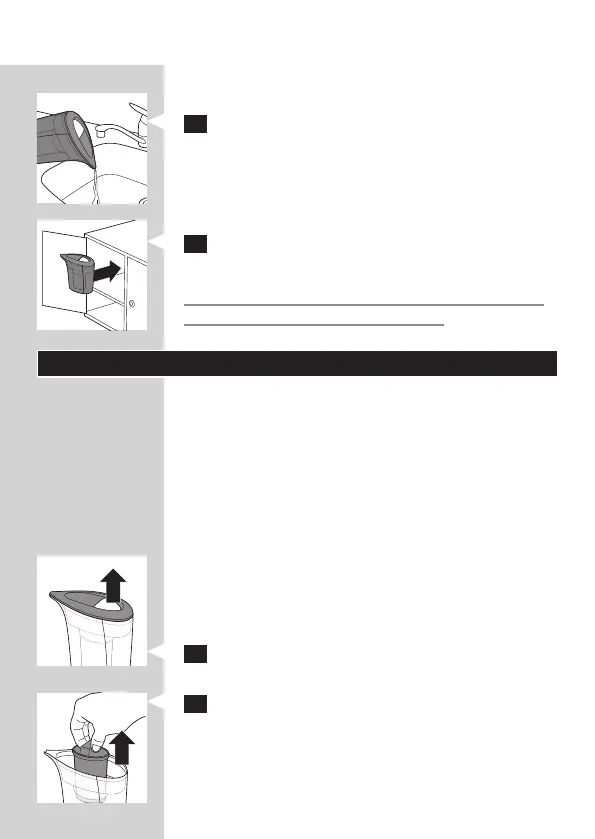
Untreated water will not come out of the spout when
you do this.
3 After your ironing session, pour any remaining
water out of the water jug.
4 StoreyourIronCarewaterdescalelterina
closed cabinet or its original packaging.
DonotexposetheIronCarewaterdescalelter
todirectsunlightandarticiallight.
Replacing the anti-calc cartridge
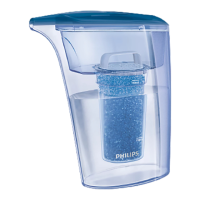
There are two kinds of materials inside the cartridge.
Their initial colours are blue and brown respectively.
The blue gradually changes to brown when the anti-
calc cartridge is being used. When the anti-calc has
turned completely brown, you have to replace the
anti-calc cartridge with a new one.
Note: Only use original Philips GC025 anti-calc cartridges
for replacement. See chapter ‘Obtaining new anti-calc
cartridges’ for information on where to purchase them.
The lifetime of the anti-calc cartridge depends on
the water hardness in your area.
Replace the anti-calc cartridge in the following way:
1 Removethelidofthewaterjug.
2 Usethecartridgehandletolifttheusedanti-
calccartridgeoutoftheltrationreservoir.
ENGLISH 9









 To Next Page