EasyManua.ls Logo

Philips GC4500 series - User Manual

Philips GC4500 series
37 pages
Print Icon
To Next Page IconTo Next Page
Loading...
GC4500 series
Always there to help you
User manual

Questions and Answers

  • H
    harmonnicholasAug 17, 2025
    What to do if water leaks from the back of Philips GC4500?
    • C
      Chelsea RichardsonAug 17, 2025
      If water or steam is leaking from the back part of your Philips Iron, it's likely because you haven't properly locked the Quick Calc release tray. To fix this, take out the Quick Calc Release tray and clean it with tap water. Wipe off any calc in the opening at the back of the iron with a cloth. Then, put the tray back in and lock it securely.
  • L
    lorraineroachAug 19, 2025
    Why does my Philips GC4500 Iron leak when using the steam boost?
    • D
      Daniel JonesAug 20, 2025
      If your Philips Iron leaks water when using the steam boost function, it could be due to several reasons. First, ensure that the steam slider is not set to MAX or ECO; instead, set an ironing temperature within the range where the steam boost function is effective (between the indicated setting and MAX). Also, avoid using the steam boost function repeatedly in quick succession; allow a few seconds between uses. Finally, make sure you're using the steam boost at a sufficiently high temperature, again, within the range between the indicated setting and MAX.
  • R
    robertstarkAug 22, 2025
    Why does the steam boost function not work properly on my Philips GC4500 Iron?
    • W
      wandamorrisAug 23, 2025
      If the steam boost function on your Philips Iron isn't working well and water is leaking, it could be due to using the steam boost too frequently in a short time. Try waiting a few seconds between each steam boost. Also, make sure you're using the steam boost at a suitable temperature setting, specifically between the '???' and MAX settings.
  • J
    Joseph CoxAug 26, 2025
    How to stop water from leaking from the Philips GC4500 filling door?
    • C
      Chelsea MendozaAug 26, 2025
      If water is leaking from the water filling door of your Philips Iron, it's likely because the water tank has been overfilled. Avoid filling the tank past the MAX level. If it is overfilled, pour out any excess water.
  • A
    Ana CordovaAug 28, 2025
    Why does my Philips GC4500 leak when using steam boost?
    • Z
      Zachary MaloneAug 28, 2025
      If the steam boost function of your Philips Iron isn't working properly and water is leaking from the soleplate, it could be due to a couple of reasons: 1. You might be using the steam boost function too frequently in a short period. If this is the case, wait a few seconds before using the steam boost function again. 2. You might be using the steam boost function at too low a temperature. Make sure to set the ironing temperature to the recommended level (??? to MAX) for steam boost.
  • T
    Tiffany MccoyAug 30, 2025
    What to do if Philips GC4500 Iron drips water after being stored?
    • P
      ppatelAug 30, 2025
      If water is dripping from the soleplate of your Philips Iron after it has been unplugged or stored, it is probably because you left water in the tank and stored the iron horizontally. Make sure to empty the water tank after each use.
  • K
    Kimberly HorneSep 2, 2025
    How to stop Philips GC4500 from leaking when filling?
    • B
      Bethany HarmonSep 2, 2025
      If water is leaking from the water filling door of your Philips Iron, it means you have likely overfilled the water tank. Avoid filling the tank beyond the MAX indication. If you have overfilled it, pour the excess water out.
  • G
    gmooreSep 5, 2025
    What to do if flakes come out of the soleplate of my Philips GC4500 Iron?
    • T
      Tyler DeleonSep 5, 2025
      If you notice flakes or impurities coming from the soleplate of your Philips Iron while ironing, it's likely due to calc buildup inside the soleplate. To resolve this, use the calc clean function as described in the ‘Cleaning and maintenance’ chapter, section ‘Calc clean function’.
  • D
    davidsondavidSep 8, 2025
    Why are flakes coming out of my Philips GC4500?
    • R
      Robert GibbsSep 8, 2025
      If flakes and impurities are coming out of the soleplate of your Philips Iron during ironing, this is likely due to calc formation inside the soleplate. You should use the Calc-Clean function to resolve this issue.
  • C
    Cynthia Jimenez DDSSep 12, 2025
    What to do if flakes come out of my Philips GC4500 Iron during ironing?
    • J
      John MedinaSep 12, 2025
      If you notice flakes and impurities coming out of the soleplate of your Philips Iron while ironing, this indicates that calc has formed inside the soleplate. To resolve this, use the calc clean function as described in the ‘Cleaning and maintenance’ section under ‘Calc clean function’.

Summary

Introduction and Product Overview

Product overview (Fig. 1)

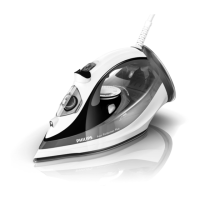
Identifies and lists all parts of the Philips Azur Performer Plus iron.

Important Information

Read safety leaflet and user manual carefully for future reference.

Using the Appliance

Filling the water tank

Step-by-step guide on how to fill the water tank with tap or distilled water.

Temperature and Steam Setting

Iron Features

Spray Function

How to use the spray function to remove stubborn creases effectively.

Steam Boost Function

Using the steam boost for powerful steam to tackle difficult creases.

Ironing with Extra Steam

How to apply extra steam during ironing by holding the steam boost trigger.

Vertical Steam

Using the steam boost function vertically for hanging clothes or curtains.

Eco Steam Setting; Dry Ironing

How to select ECO mode for energy saving or dry ironing.

Safety Auto-Off Function

Cleaning and Maintenance

Cleaning the Iron

Instructions on how to clean the iron's soleplate and body.

Quick Calc Release

Important information about the Quick Calc Release function.

Calc-Clean Function

Storage Instructions

Troubleshooting Common Issues

Philips GC4500 series Specifications

General IconGeneral
BrandPhilips
ModelGC4500 series
CategoryIron
LanguageEnglish

Related product manuals