
 Need help?
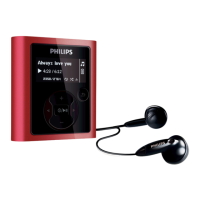
Do you have a question about the Philips GoGear SA1305 and is the answer not in the manual?
Lists included accessories such as headphones, USB extension cable, neckstrap, and CD ROM.
Instructions on registering the player online for free upgrades and updates.
Identifies and explains the function of each button and port on the player.
Details on how to connect the player using the USB port and cable.
Steps to install the Firmware Manager software from the CD or download.
Guide on connecting the player to a PC and charging its battery via USB.
Instructions for transferring music files to the player using Windows Explorer.
Basic operations for powering the player on and off.
How to navigate and view music files organized in folders.
Details on various playback modes like repeat, shuffle, etc.
How to adjust custom equalizer settings for five adjustable bands.
Steps for manually tuning into radio stations.
How to automatically scan and save radio stations.
Instructions for selecting and playing saved radio stations.
Guide on how to record your voice.
Guide on how to record audio from the FM radio.
Instructions on how to listen to recorded voice or FM content.
Options for setting preferences like screen saver, time out, OSD language.
Steps to install the firmware management software.
Instructions for updating or restoring the player's firmware.
Lists common player issues and their solutions.
Guidelines for maintaining the player to prevent damage.
Recommended temperature ranges for operating and storing the player.
Warning against using headphones while driving or cycling.
Legal notice regarding trademarks and unauthorized duplication.
Warning that unauthorized modifications void the user authority.
FCC compliance statement for US users.
Compliance statement for Canadian users regarding ICES-003.
Compliance statement for EU users regarding radio interference.
Details about the player's rechargeable battery capacity.
Information about the screen type and resolution.
Technical details related to audio output and quality.
Supported audio file formats and compression details.
Information on supported metadata for music files.
Details on microphone and recording capabilities.
Lists available storage capacities for different model numbers.
Information on radio tuning and FM band capabilities.
Details about headphone jack and USB connection types.
Methods for transferring music to the player.
Methods for data transfer to the player.
Minimum PC specifications needed for software compatibility.
Introduction to using WMP for managing music collection.
Steps to install WMP and Firmware Manager from the CD.
How to start and connect the player to WMP.
Explains automatic versus manual synchronization options.
Steps to initiate the synchronization process in WMP.
Steps to modify metadata (artist, album, etc.) for music files in WMP.
 General
| Brand | Philips |
|---|---|
| Model | GoGear SA1305 |
| Category | MP3 Player |
| Language | English |








 To Next Page