
 Need help?
Do you have a question about the Philips GoGear ViBE SA1VBE04K/ and is the answer not in the manual?
Covers product care, avoiding damage, cleaning, and operating/storage temperatures.
Provides advice on listening at moderate volumes and for reasonable periods to prevent hearing loss.
Explains proper disposal of the product and its components according to EU directives.
Details compliance with FCC rules for digital devices and potential interference.
Lists the items you should receive with your GoGear Vibe player.
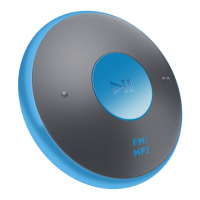
Details the buttons, ports, and indicators on the GoGear Vibe player.
Describes the functions accessible through the device's main menu interface.
Step-by-step instructions for installing necessary software from the CD-ROM.
Instructions for connecting the device to a PC via USB for charging and data transfer.
Explains the visual cues for battery charge levels and low battery warnings.
Steps to properly disconnect the device from a computer to avoid data corruption.
Instructions for powering the GoGear Vibe on and off using the slide and hold method.
Explains the device's automatic standby and shutdown behavior to conserve power.
How to use the lock switch to prevent accidental button presses during playback.
Guide on how to use Windows Explorer to manage files on the GoGear Vibe.
Instructions for transferring music purchased through Rhapsody® using the Media Player.
Steps to add and manage Rhapsody® music channels on the GoGear Vibe.
Guide on using Rhapsody® Media Player to import and transfer picture files.
Instructions on how to play music tracks and control playback.
Explains the different menu options for locating music files on the device.
Steps to remove unwanted music files from the GoGear Vibe.
Details the controls for playing, pausing, and navigating audiobooks.
Instructions for downloading and transferring audiobooks using AudibleManager.
How to navigate and select audiobooks from the device's menu.
Guide to using MediaConverter for video file management.
Instructions for selecting and playing video files on the GoGear Vibe.
Steps for removing unwanted video files from the device.
How to navigate and view individual picture files on the device.
Instructions for starting and configuring picture slideshows.
Steps for transferring picture files from a computer to the GoGear Vibe.
How to access and listen to FM radio stations.
Steps for manually searching and fine-tuning radio frequencies.
How to use the auto-tune function to find and save radio stations.
Instructions for selecting and playing previously stored radio presets.
Step-by-step guide on how to record audio using the built-in microphone.
How to find and play back recorded audio files.
Instructions for transferring recorded files from the device to a PC.
How to remove recorded audio files from the GoGear Vibe using a computer.
Explains how to access and interact with the device's settings menu.
Options for repeat, shuffle, equalizer, volume limit, and sleep timer.
Adjustments for screen brightness, theme, backlight, and screen-off timer.
Configuration for date/time, language, PC connection mode, and factory reset.
Step-by-step guide to checking for and installing firmware updates via Philips Device Manager.
Instructions for performing a basic device reset using the reset hole.
Steps to recover the device using the Philips Device Manager software.
Details on battery, play time, and included software on CD-ROM.
Information on ports, headphone jack, channel separation, and frequency response.
Lists supported compression formats, bit rates, sample rates for audio and video.
Information on built-in memory capacities for different models and display resolution.
PC system requirements and supported music/video file formats for transfer.
Specifies that JPEG is the supported format for picture files on the device.
Definitions for common terms like Album Art, Compression, Decibel, FM, JPEG, Kbps, LCD, MHz, MP3, PCM.
Definitions for terms including PlaysForSure, Rhapsody, Shuffle, SMV, WAV, WMA, WMV.
 General
| Storage Capacity | 4 GB |
|---|---|
| Audio Formats Supported | MP3, WMA, WAV |
| FM Radio | Yes |
| Voice Recording | Yes |
| Connectivity | USB 2.0 |
| Display | 1.5-inch color LCD |
| Battery Life | Up to 20 hours |








 To Next Page