EasyManua.ls Logo

Philips GoGear SA2615 - User Manual

Philips GoGear SA2615
15 pages
Print Icon
To Next Page IconTo Next Page
Loading...
Great user manuals database on UserManuals.info
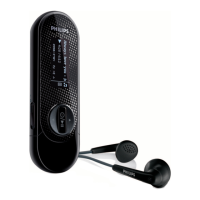
Philips GoGear audio player
Quick start guide
1
2
3
4
Install
Connect
Transfer
Enjoy
SA2610 SA2611 SA2615
SA2616 SA2620 SA2621
SA2625 SA2626 SA2627
SA2628 SA2629 SA2640
SA2641 SA2645 SA2646
SA2647

Other manuals for Philips GoGear SA2615

Question and Answer IconNeed help?

Do you have a question about the Philips GoGear SA2615 and is the answer not in the manual?

Summary

Whats in the box

What else youll need

Lists the computer requirements needed to use the audio player, including operating system and hardware specifications.

Overview of controls and connections

Install

Connect

Insert the battery

Provides step-by-step instructions with diagrams for inserting a AAA battery into the player.

Read the battery level indication

Explains how to interpret the visual indicators for the player's battery power levels.

Transfer

Transfer music

Details the process of transferring music files to the player using drag-and-drop actions.

Enjoy

Turn on and play

Instructions on how to power the player on and off, and its automatic power-off feature.

Main menu

Lists the main menu options and describes their functions for playing music and managing the player.

Navigate the menu

Explains the goal and action for navigating through the player's menu and selecting options.

Music mode

Radio

Auto tune

Guides the user on how to use the auto-tune feature to find and save radio stations.

Play a preset radio station

Instructions on selecting and playing previously saved radio stations.

Recordings

Make recordings

Details the process for recording audio, including pausing, stopping, and saving recordings.

Play back recordings

Instructions on how to locate and play back recorded audio files from the player.

Troubleshooting

How do I reset my player

Provides steps for resetting the player, including using the Device Manager if needed.

Need help

Disposal of your old product

Summary

Whats in the box

What else youll need

Lists the computer requirements needed to use the audio player, including operating system and hardware specifications.

Overview of controls and connections

Install

Connect

Insert the battery

Provides step-by-step instructions with diagrams for inserting a AAA battery into the player.

Read the battery level indication

Explains how to interpret the visual indicators for the player's battery power levels.

Transfer

Transfer music

Details the process of transferring music files to the player using drag-and-drop actions.

Enjoy

Turn on and play

Instructions on how to power the player on and off, and its automatic power-off feature.

Main menu

Lists the main menu options and describes their functions for playing music and managing the player.

Navigate the menu

Explains the goal and action for navigating through the player's menu and selecting options.

Music mode

Radio

Auto tune

Guides the user on how to use the auto-tune feature to find and save radio stations.

Play a preset radio station

Instructions on selecting and playing previously saved radio stations.

Recordings

Make recordings

Details the process for recording audio, including pausing, stopping, and saving recordings.

Play back recordings

Instructions on how to locate and play back recorded audio files from the player.

Troubleshooting

How do I reset my player

Provides steps for resetting the player, including using the Device Manager if needed.

Need help

Disposal of your old product

Philips GoGear SA2615 Specifications

General IconGeneral
BrandPhilips
ModelGoGear SA2615
CategoryMP3 Player
LanguageEnglish

Related product manuals