16 EN
9 When the cooking time has
elapsed, you will hear two beeps
and the All-in-One cooker switches
to keep-warm mode automatically.
» The keep warm indicator lights
up.
10 Caution: Turn the pressure regulator
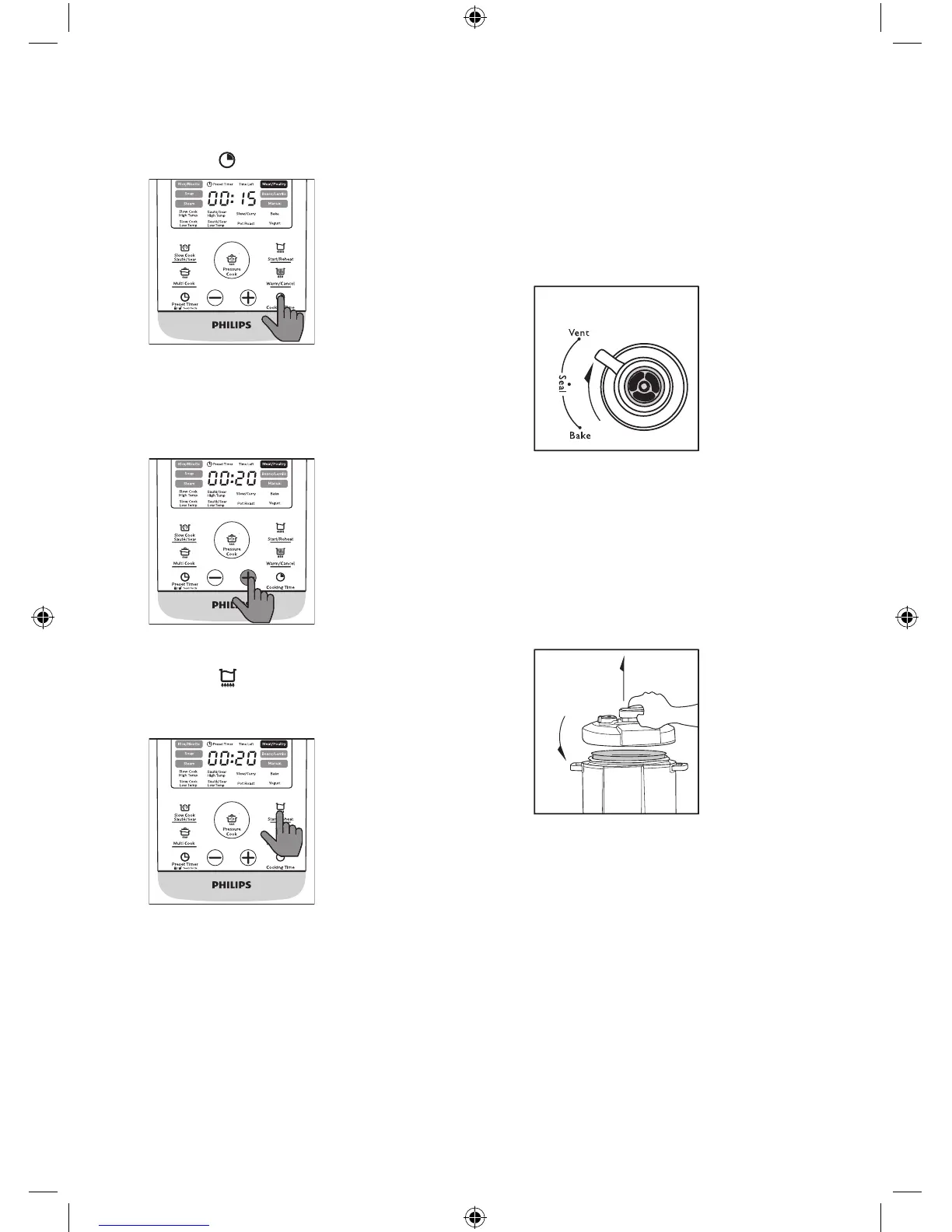
to the vent position.
» The All-in-One cooker starts
releasing pressure.
» The oating valve drops
when the pressure is released
suciently.
11 Hold the top lid handle and turn
the lid anti-clockwise until it cannot
move any more, then lift it up.
5 If you want to set a dierent cooking
time, press the Cooking Time
button ( ).
» The cooking time ashes on the
screen.
6 Press the +/- button to set the
cooking time.
7 Press and hold the Start/Reheat
button ( ) for 3 seconds and the
All-in-One cooker starts working in
the selected mode.
» You will hear two beeps after
you press the start button.
8 When the All-in-One cooker
reaches the working pressure, the
cooking time starts to count down.


 To Next Page