15EN
Pressure cooking
Note
• Make sure the oating valve drops down
before closing the lid.
1 Follow the steps in “Preparations
before cooking”.
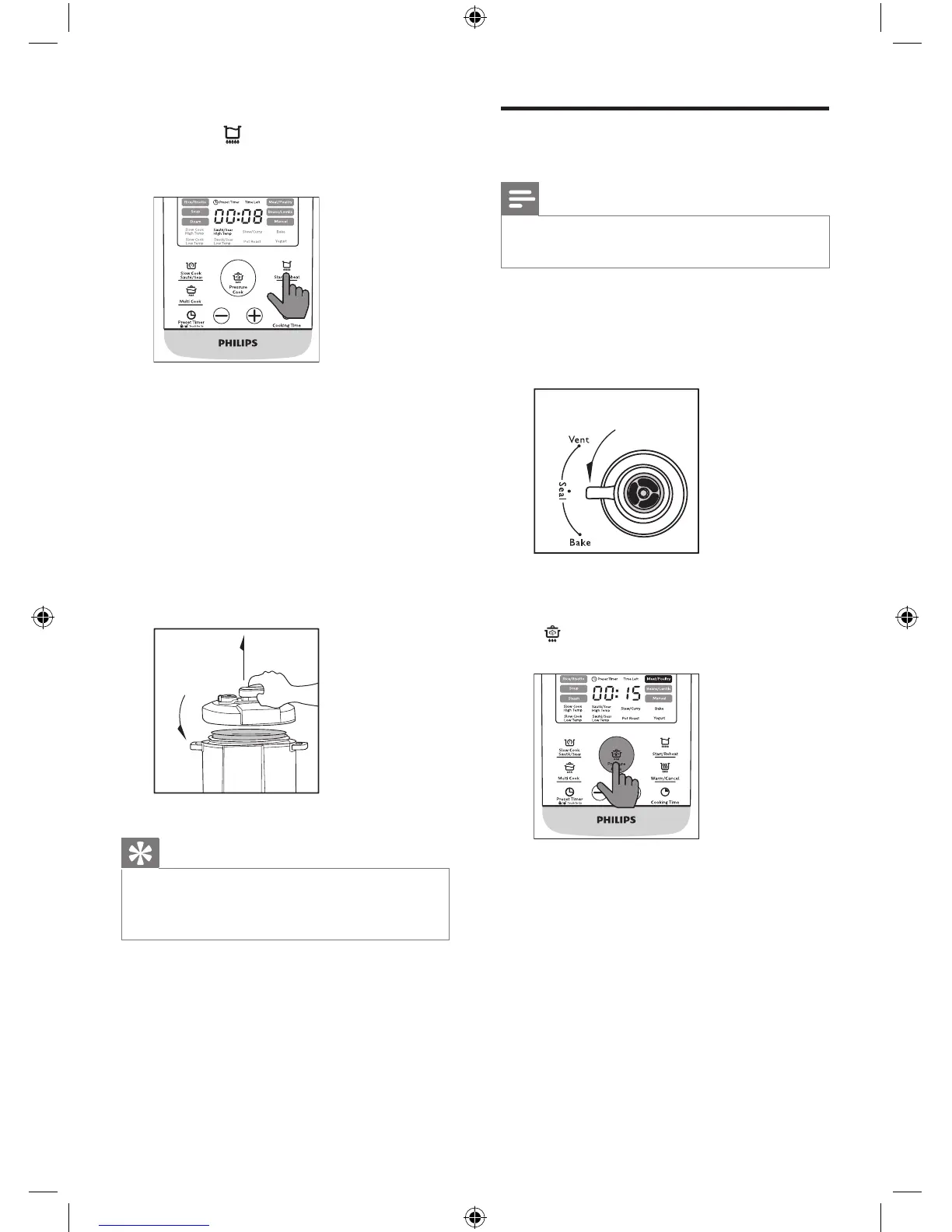
2 Turn the pressure regulator to the
seal position.
3 Put the plug in the power socket.
4 Press the Pressure Cook button
( ) to choose a desired cooking
function.
» The selected cooking mode
indicator ashes.
» The default cooking time is
displayed on the screen.
7 Press and hold the Start/Reheat
button ( ) for 3 seconds and the
All-in-One cooker starts working in
the selected mode.
» You will hear two beeps after
you press the start button.
8 When the cooking time has
elapsed, you will hear two beeps
and the All-in-One cooker switches
to keep-warm mode automatically.
» The keep warm indicator lights
up.
9 Hold the top lid handle and turn
the lid anti-clockwise until it cannot
move any more, then lift it up.
Tip
• You can adjust the cooking time for
dierent types of food according to your
preference.


 To Next Page