Setting up My Favourite
menu
Note
•
The pressure shown on the illustrations
in this chapter is for reference only, the
actual pressure for cooking is based on
the value displayed on the screen.
You can set any three menus as “My
Favourite”. Before you make any
changes to the setting, the default
menus are “
-
米飯”, “
-
煲湯” and
“
-
煮粥”.
•
In standby mode, tap 我的最愛
repeatedly,
,
and
lights up
in sequence, tap and hold 開始烹飪
3 seconds to use 我的最愛 menu.
If you need to change the menu in
我的最愛, for instance to change 煲湯
to 豬肉/排骨, follow the steps below:
1
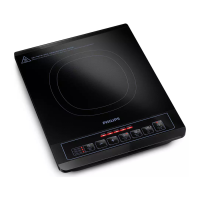
Tap 我的最愛 repeatedly to choose
.
2
Tap / on the right to choose 豬
肉/排骨.
Note
•
If you need to set the dierent cooking
time, please refer to steps in each
function. The revised cooking time will
be stored in 我的最愛 menu.
Steam clean
Note
•
The pressure shown on the illustrations
in this chapter is for reference only, the
actual pressure for cooking is based on
the value displayed on the screen.
1
Pour more than two cups of water
into the inner pot.
2
Wipe the outside and bottom of
the inner pot dry with soft cloth,
then put it back into the All-in-One
cooker.
3
Close the top lid, put the plug into
the power socket.
4
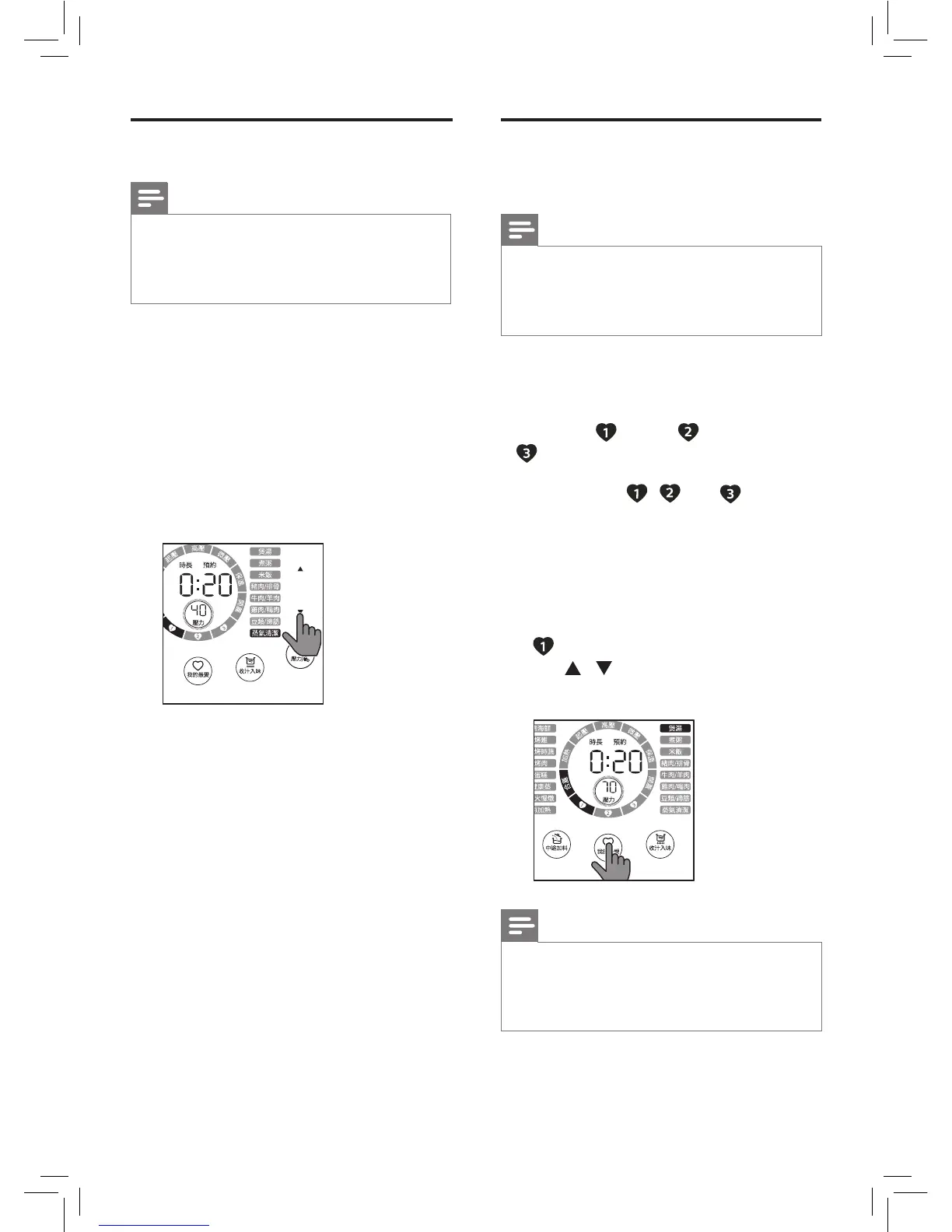
Tap 蒸氣清潔 function.
5
Tap and hold 開始烹飪 for 3
seconds, the All-in-One cooker
starts the steam clean function.
6
The All-in-One cooker beeps and
switches to standby mode after the
cleaning process is nished.
7
Wait until the All-in-One cooker
cools down before cleaning
(refer to Chapter 4 Cleaning and
Maintenance).


 To Next Page