14 ENGLISH
Note
• The keep warm timer is set to 30 minutes. To change the keep warm
time (1-60 minutes), press the time up or down button. The time will
be conrmed automatically.
• The temperature cannot be changed in keep warm mode.
3 To pause the keep warm mode, press the start/pause
button. To resume the keep warm mode, press the start/
pause button again.
4 To exit the keep warm mode, press the On/o button.
Tip
• If food like French fries loses too much crispness during the keep
warm mode, either shorten the keep warm time by switching o the
appliance earlier or crisp them up for 2-3 minutes at the temperature
of 180°C/350°F.
Note
• During the keep warm mode, the fan and heater inside of the
appliance turn on from time to time.
• The keep warm mode is designed to keep your food warm
immediately after it is cooked in the Airfryer. It is not meant for
reheating.
Cooking with a preset
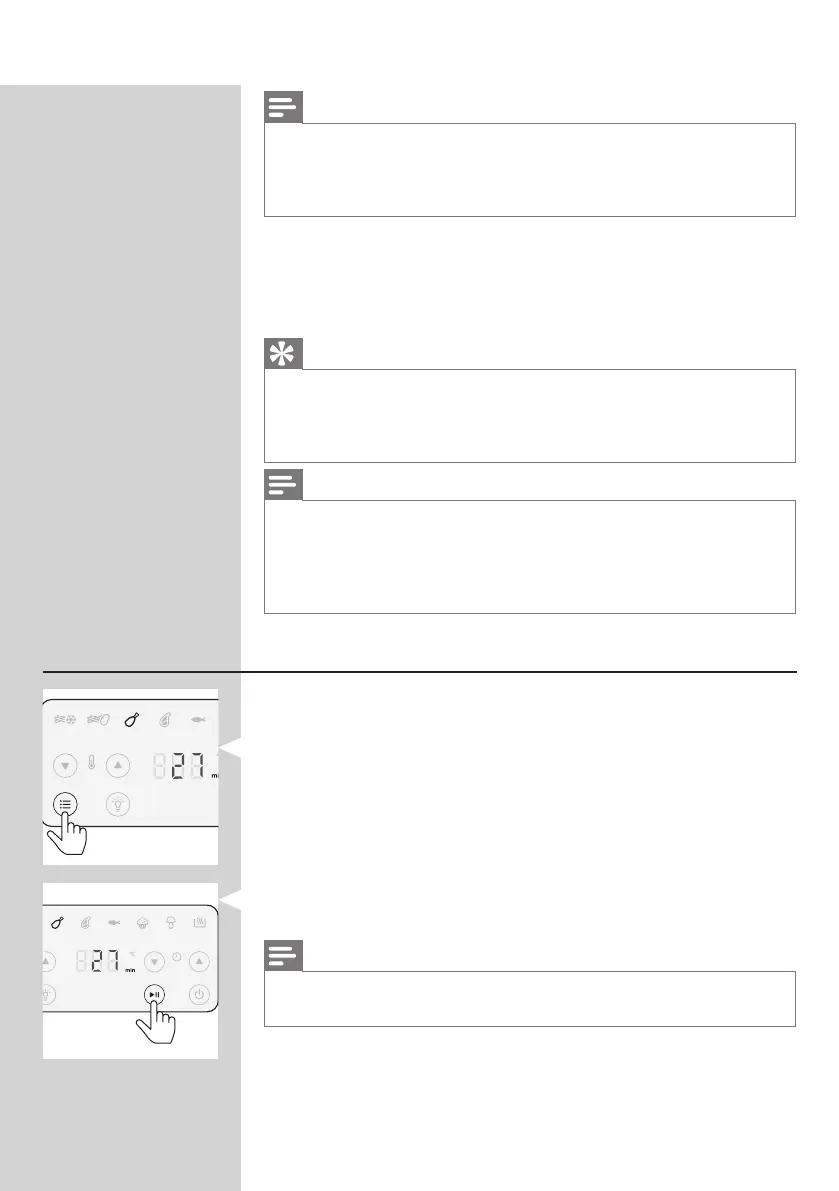
1 Follow steps 1 to 5 in chapter "Airfrying".
2 Press the Menu button. The frozen snacks icon is blinking.
Press the Menu button as often as your needed preset is
blinking.
3 Start the cooking process by pressing the start/pause
button.
Note
• In the following table you can nd more information about the
presets.


 To Next Page