18 ENGLISH
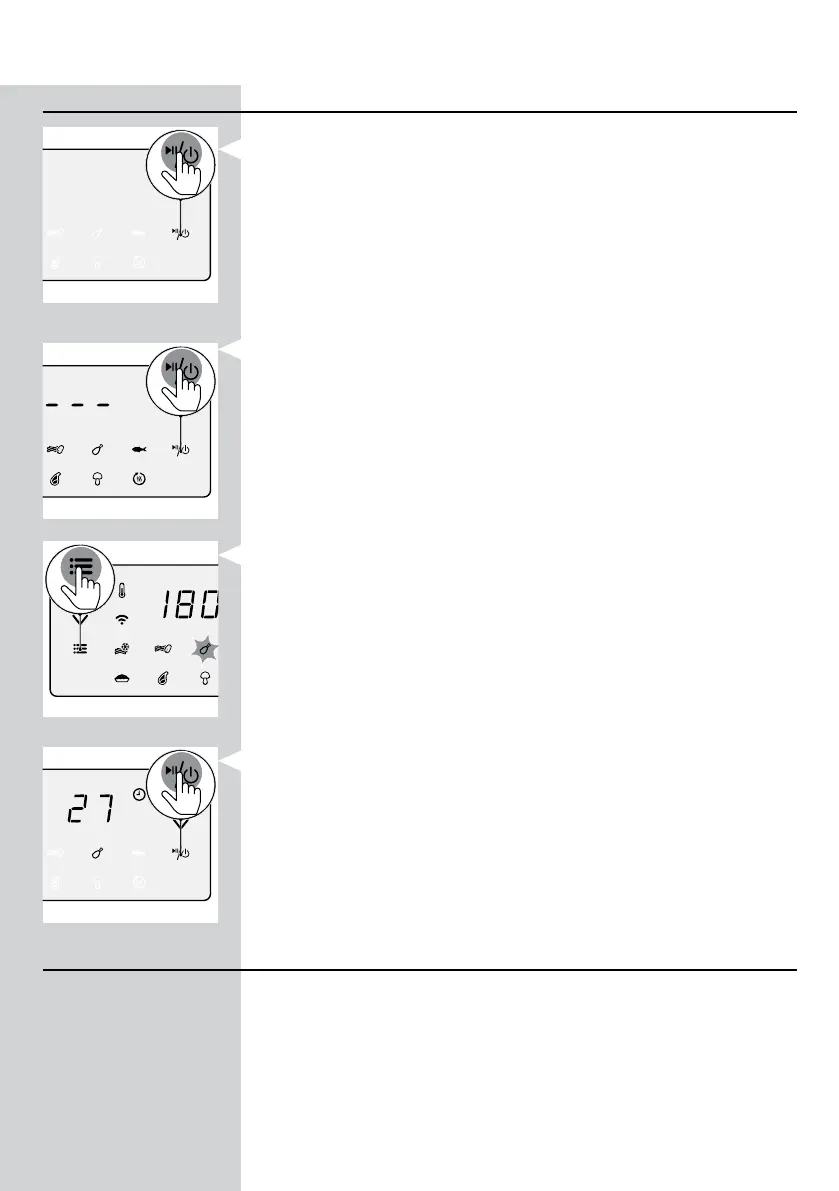
Changing to another preset
1 During the cooking process long press the power On/O button to
stop the cooking process. The device is then in stand-by mode.
2 Press the On/O button again to turn on the device.
3 Press the menu button as often as your needed preset is blinking.
4 Press the On/O button to start the cooking process.
Starting a recipe from the NutriU App
1 Press the On/O button to turn on the Airfryer.
2 Open the NutriU App on your smart device and look for your preferred
recipe.
3 Open the recipe and start the cooking process in the App.




 To Next Page