PHILIPS MEDICAL SYSTEMS
2-2
NOTE: To prevent the pads’ adhesive gel from drying out, do not open the
hard cover or film seal of the cartridge until you need to use the pads.
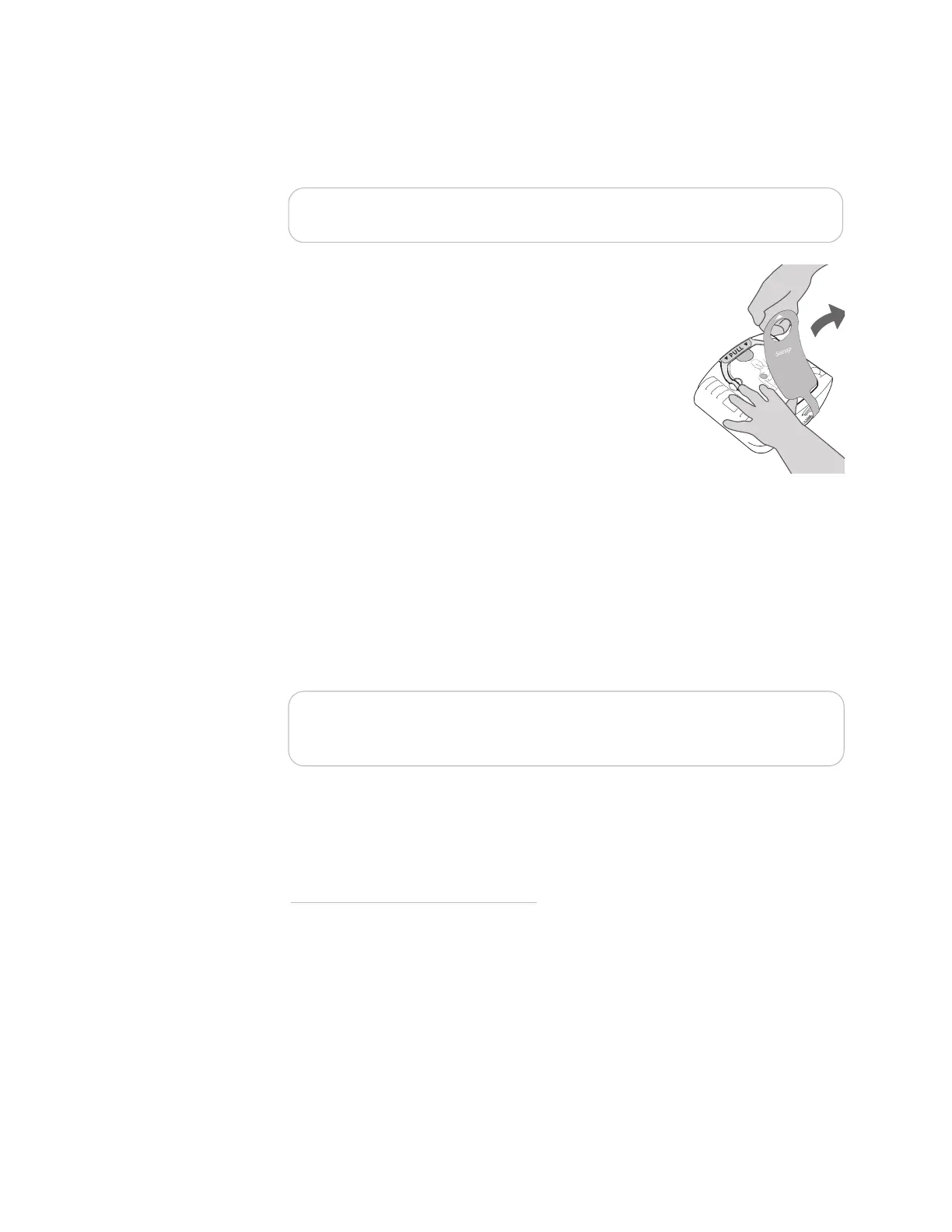
2. Pull out and discard the green Setup tab.
3. The OnSite will automatically run a self-test. Press
the Shock button when instructed. Be sure to let
the self-test run all the way to completion. When
the self-test is over, the OnSite will report the
result, and tell you to push the green On/Off
button in case of an emergency. (Do not push the
green button unless this is an actual emergency.)
Then the OnSite will turn off and go to standby
mode.
*
The green Ready light will be blinking to
show the OnSite is ready for use.
4. Install the OnSite in its carry case, if it is not pre-installed. Ensure that the
Quick Reference Guide
†
is face up in the clear plastic window on the inside
of the carry case. Philips recommends that you store a spare pads cartridge
and spare battery with your OnSite. If you are using a standard carry case,
there is an area in the upper lid of the case, under the flap, to store a spare
adult SMART Pads Cartridge or an infant/child SMART Pads Cartridge and a
spare battery.
‡
NOTE: Do not store anything in the defibrillator carry case that it is not
designed to accommodate. Store all objects in their intended location in the
case.
* As long as a battery is installed, turning the OnSite “off” puts it into standby mode,
which means that it is ready for use.
† The illustration on the cover of the Quick Reference Guide is a 3-step guide to
using the OnSite. Detailed illustrated directions are inside, for reference in an
emergency, or if you are hearing impaired or using the OnSite where it is hard to
hear the voice instructions.
‡ See Chapter 4, “After Using the HeartStart OnSite,” for directions on how to replace
the battery in the OnSite.
Setup







 To Next Page