5-3
PHILIPS MEDICAL SYSTEMS
5
TROUBLESHOOTING A CHIRPING HEARTSTART
Your Philips AED tests itself at regular
intervals to ensure it is ready for use. If your
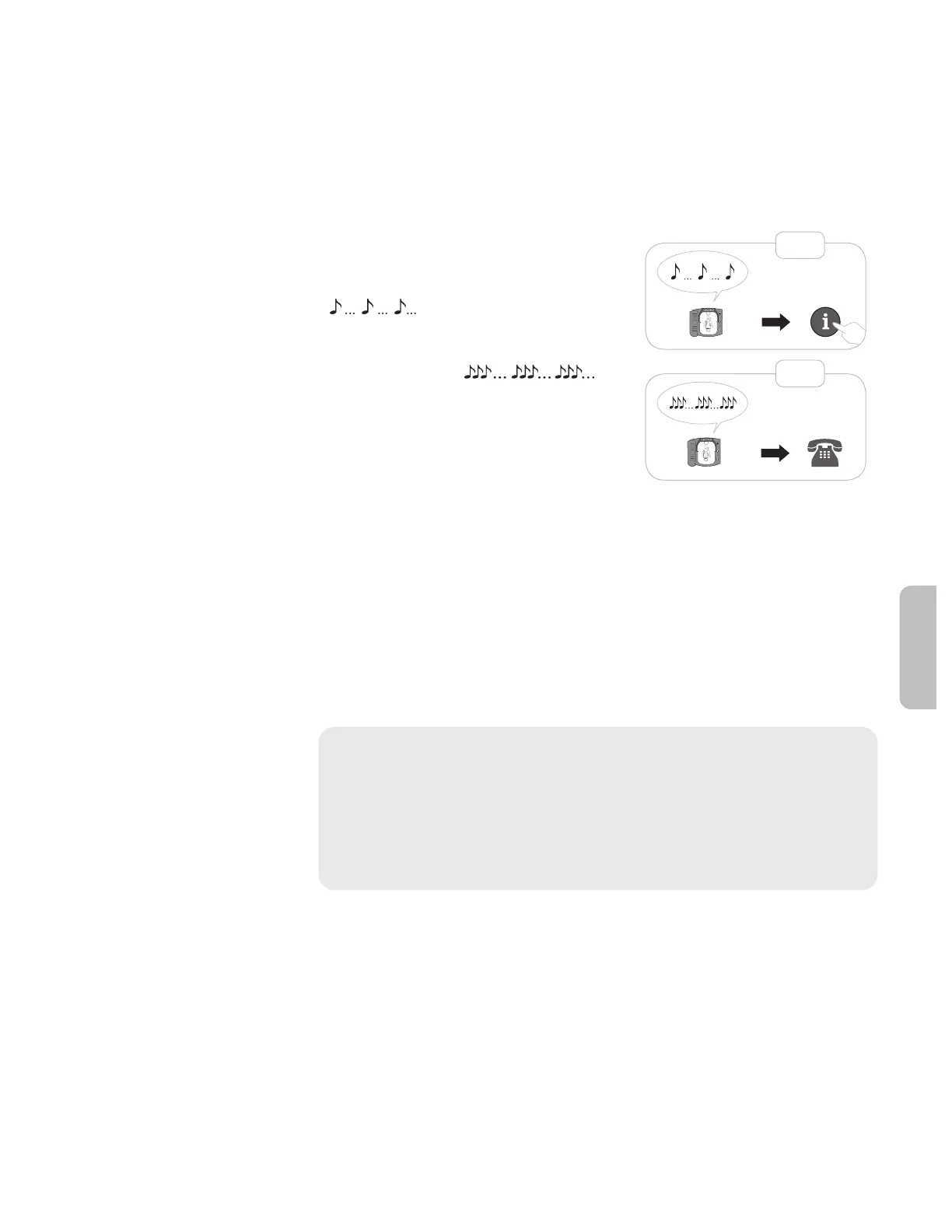
AED emits a series of single chirps
( ), press the blue i-button for
information.
3x
1x
A triple-chirp alert ( )
could mean that a potentially serious
problem was detected during self-test that
could prevent your AED from delivering
therapy in an emergency. If you ever hear
your AED emit a series of triple chirps:
• in stand-by mode — please call Philips immediately for technical
support at the regional number listed on the back cover of this manual.
• in an emergency rescue — press the flashing blue i-button and follow
the voice prompts. Removing and reinserting the battery can clear
some errors and equip the device to deliver therapy in a rescue. The
battery removal and reinsertion procedure should only be done in an
emergency situation. Once the emergency is over, please call Philips
immediately for technical support.
WARNING: Removing and reinserting the battery one or more times when
an AED emits a series of triple chirps may reset the device and cause it to
report it is ready for use, though it may be unable to deliver therapy during a
rescue. Removing and reinserting the battery when your AED is emitting a
pattern of triple chirps should only be done during an emergency. If your
device is emitting a series of triple chirps in stand-by mode, or after an emergency,
please remove the AED from service and contact Philips immediately.
More detailed testing and troubleshooting information is available in Appendix
G.







 To Next Page