PHILIPS MEDICAL SYSTEMS
3-4
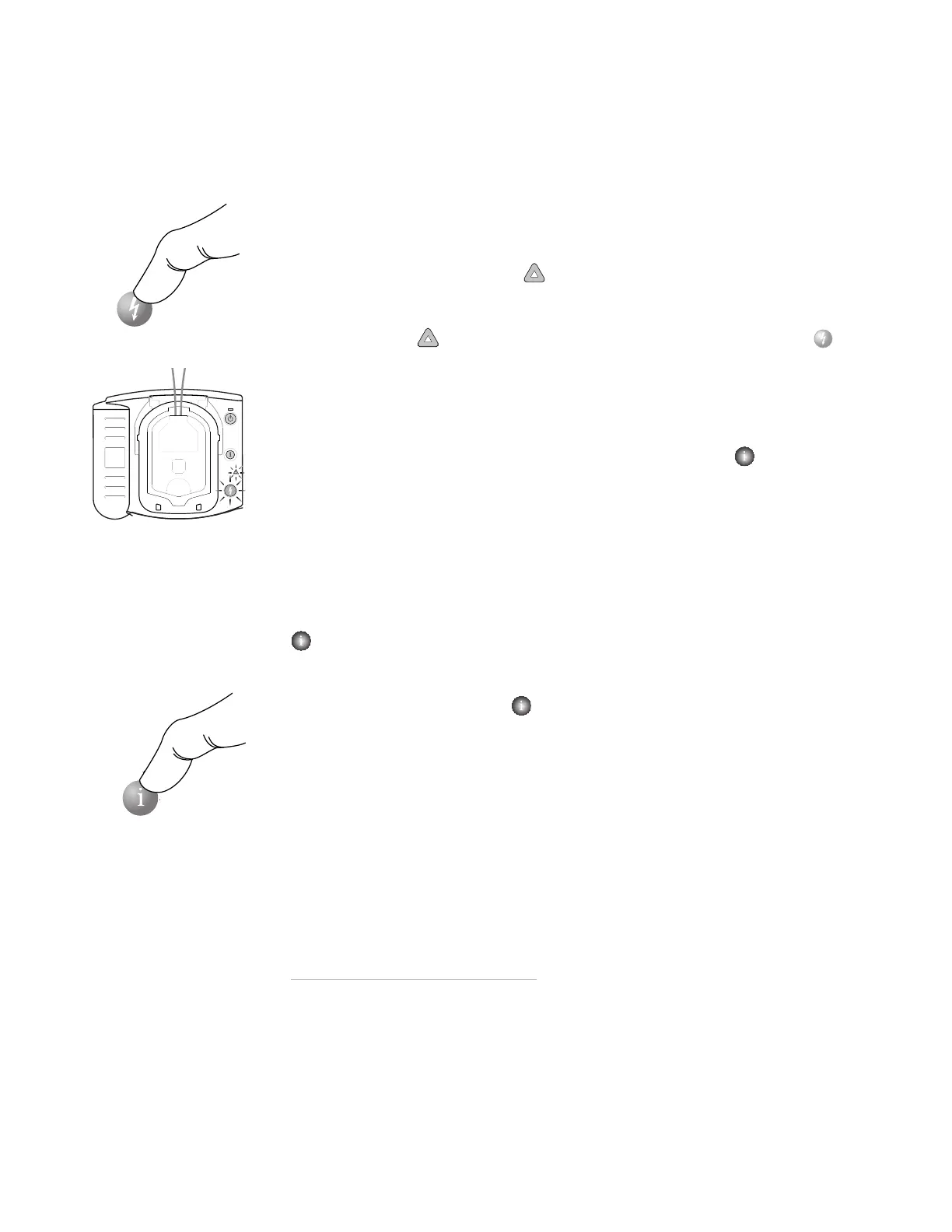
STEP 3: PRESS THE SHOCK BUTTON
As soon as the OnSite detects that the pads are attached to the patient, it begins
analyzing the patient’s heart rhythm. It tells you that no one should be touching
the patient, and the Caution light begins flashing as a reminder.
If a shock is needed:
The Caution light
goes from flashing to solid, the orange Shock button
starts flashing, and the OnSite tells you to press the flashing orange button.
Before you press the button, make sure no one is touching the patient. When
you press the Shock button, the OnSite tells you that the shock has been
delivered. Then the OnSite tells you it is safe to touch the patient, instructs you
to begin CPR, and invites you to press the flashing blue i-button for CPR
Coaching if desired.
If a shock is not needed:
The OnSite tells you it is safe to touch the patient and instructs you to perform
CPR if needed. (If CPR is not needed – for example, if the patient is moving or
regaining consciousness – follow your local protocol until emergency medical
personnel arrive.) Then the OnSite invites you to press the flashing blue i-button
for CPR Coaching, if desired.
For CPR Coaching:
Press the flashing blue i-button during the first 30 seconds of the patient
care pause to activate CPR Coaching.
*
(If the Infant/Child SMART Pads
Cartridge is inserted, CPR Coaching will provide coaching for infant/child CPR.)
When the pause is over, the OnSite tells you to stop CPR, so it can analyze the
patient’s heart rhythm. The motion caused by CPR can interfere with analysis, so
be sure to stop all motion when instructed.
* The default configuration for the OnSite provides CPR Coaching when you press
the i-button in this situation; however, the default setting can be revised by your
Medical Director using Philips software available separately. See Appendix F for
more information.







 To Next Page