2-2
PHILIPS MEDICAL SYSTEMS
2
mode and ready for use. Tear the card along the line at the bottom and
remove it. Then reinstall the defibrillator in its carry case.
NOTE: To prevent the adhesive gel from drying out, do not open the pads
cartridge until you need to use the pads in an emergency.
READINESS CHECK
If the HeartStart Home Defibrillator is correctly set up, it will now be in “standby
mode” and the green Ready light will be blinking. This means the defibrillator has
passed its most recent self-test and is therefore ready to use. To test this:
1. Press the blue i-button on the front of the device.
The defibrillator will report the status of the unit and tell you to push the
green On/Off button in case of an emergency. Do not push the green button
unless this is an actual emergency.
2. Check the green Ready light in the upper right-hand corner of the device.
The green Ready light will be blinking. (If the green Ready light is not blinking
or if the defibrillator is chirping and the blue i-button is flashing, you can press
the i-button and the defibrillator will tell you what is wrong and what to
do about it. See Chapter 6, “Testing and Troubleshooting the HeartStart
Home Defibrillator,” for troubleshooting guidelines.)
NOTE: Always store the HeartStart with a pads cartridge and a battery
installed, so it will be ready to use and can perform daily self-tests.
BEING READY TO USE THE HEARTSTART
Finally, follow these important steps to help ensure that you’ll be ready to use your
HeartStart if you need to.
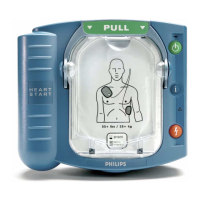
1. Take a moment to study the front of the HeartStart. Check the drawing and
descriptions on the inside front cover of this book. Locate the controls and
features of the defibrillator.







 To Next Page