6 EN
o +/- (Volume)
Increase or decrease volume.
p Alphanumeric buttons
Enter values or letters (using SMS style
entry).
q SUBTITLE
Select subtitle language for video.
r AUDIO
Select an audio language or channel.
s
Access or exit sound options.
t (Pause)
Pause play.
u
Stop play.
v
• Access more play options while playing
a disc or a USB storage device.
• In radio mode, set a radio station.
w TOP MENU
Access the main menu of a disc.
x
Switch to Bluetooth mode.
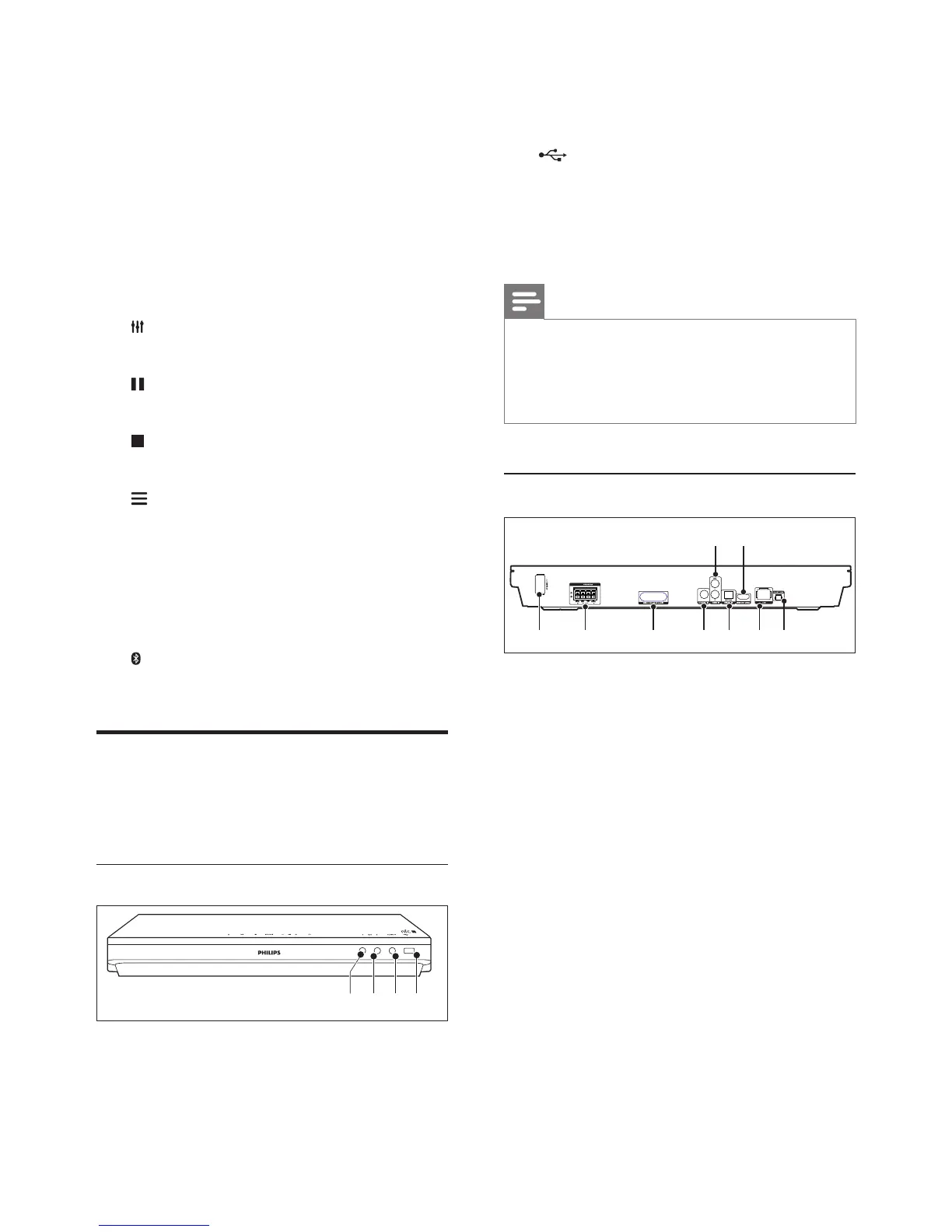
Connectors
This section includes an overview of the
connectors available on your home theater.
Front connectors
a MIC 1
Audio input from a microphone.
b MIC 2
Audio input from a microphone.
ab dc
c AUDIO IN
Audio input from an external device, such
as MP3 player (3.5mm jack).
d (USB)
• Audio, video or picture input from a
USB storage device.
• Connect a USB mass storage to access
BD-Live.
Note
• When you connect an MP3 player to the home theater
with a 3.5mm audio cable, make sure that you connect
the MP3 player to the AUDIO IN connector, not to the
MIC 1 or MIC 2 connector, to ensure normal function
of the home theater.
Rear connectors
a AC MAINS
Connect the supplied AC power cable.
b SPEAKERS
Connect to the supplied speakers and
subwoofer.
c Wireless transmitter
Transmit wireless audio signal to the rear
speakers via the supplied wireless box
(receiver).
d COAXIAL IN
Connect to a coaxial audio output on the
TV or a digital device.
e DIGITAL IN-OPTICAL
Connect to an optical audio output on the
TV or a digital device.
f LAN
Connect to the LAN input on a
broadband modem or router.
33 3
d ec f ga b
i h




 To Next Page