7
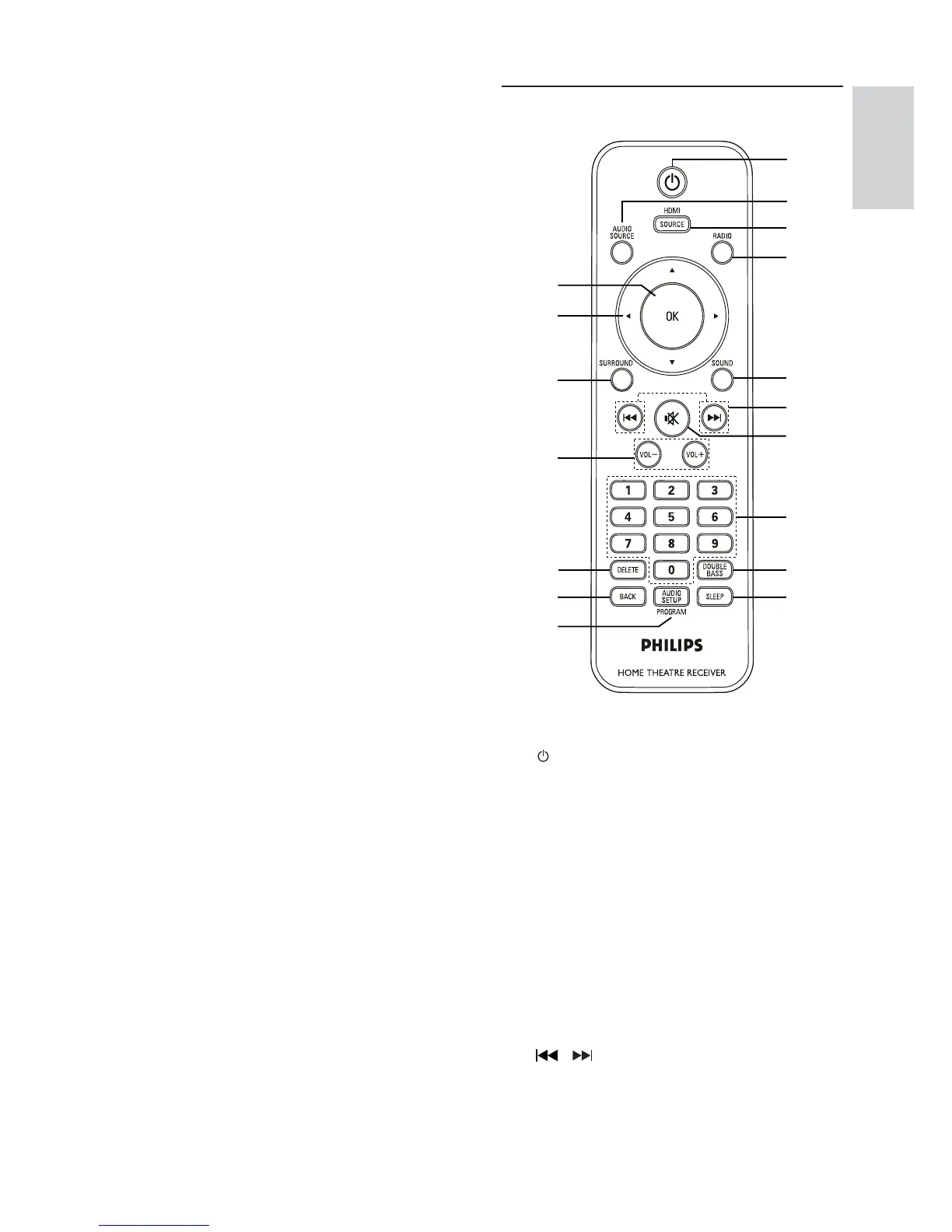
Remote Control
a ( Standby-On )
Turns on the Digital Receiver or •
switches to standby mode.
b AUDIO SOURCE
Selects an audio input source.•
c HDMI SOURCE
Selects an HDMI input source.•
d RADIO
Switches to FM band.•
e SOUND
Selects a predefi ned sound effect.•
f
/
Selects the previous or next preset •
radio station.
p
q
a
b
c
d
e
f
g
h
i
j
m
l
n
o
k
h VOLUME
Increases or decreases volume.•
i MP3 LINK
Connects a portable audio player.•
Your product
English
EN



 To Next Page