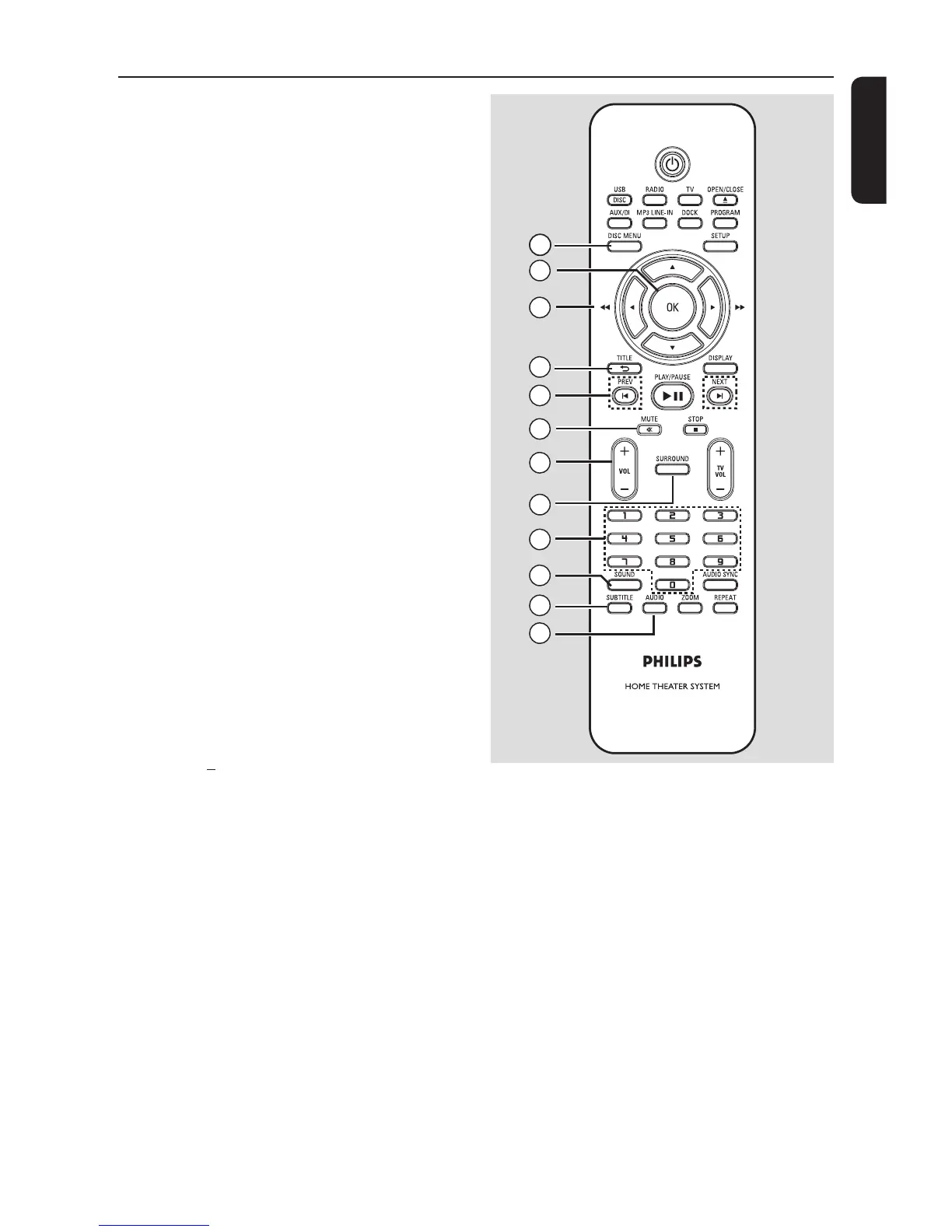
m DISC MENU
– For DVD, enters or exits disc contents
menu.
– For VCD/SVCD, enters digest menu.
n OK
– Con rms an entry or selection.
o v V b B
– DISC: selects movement direction in the
menu.
– DISC: press left or right for fast forward
and backward search.
– RADIO: press up or down to tune the
radio frequency.
– RADIO: press left or right to start auto
search.
p TITLE O
– For DVD, go back to the previous menu.
– For VCD version 2.0 only;
During playback, display the disc title
menu or return to the main menu.
q PREVí / NEXT ë
– DISC: skips to the previous or next title/
chapter/track.
– RADIO: selects a preset radio station.
r MUTE %
– Mutes or restores the volume.
s VOL +/
– Adjusts the volume level.
t SURROUND
– Selects multi-channel surround or
stereo mode.
u Numeric keypad 0-9
– Enters a track/title number of the disc.
– Enters a number of a preset radio station.
v SOUND
– Selects a prede ned sound effect.
w SUBTITLE
– Selects a DVD subtitle language.
x AUDIO
– DISC: selects an audio language/channel.



 To Next Page