8
Connect to the internet
Connect the home theater to the internet
network and enjoy:
• BD-Live applications : access to some
exclusive services from the BD-Live enabled
Blu-ray discs (see ‘Access BD-Live on Blu-
ray’ on page 11).
• Software update : update the software of
the home theater through the network (see
‘Update software from the network’ on
page 17).
What you need:
• A network router (with DHCP enabled).
• A network cable (RJ45 straight cable).
• For BD-Live application and software
update, make sure that the network router
has access to the Internet and the rewall is
disabled.
(Cable not supplied)
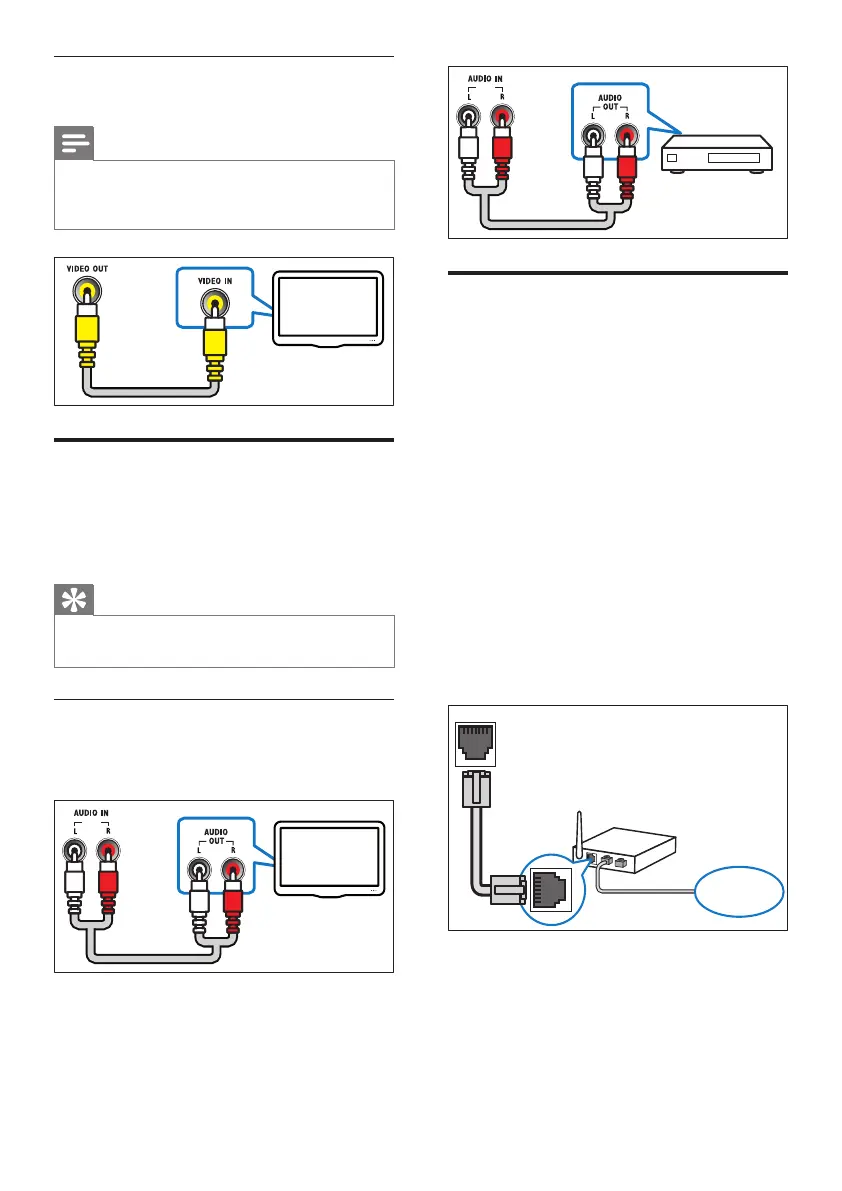
Option 2: Connect to the TV through
composite video (CVBS)
Note
• The composite video cable or connector might
be labeled AV IN, VIDEO IN, COMPOSITE or
BASEBAND.
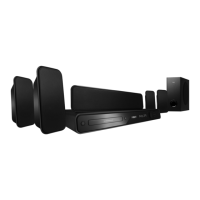
Connect audio from TV or
other devices
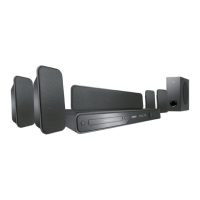
Use your home theater to play audio from the
TV or other device such as a cable box.
Tip
• Press AUDIO SOURCE to select the audio
output of your connection.
Option 1: Connect audio through analog
audio cables
(Cable not supplied)
EN



 To Next Page