English
13
Connection to External Devices
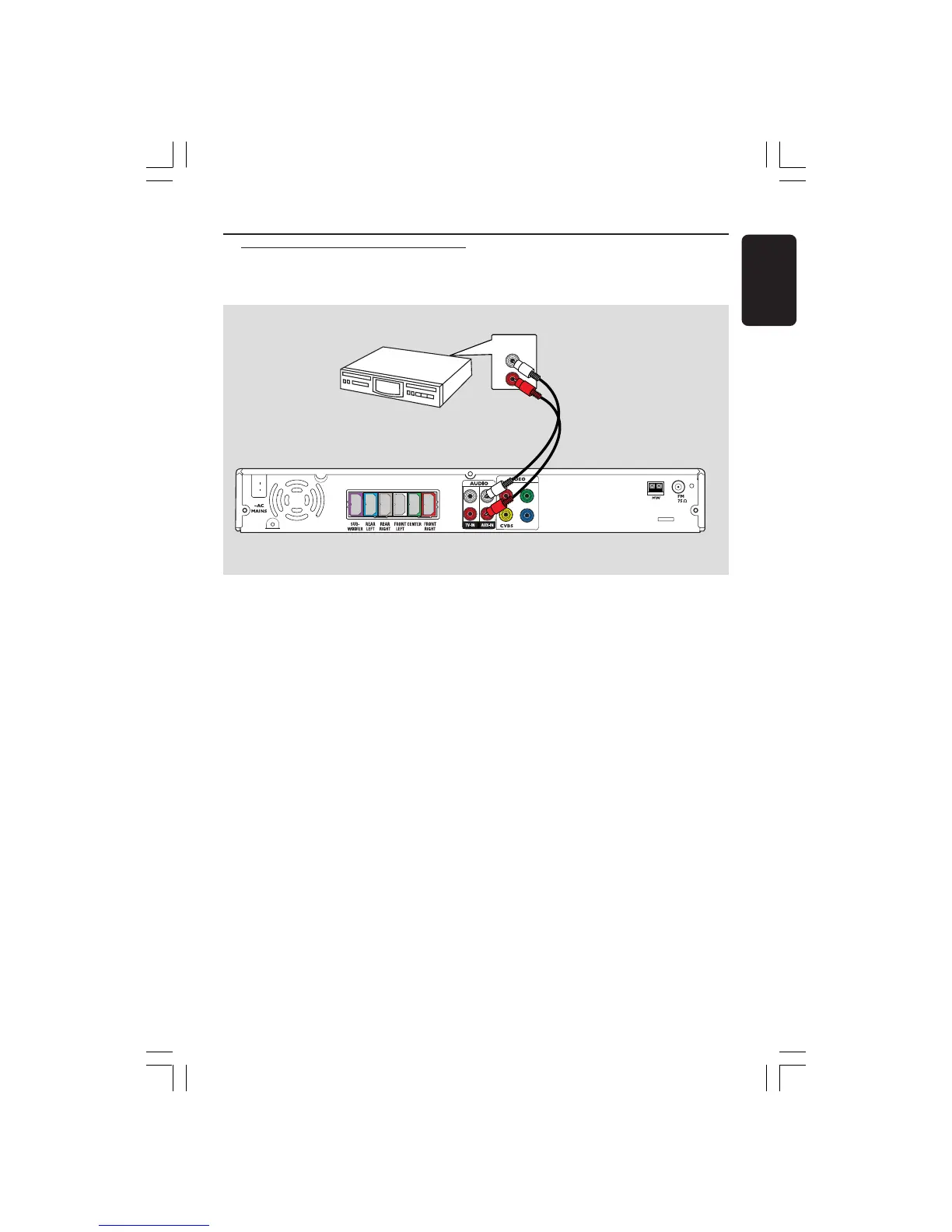
You can connect other audio/video device
to the DVD system in order to use the
Home Theatre Audio System’s surround
sound capabilities.
● Use an audio cable (red/white, not
supplied) to connect the DVD system’s
AUX IN (R/L) sockets to the AUDIO
OUT sockets on the audio/video device.
To listen to the sound, press AUX/DI to
select “AUX” as the source to play.
Helpful Hint:
– Always refer to the user manual of the
other devices for complete connection and
use details.
Connecting a audio/video
device
AUDIO OUT
Pb
Pr
Y
L
R
Audio/Video
Device
DVD System
001-047 hts3610k_eng_4 20/09/05, 9:57 AM13



 To Next Page