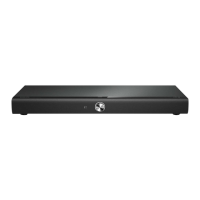
Back connectors
a DC IN
Connects to the AC-DC adapter.
b VIDEO OUT (CVBS)
Connects to the composite video input
on the TV.
c HDMI OUT
Connects to the HDMI input on the TV.
d FM75
Connects the FM antenna for radio
reception.
e DIGITAL IN-COAXIAL
Connects to the coaxial audio output on
the TV or a digital device.
f AUX IN
Connects to the analog audio output on the
TV or an analog device.
Connect to the TV
Connect your home theater directly to a TV
through one of the following connectors (from
highest to basic quality video):
a HDMI
b Composite video
c SCART
Connect your
Direction of Use
home theater
This section helps you connect your home
theater to a TV and other devices. The basic
connections of the home theater with its
accessories are provided in the Quick Start. For
a comprehensive interactive guide, see www.
connectivityguide.philips.com.
Note
Refer to the type plate at the back or bottom
of the product for identification and supply
ratings.
Before you make or change any connections,
ensure that all devices are disconnected from
the power outlet.
•
•
Connectors
Front connectors
a (USB)
Audio, video or picture input from a USB
storage device.
b MP3 LINK
Audio input from an MP3 player.
7-3



 To Next Page
 Loading...