11
English
Remote Control (continued)
HDMI
14
15
16
17
18
19
20
21
22
23
24
25
26
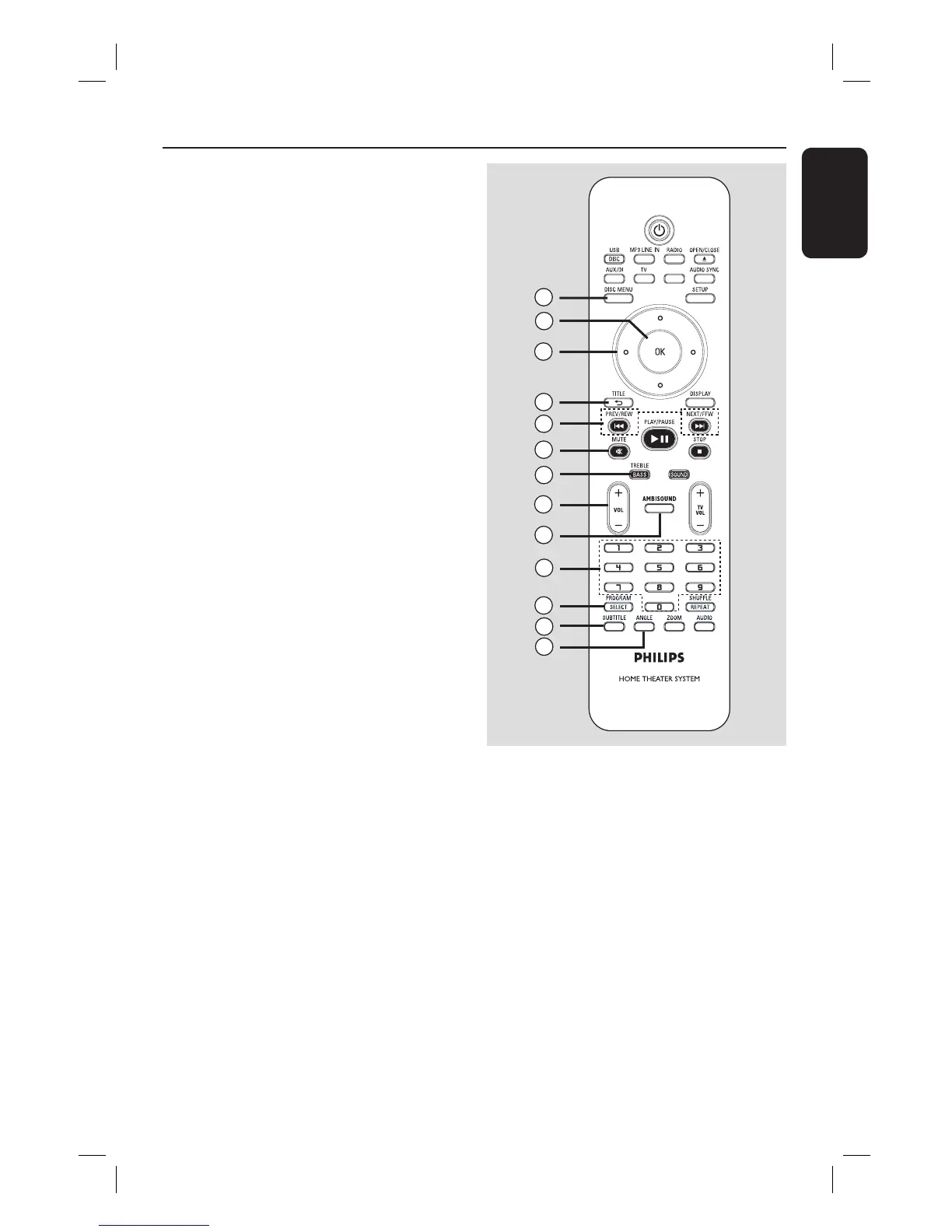
n DISC MENU
– For DVD, enters or exits disc contents
menu.
– For VCD/SVCD, enters digest menu
while in stop mode; turns on/off PBC
mode during playback.
o OK
– Con rms an entry or selection.
p Cursor keys
– DISC: selects movement direction in the
menu.
– RADIO: press up or down to tune the
radio frequency.
– RADIO: press left or right to start auto
search.
q TITLE 2
– For DVD, go back to the previous menu.
– For VCD version 2.0 only;
During playback, display the disc title
menu or return to the main menu.
r PREV / REW ., NEXT / FFW >
– DISC: skips to the previous or next title/
chapter/track.
– DISC: press and hold this button for fast
forward and backward search.
– RADIO: selects a preset radio station.
s MUTE
– Mutes or restores the volume.
t TREBLE / BASS
– Toggles between Treble and Bass mode.
Immediately after toggling, adjust the
volume control to change the level
settings
u VOL +-
– Adjusts the volume level.
v AMBISOUND
– Switches the surround sound mode
between Auto, Multi-Channel and Stereo.
w Numeric keypad 0-9
– Enters a track/title number of the disc.
– Enters a number of a preset radio station.
x SELECT/PROGRAM
– DISC: starts programming.
– RADIO: press and hold this button to
start automatic/ manual preset
programming.
– Make multiple selection in the menu.
– Toggles between different HDMI
resolution settings (only applicable for
version without HDMI button).
y SUBTITLE
– Selects a DVD subtitle language.
z ANGLE
– Selects a different viewing angle of a DVD
movie (if available).













 To Next Page