23
English
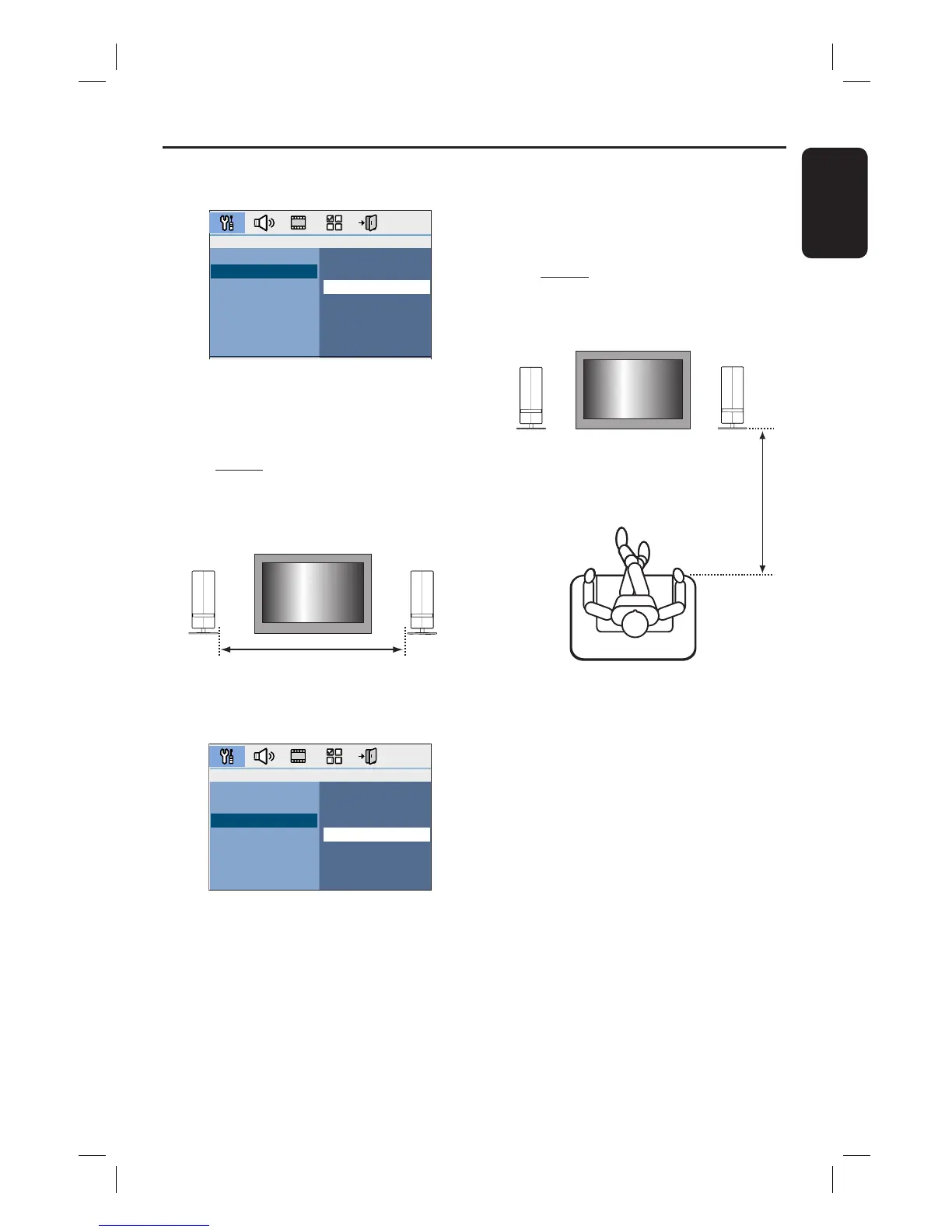
E Select { Speaker Distance } and press
cursor right key.
Near
Default
Far
Room Acoustics
Speaker Distance
Listening Position
F Select the distance between the two
speakers and press OK to con rm.
{ Near } for distance of less than
1.2 metres (3.9 ft).
{ Default } for distance between
1.2 metres to 2.0 metres (3.9~6.5 ft).
{ Far } for distance of more than
2.0 metres (6.5 ft).
TV
Speaker Distance
LEFT RIGHT
G Select { Listening Position } and press
cursor right key.
Near
Default
Far
Room Acoustics
Speaker Distance
Listening Position
H Select the distance between the listening
position and the speakers, press OK to
con rm.
{ Near } for distance of less than
2.0 metres (6.5 ft).
{ Default } for distance between
2.0 metres to 3.0 metres (6.5~9.8 ft).
{ Far } for distance of more than 3.0
metres (9.8 ft).
TV
Listening
Position
LEFT RIGHT
I The speaker settings are now completed,
press SETUP to exit the menu.
Getting Started (continued)













 To Next Page