26
ENGLISH
2
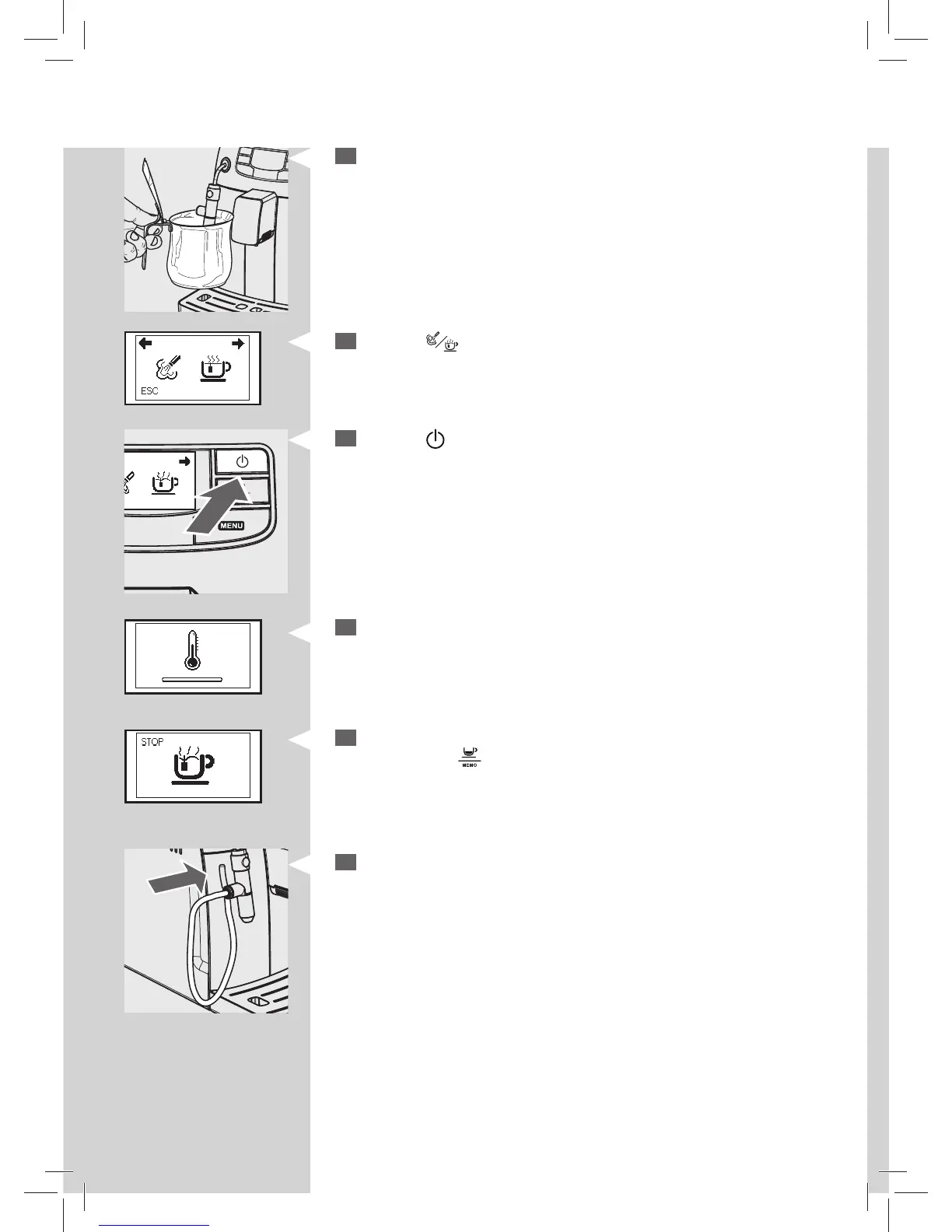
Place a container under the Cappuccinatore.
3
Press the “ ” button. The following icon is displayed.
Green
Green Yellow
4
Press the “ ” button to start dispensing hot water.
5
The following icon may be displayed during the preheating time requi-
red by the machine.
6
Pour the desired amount of hot water. To stop the hot water dispen-
sing press the “
” button.
7
Place the pin with suction tube back into the Cappuccinatore.






 To Next Page