29
ENGLISH
29
2
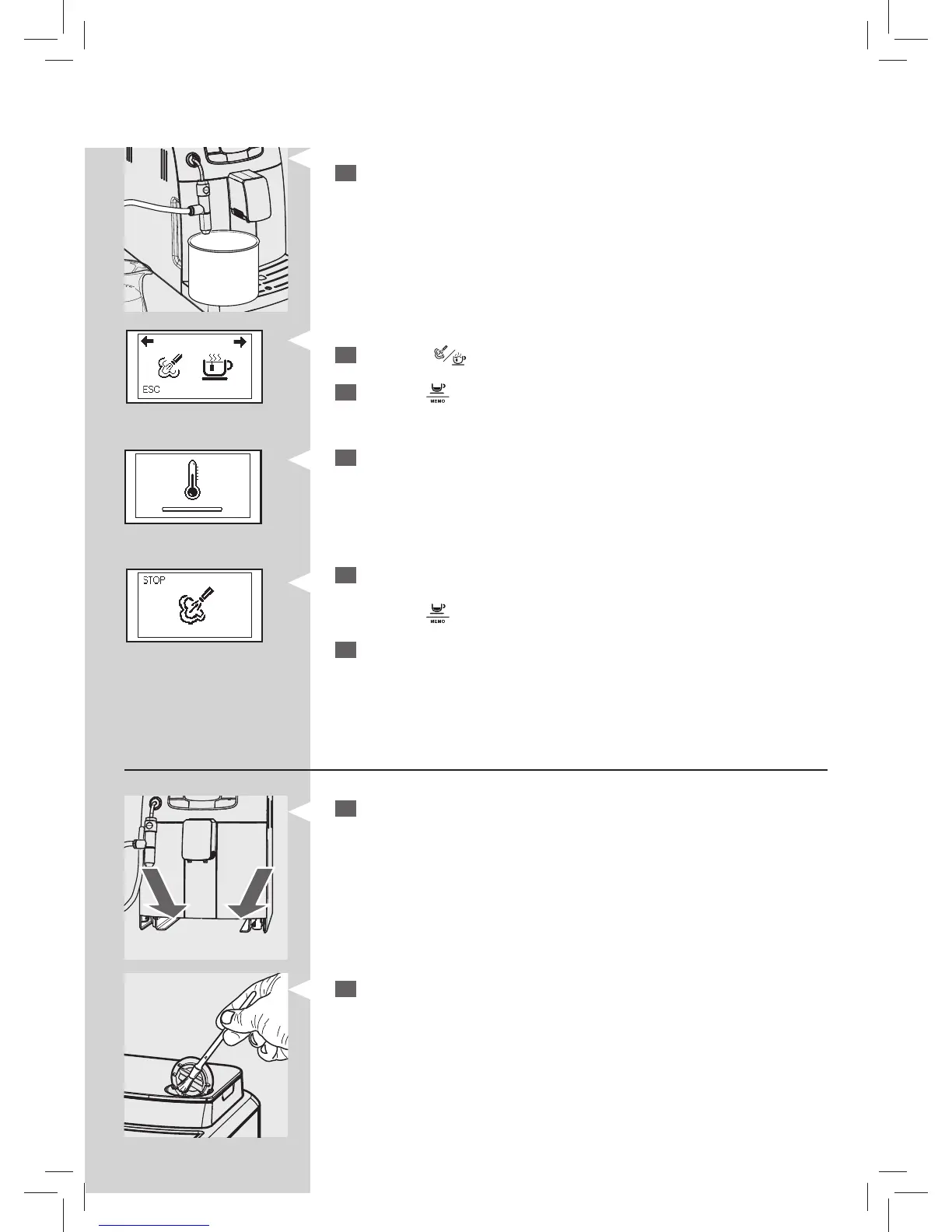
Place an empty container under the Cappuccinatore.
3
Press thee “ ” button. This icon is displayed.
4
Press the “ ” button to select steam.
Green GreenYellow
5
The following icon may be displayed during the preheating time requi-
red by the machine.
6
The following icon will be displayed during the dispensing phase.
Dispense water from the Cappuccinatore until clear water is dispensed.
Press the “
” button to stop dispensing.
7
Clean the suction tube with a damp cloth.
Weekly cleaning of the machine
1
Clean the seat of the drip tray.
2
Clean the pre-ground co ee compartment with the cleaning brush.






 To Next Page