7
3
3Installing J13 - J30
This section decribes how to install the following upgrade options:
– J13 - Serial Interface / MIB ready
– J14 - Parallel Printer Interface
– J23 - Remote Speedpoint and Remote Alarm Device
– J22 - PS/2 Interface
– J30 -- Flexible Nurse Call Relay
Installation Instructions
Removing the Blank Covers
CAUTION Make sure to unplug the AC power cord and to remove the batteries before removing blank covers or
I/O boards. Failure to remove the power cord and the batteries could cause damage to the CMU as it is
still under power.
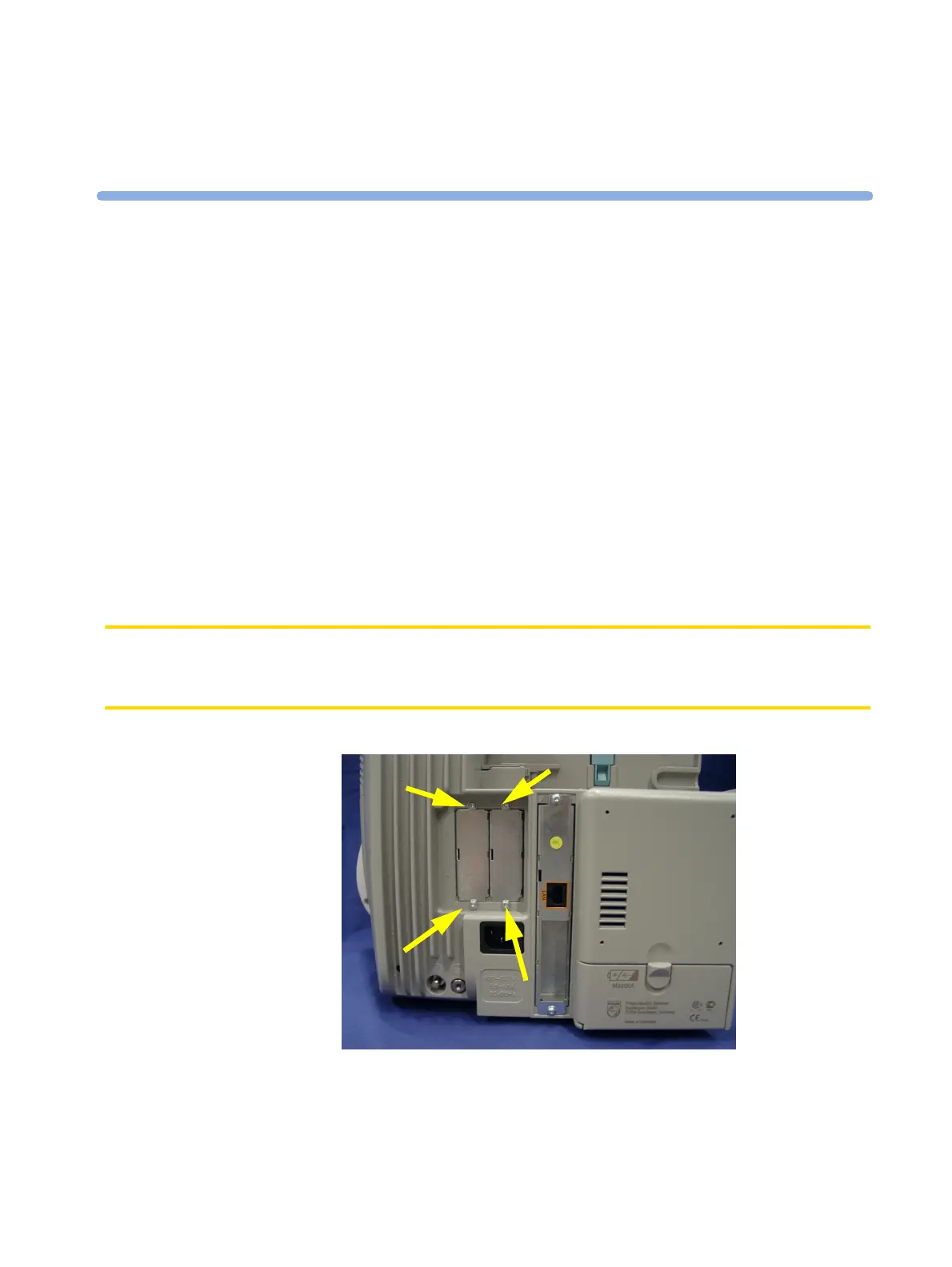
1 Remove the two screws securing each of the blank covers and remove them.



 To Next Page
 Loading...