Installation & User’s Manual SL STRIP 400 TW LED Luminaires
8 INSTALLATION AND SET UP
Sh wline
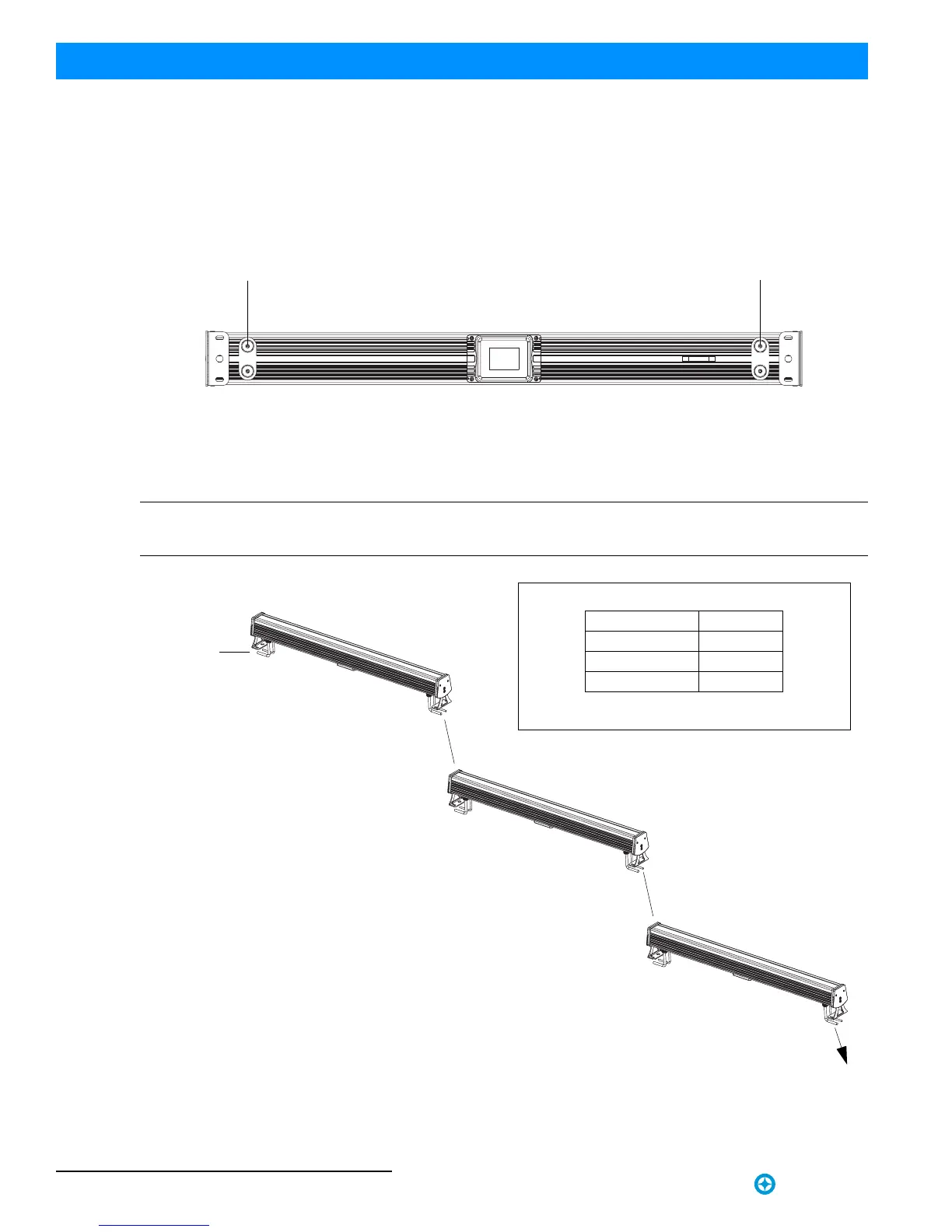
3. Connecting to the DMX512 Network
Basic DMX512 installation consists of connecting multiple SL STRIP 400 TW LED Luminaires together (up to 32
luminaires) in "daisy-chain" fashion. A cable runs from the control console (or DMX512 control source) to the DMX
connector on the first SL STRIP 400 TW LED Luminaire. Another cable runs from the other DMX connector on the
first unit to a DMX connector on the next SL STRIP 400 TW LED Luminaire (or DMX512 device to be controlled).
Figure 4: SL STRIP 400 TW LED Luminaire DMX512 Input / Output Connections
Note: For more information on DMX512 networking and systems, refer to "Additional Resources for DMX512" on
page 1. For SL STRIP 400 TW LED Luminaire DMX Mapping, refer to "DMX CONTROL" on page 17.
Figure 5: SL STRIP 400 TW LED Luminaire - DMX512 Connections
Bottom of Unit
DMX512 / RDM Input
DMX512 / RDM Output
DMX512
DMX512
(out from first
to second luminaire)
DMX512 (out to the next
luminaire or DMX512
controlled device)
SL STRIP 400 TW
DMX512 Connections
Note: Remaining pins on each connector are not used.
DMX512 Signal XLR Pin
Common (Drain) 1
DMX512 - 2
DMX512 + 3
(from console or
control device)
LED Luminaires


 To Next Page